Choose the laptop around how you will capture and submit receipts, warranty documents and fault evidence. Windows supports USB and network scanner workflows; a Chromebook suits browser-based filing with a compatible Wi-Fi or wired-network scanner, but not Bluetooth scanning. If you already use macOS, a MacBook Air is another route, provided its connections work with your existing accessories.
Who needs this setup?
Households digitising appliance paperwork
If you photograph or scan receipts, warranty leaflets and serial-number labels, you need to be able to find the files when something goes wrong. Citizens Advice says a warranty claim will usually need proof of purchase, details of the problem and a copy of the warranty or guarantee.
Owners keeping an existing scanner
Check your scanner’s connection before choosing an operating system. Microsoft describes USB and network scanner setup in Windows; Google says Chromebooks work with most Wi-Fi or wired-network scanners but do not support Bluetooth scanning.
Landlords and small operators
Records covering several appliances may also contain tenant, supplier or property information, making access and backups part of the filing routine. For organisations processing personal information, the Information Commissioner’s Office identifies encryption as a security measure to consider according to the risks.
What matters when choosing?
Windows laptop
Consider it when: You plan to use an existing USB or network scanner, or capture documents with a camera.
Check first: The exact laptop still needs suitable ports, and your scanner must work with its Windows setup.
Chromebook
Consider it when: You file records mainly through a browser and use a compatible Wi-Fi or wired-network scanner.
Check first: Google says Chromebooks do not support Bluetooth scanning.
MacBook Air
Consider it when: You already use macOS and want the laptop for email, document filing and other everyday work.
Check first: Apple lists USB-C rather than USB-A data ports on the 13-inch M4 model, so older accessories may need a compatible connection.
For appliance-warranty records, settle the capture and upload workflow before comparing storage and accessories.
| Concern | What to check | Who this matters to |
|---|
| Capture and upload evidence |
Check how you will scan or photograph documents, then confirm the claim portal accepts your browser and file types. |
If I need to submit a receipt and fault evidence, I want legible files I can upload without changing my scanning routine. Around 42% of consumers put evidence capture and upload first. |
| Retrieve and protect records |
Plan where files will be stored and backed up; for organisational records, assess access controls and encryption. |
When I manage records for several appliances, I need to find the right paperwork later and limit access to personal details. Keeping records retrievable and protected comes first for around 33% of consumers. |
| Use existing accessories |
Compare your scanner and drive connectors with the exact laptop’s ports, including any adapter you would need. |
I would rather keep using my current peripherals than change them for an occasional paperwork task. Around 25% of consumers primarily want to avoid that accessory friction. |
Mistakes to avoid
-
Treating a manufacturer warranty as the only remedy
A warranty does not replace statutory rights relating to faulty goods. The paperwork you retain can also help when you approach a seller rather than a manufacturer.
Keep the receipt, warranty terms, repair correspondence and a dated account of the fault together. Citizens Advice advises considering legal rights as well as the warranty process.
-
Choosing a Chromebook for a Bluetooth-only scanner
Google says Chromebooks can scan with most compatible Wi-Fi or wired-network devices, but do not support Bluetooth scanning.
Identify your scanner’s connection method before choosing ChromeOS; if Bluetooth is its only scanning connection, plan another way to capture documents.
-
Assuming existing USB accessories plug straight in
Connector layouts differ between laptops. Apple lists two Thunderbolt 4/USB-C ports, rather than USB-A ports, on the 13-inch M4 MacBook Air.
Compare the connectors on your scanner and storage drive with the exact laptop configuration.
A compatible adapter, hub or dock may be needed for a USB-A accessory.
-
Leaving organisational records accessible to everyone
Landlord or business files may contain personal information. The Information Commissioner’s Office advises organisations to choose security measures according to their processing risks and identifies encryption as one possible measure.
Set up account access and backups deliberately, and review who can open the records when staff or contractors change.
Relevant brands to consider
Acer
The Acer Chromebook Plus 514 line is relevant to browser-led filing with a compatible network scanner.
- Acer lists USB-A, USB-C and HDMI connections for the cited Chromebook Plus 514 family.
- ChromeOS does not support Bluetooth scanning, according to Google; check the scanner and the exact laptop configuration.
Lenovo
The ThinkPad E14 Gen 6 is a 14-inch laptop line to consider if warranty administration is one part of broader office work.
- Lenovo describes storage and memory in this line as upgradeable.
- Check the operating system, ports and storage of the particular configuration against your filing setup.
Microsoft
Surface Laptop offers a Windows route for browser forms and document filing.
- Microsoft supports document capture through Windows Camera and describes USB and network scanner setup in Windows.
- Surface Laptop port layouts vary by size and edition; Windows support does not establish compatibility with a particular scanner or claim portal.
Apple
MacBook Air is relevant if you already use macOS and also need a laptop for everyday email and document work.
- Apple lists two Thunderbolt 4/USB-C ports on the 13-inch M4 MacBook Air.
- Check adapter and software compatibility before relying on a USB-A scanner or drive.
Chromebooks for browser-based filing
These Chromebook options suit a browser-led approach to appliance records. Before choosing one, check your scanner’s connection and the browser and file formats required by the claim portals you use.
 Image unavailable
Acer Chromebook Plus 514 CB514-5H, Core 5 120U, 512GB SSD
A Chromebook option for keeping appliance records through a browser. The listed configuration has a 14-inch WUXGA (1920 × 1200) display, Intel Core 5 120U, 8GB RAM and a 512GB SSD.
Check your scanner model and connection, along with the claim portal’s browser and file requirements.
View on Joybuy
 Image unavailable
Acer Chromebook Plus 514 CB514-5H, Core i3-1315U, 256GB SSD
A Chromebook option for browser-based warranty filing. The listed configuration has a 14-inch WUXGA (1920 × 1200) display, Intel Core i3-1315U, 8GB RAM and a 256GB SSD.
Confirm that your scanner works with ChromeOS and that the relevant claim portal accepts your intended files.
View on Joybuy
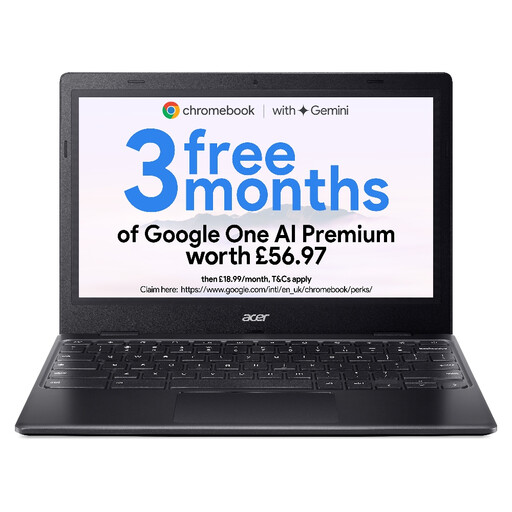 Image unavailable
Acer Chromebook 311, 11.6-inch HD, 64GB eMMC
A smaller Chromebook option for browser-based appliance records. The listing names a 1366 × 768 HD display, Intel Celeron N4500, 4GB RAM and 64GB eMMC storage.
Confirm the exact model and configuration before buying, as well as scanner compatibility and the claim portal’s requirements.
View on Joybuy
Frequently asked questions
What warranty evidence should I keep on the laptop?
Keep proof of purchase, the warranty or guarantee, details of the fault and relevant correspondence. Citizens Advice says proof of purchase, problem details and a copy of the warranty or guarantee are usually needed for a warranty claim.
Can I use a Chromebook with my existing scanner?
You can use a compatible Wi-Fi or wired-network scanner with a Chromebook, but not Bluetooth scanning. Google advises checking that the Chromebook and scanner are on the same network; confirm support for your particular scanner before buying.
Does a manufacturer warranty replace my consumer rights?
No. Citizens Advice explains that warranties and guarantees add to legal rights rather than replacing them. If an appliance is faulty, keep your purchase and fault records and consider the applicable rights against the seller as well as the warranty process.
How should a landlord or small business protect warranty records?
If the records contain personal information and are processed for an organisation, use security measures appropriate to the risks. The Information Commissioner’s Office identifies encryption as one measure to consider; account access and a defined backup routine also deserve attention.


