
24/7 Customer Support

Free returns

Same-day & Next-day Delivery

Quality Guaranteed

Unlock Your Welcome Offers: FREE Delivery | Up to 80% OFF | Free 30-day JoyPlus trial
Download the APP
Finding a reliable laptop backpack can feel like a chore. The market is flooded with options, all promising to be the perfect companion for your daily commute or travels. Yet, many of us have been let down by a bag that looked great online but failed in practice. As a Joybuy Product Recommendation Officer, my role is to help you see past the marketing clutter and focus on what truly matters. Before you spend your money, let's look at the common pitfalls that lead to buyer's remorse.
To avoid these issues, focus on the fundamental aspects of the bag's construction. These are the non-negotiable features that determine whether a laptop rucksack will serve you well for years or fall apart in months.
The most critical feature is how it protects your device. Don't just rely on the stated screen size (e.g., "fits 15.6-inch laptops").
The fabric and hardware determine the bag's lifespan and its ability to protect your belongings from the elements.
For a commuter backpack you'll be wearing daily, comfort is not a luxury; it's a necessity.
Based on these practical criteria, here are a few options from our catalogue, matched to different user needs.
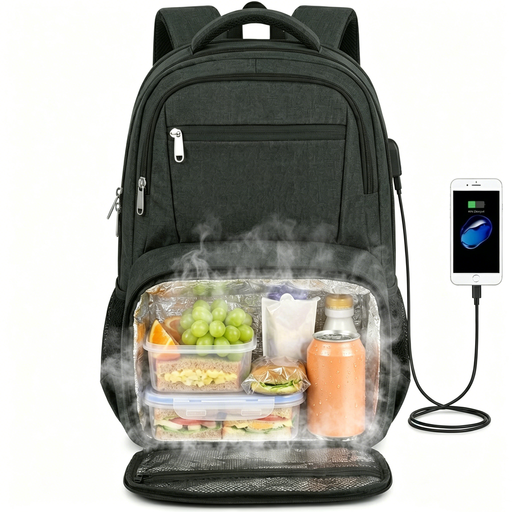
Why This Fits Their Persona: Ideal for those splitting time between the office, home and travel. The separate insulated lunch compartment means no more carrying a second bag, and the TSA-friendly design simplifies airport security checks. It accommodates larger laptops up to 17.3 inches.
Instead of a single flimsy compartment, it offers dedicated, well-organised sections for tech, food and personal items, avoiding the chaos of a poorly designed bag.
Versatile Storage: Features a collapsible insulated lunch compartment and a luggage strap. Travel-Ready: TSA-friendly 180-degree opening and a built-in USB port.
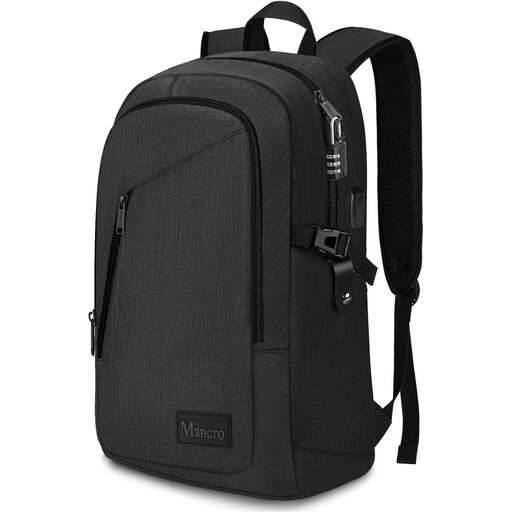
Why This Fits Their Persona: For anyone navigating busy train stations or crowded city centres, this anti-theft backpack provides peace of mind. Its design prioritises security without sacrificing a professional, understated look suitable for the office or university.
This bag integrates security features like a combination lock and durable metal zippers as a core part of its design, rather than as an afterthought.
Enhanced Security: Comes with a dedicated anti-theft lock. Comfortable & Durable: Made from tear-resistant, water-resistant polyester with padded "S" shaped shoulder straps.
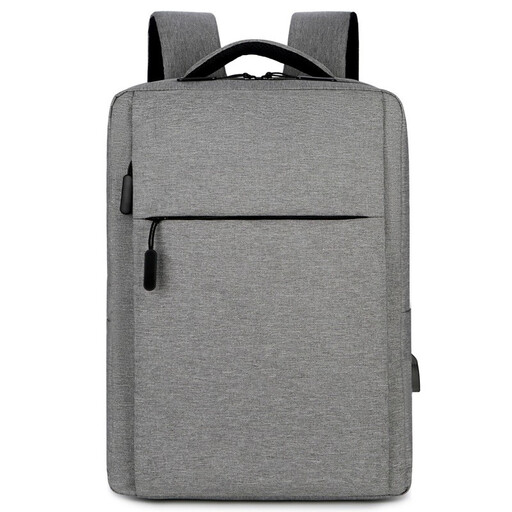
Why This Fits Their Persona: Perfect for the office worker or student who values a minimalist and lightweight design. Its slim profile is ideal for navigating packed trains and buses without being cumbersome, while still offering organised storage for daily essentials.
This bag avoids the pitfall of being overly bulky. It focuses on providing essential, comfortable features for daily use rather than unnecessary gimmicks that add weight and complexity.
Slim & Lightweight: Designed for easy carrying on daily commutes. Functional Design: Features a convenient USB charging port and is made from water-repellent fabric.
We have compiled a complete, real-time list of products that fully satisfy these strict selection criteria and UK safety regulations.
The "15.6-inch" label refers to the diagonal screen measurement, but the laptop's physical frame (bezel) and overall dimensions vary. The best practice is to measure your laptop's width, depth and height. Compare these numbers with the internal dimensions of the backpack's laptop compartment, which are usually listed in the product specifications. Always allow for a little extra room.
A USB port on a backpack is a pass-through feature; it doesn't contain a battery itself. You must connect your own power bank inside the bag. It offers convenience, allowing you to charge your phone without holding the power bank. It's a useful feature for frequent travellers and heavy phone users, but ensure the port is robustly built and doesn't feel like a flimsy gimmick.
Never machine wash a laptop backpack, as this can damage the padding, ruin the water-resistant coating and warp its structure. For general cleaning, wipe the exterior with a damp cloth. For tougher stains, use a soft brush with a mild soap and water solution. Wipe away the soap residue with a clean, damp cloth and allow the bag to air dry completely before use. The insulated lining of a lunch compartment can typically be wiped clean with a mild detergent solution.