Laptop owners running out of space
An external drive can hold local files, but decide whether you are moving files to free space or making a second copy. For longer-term computer-file backup, Which? distinguishes HDDs from the faster SSD option.


Choose an external HDD for a sizeable local copy when transfer speed is secondary, or a portable SSD if you often move large files and need a compact drive. Cloud storage suits access across devices, but check which folders sync and what counts towards the allowance. For photos and documents you cannot replace, keep a separate, restorable backup rather than relying on extra storage or a synced folder alone; a maintained local copy alongside a cloud copy gives you two destinations to check and restore from.
An external drive can hold local files, but decide whether you are moving files to free space or making a second copy. For longer-term computer-file backup, Which? distinguishes HDDs from the faster SSD option.
If a file would be hard to recreate, plan how to restore it after the laptop or its contents become inaccessible. The National Cyber Security Centre defines a backup as a copy kept in a separate safe location.
Cloud folder syncing can make selected files available beyond the original computer. Check that the folders you need are enabled and that their contents fit within the account allowance.
Start with the job: freeing laptop space, keeping a restorable copy and reaching files on other devices are related needs, but they are not the same thing.
| Priority | What to check | Your needs |
|---|---|---|
| Recoverable copies | Choose a destination separate from the original files. Set up the backup, then check that you can locate and restore a file; the National Cyber Security Centre defines a backup by its separate location and ability to be restored. | I cannot replace some of these photos or documents, so moving the only copy off my laptop would not solve the problem. |
| Capacity | Compare the files to be stored with the available drive or cloud space. Apple recommends a Time Machine drive with at least twice the Mac’s storage capacity; Google says its account storage is shared across Gmail, Drive and Photos. | My files need room now, and I want enough space for continuing backups rather than a destination that fills straight away. |
| Transfer and travel | Check the laptop port, drive connector and cable. Which? describes SSDs as faster than HDDs, while Samsung says the T7 Shield’s claimed maximum speeds require a USB 3.2 Gen 2 host and cable with UASP enabled. | I move large photo or video folders regularly, or carry the drive with my laptop; otherwise, local backup capacity matters more to me than transfer speed. |
| Access across devices | Check which folders the cloud service syncs, whether uploads have completed and what else uses the allowance. Microsoft documents cross-device access for folders configured through OneDrive backup. | I want selected files on another device, while still knowing which separate copy I could restore if the original becomes inaccessible. |
A file moved from a full laptop to its only remaining copy on a drive still depends on that drive. A synced folder also needs its contents and recovery options checked before you rely on it.
Identify the files you cannot recreate, keep a copy in a separate safe location and try restoring a file.
A drive must be configured as the backup destination, not merely plugged in. Microsoft File History uses a selected external drive or network location, while a Mac owner should check the drive’s format and Time Machine setup.
Check the operating system, connector and existing files on the drive before approving any erase or reformat step. Copy files you need to keep elsewhere first.
Samsung conditions the T7 Shield’s claimed maximum sequential speeds on USB 3.2 Gen 2 host and cable support with UASP enabled. A laptop or cable that does not meet those conditions changes the relevance of that claim.
Check the actual laptop port and cable specification, then decide whether frequent large transfers justify prioritising an SSD over an HDD for local backup.
A disk also needs capacity for continuing backups, not just the files you can see today. Apple recommends at least twice the Mac’s storage capacity for a Time Machine drive.
Size the destination for the computer and expected file growth, and check periodically that backups are completing.
Western Digital’s My Passport and My Book lines appear in PCMag UK’s September 2026 external-drive roundup for portable and desktop HDD use respectively.
Seagate is another external-HDD reference in PCMag UK’s September 2026 scenario-based roundup.
Samsung’s T7 and T7 Shield are portable SSD lines. Samsung UK lists USB 3.2 Gen 2 specifications for them.
These HDDs and portable SSDs are options for local laptop storage or a separately configured local backup. Choose a capacity and connection that fit your computer, then set up and check the copies you intend to keep.
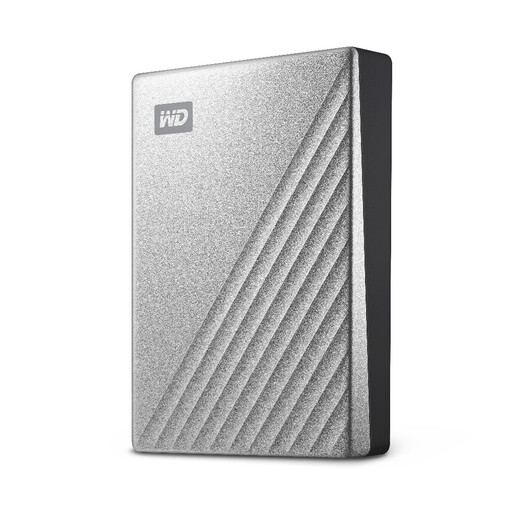 No image available
Consider this portable HDD for a sizeable local copy of laptop files when transfer speed is secondary. Its stated capacity is 4TB; check the connection and operating-system setup, and keep another recoverable copy of files you cannot replace.
 No image available
This portable SSD is a local-storage option if you regularly move large photo or video folders. The title specifies 4TB and USB 3.2 Gen 2; check your laptop port and cable, and arrange a separate recoverable copy for important files.
 No image available
Consider this portable HDD for local copies when 2TB fits the files you plan to store. Check the connection and your operating-system setup before configuring backups; retain another recoverable copy of irreplaceable files.
 No image available
This 2TB portable SSD is an option for carrying local files between places. Confirm its connector and setup requirements for your laptop, and do not make a single carried drive the only copy of important photos or documents.
 No image available
Consider this portable SSD if 1TB covers the files you intend to carry or copy locally. Its title specifies USB 3.2 Gen 2; check laptop and cable compatibility, and set up a separate recoverable copy for irreplaceable files.
No. Moving the only copy to an external drive can free laptop space, but that drive then holds the only copy. The National Cyber Security Centre defines a backup as a copy kept in a separate safe location that can be restored if access to the original is lost.
Yes. Microsoft says File History can regularly save copies of personal files to a selected external drive or network location. Configure the destination and check that backups are taking place.
Apple recommends an external device with at least twice the Mac’s storage capacity for Time Machine backups. Check the drive’s format and any files already on it before approving setup steps that erase or reformat it.
Not necessarily. Google says Google Account storage is shared across Gmail, Google Drive and Google Photos. Check total account use as well as the folders you intend to upload or sync.
Not on every laptop. Samsung says the T7 Shield’s claimed maximum sequential speeds require a USB 3.2 Gen 2-capable host and cable with UASP enabled. Check those conditions for the exact drive and computer rather than treating the headline figure as a guaranteed result.