What matters when choosing
Start with the document and delivery requirements, then weigh the screen and keyboard against the time you expect to work away from a socket. Treat charging equipment as part of that decision, especially if you cannot rely on borrowing a compatible adapter.
| Concern |
What to check |
Who this matters to |
| Battery and charging |
Compare the maker's battery-test activity with your work; check the charging requirements and what comes in the box. |
If I cannot count on a free socket, I need a plan for keeping the draft editable through a long session, rather than assuming advertised hours are my editing time. Around 36% of consumers put untethered work and charging first. |
| Document compatibility |
Confirm the required editor, template, tracked-changes process and any essential add-ins or peripherals. |
When someone else sets the submission rules, I need the finished file and every required tool to work on my laptop. Around 29% of consumers make workflow compatibility their primary concern. |
| Writing comfort |
Try the keyboard where possible; assess screen size, shape and readability for reviewing text. |
If I will revise sentences and notes repeatedly, I want a keyboard I can use comfortably and enough visible document space to follow the edits. For around 21% of consumers, writing comfort comes first. |
| Browser-based writing |
Confirm the browser workflow is accepted and prepare the actual file for offline use. |
When the biography can be drafted and delivered through a web service, I would rather keep the workflow simple without losing access to the file between connections. Around 14% of consumers put that straightforward browser workflow first. |
Joybuy laptops for biography editing
These Chromebook and Windows laptop choices cover browser-based drafting and document work. Match the operating system and any required software to your biography workflow before weighing screen size and charging arrangements.
 No image available
Acer Chromebook Plus 514 CB514-5H, 14-inch, Core i3-1315U, 8GB/256GB, Iron
Consider this Chromebook if the biography can be edited and delivered through your confirmed ChromeOS workflow.
The named configuration has a 14-inch 1920 × 1200 WUXGA display, Intel Core i3-1315U, 8GB RAM and a 256GB SSD.
Confirm any required desktop editing features before choosing it; prepare the actual draft for offline use if you work in Google Docs.
Joybuy
 No image available
Lenovo IdeaPad 1, 15-inch, Ryzen 3 7320U, 8GB/128GB, Cloud Grey
This Windows laptop is worth considering when you want a larger screen for reviewing a biography, provided your required applications work in Windows 11 Home in S Mode.
The named configuration has a 15-inch Full HD display, AMD Ryzen 3 7320U, 8GB RAM and a 128GB SSD.
Check the adapter supplied with the exact configuration and assess battery claims against the way you will work.
Joybuy
 No image available
Acer Aspire Lite AL15-36P-C29Z, 15.6-inch, Intel N150, 8GB/128GB, Silver
Consider this model if a 15.6-inch screen suits your document-review setup and your required Windows applications are compatible.
The named configuration has a Full HD display, Intel N150, 8GB DDR4 RAM and a 128GB SSD.
Confirm the installed Windows mode before buying: the product title says Windows 11 Home, while its detailed information specifies S Mode. Check the charging equipment for the exact configuration too.
Joybuy
 No image available
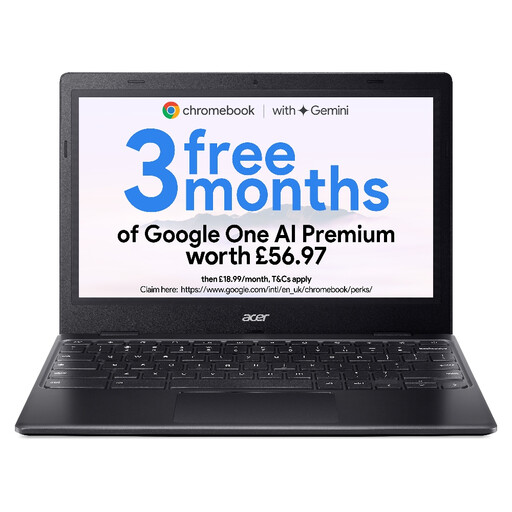
Acer Chromebook 311 CBOA311-1H, 11.6-inch, Celeron N4500, 4GB/64GB, Black
This smaller Chromebook suits consideration for a confirmed browser-based biography workflow, particularly if you prefer a compact screen.
The named configuration has an 11.6-inch 1366 × 768 HD display, Intel Celeron N4500, 4GB RAM and 64GB eMMC storage.
Assess whether that screen gives you enough room to review the document and whether ChromeOS meets the required editing and delivery rules. Set up Google Docs offline access in advance if you need it.
Joybuy
 No image available
ASUS Vivobook 14 X1407QA-LY003W, Snapdragon X, 16GB/512GB, Quiet Blue
Consider this 14-inch option for Windows document work if your essential applications and peripherals support its Snapdragon X platform.
The named configuration has 16GB RAM and a 512GB SSD.
Check Windows-on-Arm compatibility with providers of any specialist tools, and look for a runtime assessment relevant to your editing sessions rather than treating battery capacity as hours of use.
Joybuy
Frequently asked questions
Will advertised battery hours tell me how long I can edit?
No: they describe the manufacturer's stated test activity, not your biography-editing session. Apple quotes separate video-streaming and wireless-web figures, while Microsoft says actual battery life varies with use, network, settings and battery age. Check the test basis and keep a charging plan for longer sessions.
Can I use a Windows-on-Arm laptop for a Word biography?
You can consider one if your required Word workflow and extras are compatible. Microsoft says most Windows apps run on Arm-based PCs and identifies native Arm versions of Microsoft 365 apps, including Word; confirm any publisher add-in, macro, reference tool, printer or other driver-dependent accessory separately.
Can I edit a Google Docs biography without internet access?
Yes, once offline access has been set up while you are connected. Google says Docs files can be created, viewed and edited offline using a supported browser; make the actual biography file available offline and check that you have sufficient local storage before leaving your connection.
Do I need a separate charger for the current UK MacBook Air?
You will need a compatible power adapter if you do not already have one. Apple says the current UK MacBook Air purchase configuration does not include an adapter and lists 30W as the minimum charging wattage; check the exact configuration's charging requirements before choosing one.


