For comparing broadband plans, checking availability by postcode and completing online forms, choose a laptop with a supported browser, a comfortable screen and keyboard, and a charging arrangement that suits your workspace. A Chromebook can suit browser-only use if its update schedule and your software needs check out; choose a suitable Windows laptop if you need Windows applications. If you hope to share one charger with other devices, confirm that the exact laptop accepts USB-C charging and that the charger can supply enough power while its other ports are in use.
Who this choice affects
Browser-first broadband comparer
You mainly use comparison and provider websites, online forms and a postcode checker. A comfortable screen and current browser matter more to this task than specialist creative or gaming features. Ofcom recommends accredited comparison sites and provides a broadband coverage checker.
Shared-socket home worker
With few accessible sockets, you may want to charge a laptop and mobile device from one compatible charger. Check the laptop’s USB-C charging input and the power available when the charger serves both devices; the connector shape alone does not settle either question.
Windows-dependent comparer
You can compare plans in a browser but also need a particular workplace application, downloaded tool or peripheral. Check that it works with the operating system and version supplied on the laptop before choosing a browser-focused Chromebook instead.
What to check before choosing
Decide whether your other tasks require Windows before comparing screens and battery claims. Treat socket use as a separate decision: either operating-system route needs model-specific charging checks.
Chromebook
Choose when: Your work stays on websites, email and browser-based documents, and the exact model’s update schedule suits your plans.
Check first: A Windows-only application or peripheral may change the choice; Google advises checking a Chromebook’s model-specific automatic-update date.
Windows 11 laptop
Choose when: You need software or a peripheral confirmed for Windows alongside browser-based plan comparison.
Check first: Confirm the version supplied on an older machine or its Windows 11 eligibility. Microsoft says Windows 10 support ended on 14 October 2025.
| Concern | What to check | Who this matters to |
|---|
| Online plan comparison |
Check operating-system support, browser access, Wi-Fi and screen comfort. Use your postcode in Ofcom’s checker rather than assuming a deal is available at your address. |
I mainly need to read contract terms and complete online forms without software getting in the way. Around 31% of consumers put browser-led comparison first. |
| Shared-socket charging |
Confirm USB-C charging input on the exact laptop, then check the charger’s output when several devices are connected. ASUS distinguishes charging-capable USB-C ports from data-only ports. |
With one convenient socket, I want to charge my laptop and another device without relying on a chain of extensions; roughly 31% of consumers make safe, practical charging their primary concern. |
| Time away from a socket |
Compare battery claims alongside their stated test conditions, screen size and charging method; a claimed runtime is not a promise for your own use. |
If I move between rooms while reviewing plans, I need enough unplugged time to finish the task. For about 23% of consumers, that flexibility is the main priority. |
| Windows compatibility |
Check the supplied Windows version and the requirements of your applications and peripherals. For an older PC, verify Windows 11 eligibility; Microsoft says Windows 10 support ended on 14 October 2025. |
I also depend on a Windows application or work system, so browser access alone will not decide my purchase; around 15% of consumers put that compatibility first. |
Mistakes to avoid
-
Assuming every USB-C port charges the laptop
The same connector shape can serve different functions. ASUS distinguishes data-only USB-C ports from charging-capable ones, so a shared charger will not solve a socket problem unless the exact laptop accepts power through its port.
Check the model’s port specification or manual for charging input, the supported charging standard and required wattage before choosing a charger.
A separate compatible charger may be needed if the supplied charging arrangement does not suit your shared-socket plan.
-
Connecting extension leads together
Electrical Safety First warns that overloaded extensions can overheat and advises against plugging one extension lead into another.
Check the marked rating and combined load of connected appliances. Use only one appropriately rated extension device per socket; if you regularly need more fixed sockets, consider having them installed by a registered electrician.
-
Overlooking the operating system on an older laptop
Microsoft says Windows 10 support ended on 14 October 2025, and an older PC should not be assumed eligible for Windows 11.
Confirm that the exact machine comes with Windows 11 or check its upgrade eligibility and the compatibility of software you need.
-
Assuming a broadband offer applies at your address
Ofcom says predicted speeds and actual availability or received speeds can differ at a particular property. A laptop’s wireless specification cannot establish which broadband service you can obtain.
Enter your own postcode in Ofcom’s coverage checker and review the provider’s contract details separately from the laptop choice.
Relevant brands for reference
Acer
Acer offers a Chromebook example for browser-first use: its Chromebook Plus 516 CB516-1H-36VH listing specifies ChromeOS, an English UK keyboard, 8GB memory, 128GB flash storage, Wi-Fi 6 and two USB-C ports.
- For that exact model, Acer lists a 16-inch 1920 × 1200 display and up to 15.5 hours in its web-browsing battery test.
- That test result does not establish your runtime or describe other Acer models. Check the particular Chromebook’s update date and any software you need.
ASUS
ASUS is relevant if you are considering a laptop and a shared USB-C charging arrangement.
- ASUS support guidance explains how to distinguish data-only USB-C ports from ports with charging functionality.
- Confirm charging input on the exact laptop and check a proposed charger’s output with all intended devices connected; a USB-C connector alone establishes neither point.
Lenovo
Lenovo’s multi-port charger illustrates why shared-charger output needs checking separately from laptop compatibility.
- Lenovo lists up to 100W for one device on its three-port GaN charger, or a 65W, 20W and 10W distribution when all three ports are used.
- Those charger figures do not show that a particular Lenovo or other laptop accepts USB-C charging. Check the laptop’s input requirements and the accessory’s current availability.
Joybuy laptops for these needs
These laptops offer Chromebook or Windows-oriented options for browsing broadband plans, with different screen sizes and configurations. If sharing a charger is important, check the exact model’s charging input and power requirements before relying on that arrangement.
 No image available
ASUS Vivobook 14 X1407QA-LY003W Copilot+ PC, Quiet Blue
Consider this 14-inch option if you want a laptop for browser-based comparisons and also need to check compatibility with your other applications. The listed configuration has a Snapdragon X processor, 16GB RAM and a 512GB SSD.
If you plan to use a shared charger, confirm the exact laptop’s charging input and required power against the charger’s output when other devices are connected.
Joybuy
 No image available
HP OmniBook Ultra Flip 14-fh0006na 2-in-1 Copilot+, 16GB RAM, 1TB SSD
This Windows 11 Home model may suit you if you need Windows applications as well as browser-based comparisons and prefer a 2-in-1 format. Its listed configuration has 16GB RAM and a 1TB SSD.
Before planning to share a charger, check the laptop’s charging requirements against the charger’s multi-device output. Check wireless connectivity and battery-test details if either will determine your choice.
Joybuy
 No image available
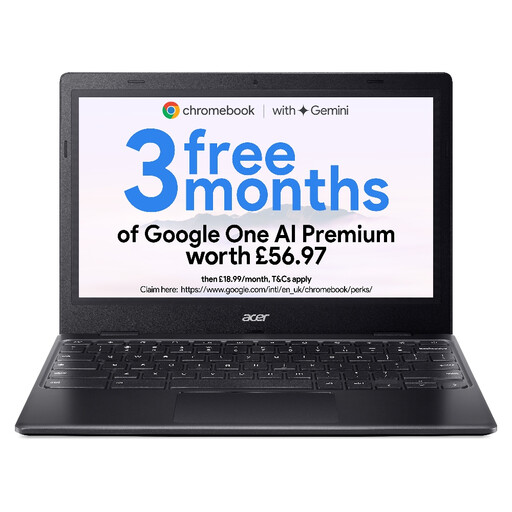
Acer Chromebook 311 CBOA311-1H, 11.6-inch HD, Black
Consider this Chromebook if your plan comparisons and other essential tasks work in a browser and you are comfortable with an 11.6-inch, 1366 × 768 display. The listed variant has an Intel Celeron N4500, 4GB RAM and 64GB eMMC storage.
Check this model’s automatic-update end date and your required software before choosing it. Its smaller screen may also affect how comfortably you can view plans side by side.
Joybuy
 No image available
Lenovo IdeaPad 1, 15-inch Full HD, Windows 11 Home in S Mode, Cloud Grey
The 15-inch Full HD format may appeal if you want more screen space for comparing plan pages. This variant lists an AMD Ryzen 3 7320U, 8GB RAM and a 128GB SSD.
Check whether the applications you need work with Windows 11 Home in S Mode. Do not plan around USB-C laptop charging without confirming the charging function of the exact port you intend to use.
Joybuy
 No image available
Microsoft Surface Laptop 7 15-inch Copilot+ PC, Maya Color
Consider the 15-inch PixelSense touchscreen if display size is important when reviewing several plan pages or documents. The listed variant has a Snapdragon X Elite processor, 16GB RAM and a 256GB SSD.
Confirm compatibility with any required applications, along with battery-test details and charging input, before choosing it for work away from a socket or use with a shared charger.
Joybuy
Common questions
Do I need a high-performance laptop just to compare broadband plans?
No specialist performance requirement follows from comparing plans in a browser. Ofcom points consumers towards accredited comparison sites and a postcode-based coverage checker; focus on a supported browser, comfortable screen, Wi-Fi and a charging setup that works for you. Check availability at your own address because Ofcom says predicted speeds and actual service can differ at a property.
Can a USB-C laptop share a charger with my phone?
Only if the exact laptop accepts USB-C charging and the charger can provide its required power while the phone is connected. ASUS explains that some USB-C ports are data-only. Check the laptop’s charging specification and the charger’s multi-device output rather than relying on its maximum single-device figure.
Can I use an extension lead when sockets are limited?
You can assess an extension lead for the intended appliances, but do not exceed its marked rating or connect extensions together. Electrical Safety First says most extension leads are rated at 13A while some are rated at 10A or lower, and advises using only one extension device per socket.
What support check matters for a Chromebook or older Windows laptop?
Check the exact Chromebook’s automatic-update end date or confirm an older Windows machine’s Windows 11 status before buying. Google provides model-specific Chromebook update information; Microsoft says Windows 10 support ended on 14 October 2025. Also check that the applications and peripherals you need work with the chosen operating system.


