Quiet-study web builder
You edit code, check a small site in a browser and find fan noise distracting. A fanless design is worth considering; for a fan-equipped laptop, look for noise evidence for the exact configuration and workload.


A MacBook Air is a sensible route when fan noise matters most and your website tools work on macOS, but check whether its ports suit your desk. Choose a Windows laptop when your workflow depends on Windows-specific tools or Docker Desktop with WSL 2; confirm the software requirements before buying. Do not assume a fan-equipped Windows model will stay quiet during local builds.
You edit code, check a small site in a browser and find fan noise distracting. A fanless design is worth considering; for a fan-equipped laptop, look for noise evidence for the exact configuration and workload.
You need Windows-specific tools or plan to use Docker Desktop with WSL 2. Check the operating-system, processor-architecture and container requirements alongside the laptop configuration.
You spend long sessions reading code and browser previews, and may add a monitor. Screen characteristics, keyboard layout and the connections your desk needs matter alongside memory and storage.
Decide which operating system your tools require, then weigh quiet operation against the screen and connections you will use every day.
Consider it when: Quiet study work is the priority and your tools run on macOS.
Trade-off: Apple lists two Thunderbolt 4 ports for the current M5 MacBook Air, so several wired desk accessories may call for a hub or dock.
Consider it when: You need Windows-specific software or intend to use Docker Desktop with WSL 2.
Trade-off: Confirm the exact model’s noise behaviour rather than inferring quiet operation from its size or cooling description.
| Concern | What to check | Who this matters to |
|---|---|---|
| Quiet operation | Confirm whether the exact model is fanless. Otherwise, seek acoustic evidence for comparable work on the same configuration. | If fan noise interrupts my work in a quiet study, I want to know how the laptop behaves while I build and preview my site. Around 36% of consumers put quiet operation first. |
| Tool compatibility | Check support for your operating system and processor architecture; for Docker Desktop on Windows, check its Windows and WSL 2 requirements. | When my site needs local services or containers, I cannot choose by the code editor’s requirements alone. For around 29% of consumers, compatibility is the primary need. |
| Screen and desk setup | Compare the exact display, keyboard and ports with your intended monitor and wired accessories. | I spend hours reading code and checking page layouts, so the workspace at my desk needs to feel workable. Screen and connectivity needs come first for around 21% of consumers. |
| Ownership and disposal | Read the seller’s terms for the chosen configuration and check what is included; plan an appropriate electrical-waste route for an old laptop. | Before I commit, I want to understand what arrives with the laptop and what happens if the purchase is unsuitable. Around 14% of consumers prioritise these ownership checks. |
A slim chassis or a manufacturer’s cooling description does not establish fan noise during local builds or container work.
If silence is essential, consider a confirmed fanless design or seek acoustic evidence for the exact fan-equipped configuration. Check the seller’s return terms before ordering.
Microsoft describes Visual Studio Code as lightweight, but browser tabs, local services and containers can add requirements beyond the editor itself.
List the tools you will actually run. For Docker Desktop on Windows, check Docker’s supported Windows and WSL 2 requirements.
Dell’s cited XPS 13 listing says a charger is not included. Apple lists two Thunderbolt 4 ports on the current M5 MacBook Air, which may affect a desk with several wired devices.
Check the exact package contents, charging requirements, ports and monitor connection plan. A separate charger, hub or adapter may be needed for your setup.
The terms for a configured laptop matter if you may need to cancel an eligible online order. An old electrical product also needs an appropriate collection or take-back route.
Read the seller’s terms for your chosen configuration before ordering. When replacing a laptop, check an electrical-waste collection point or eligible like-for-like retailer take-back.
MacBook Air is relevant when quiet operation is central to the decision and your website tools work on macOS.
A ThinkPad T-series configuration is worth considering for Windows-based website work at a study desk.
The XPS 13 route may suit a buyer seeking a compact Windows laptop for a small website project.
These laptops cover fanless MacBook Air options and several Windows configurations for small-website work. For the Windows models, check noise under your intended workload; for any model, confirm that your development tools and desk connections fit.
 No image available
Consider this 15-inch macOS option when a quiet study and a larger built-in screen matter, provided your tools run on macOS. The product name specifies an M5 chip, 16GB memory and a 1TB SSD; check the exact display and connections against your desk setup.
 No image available
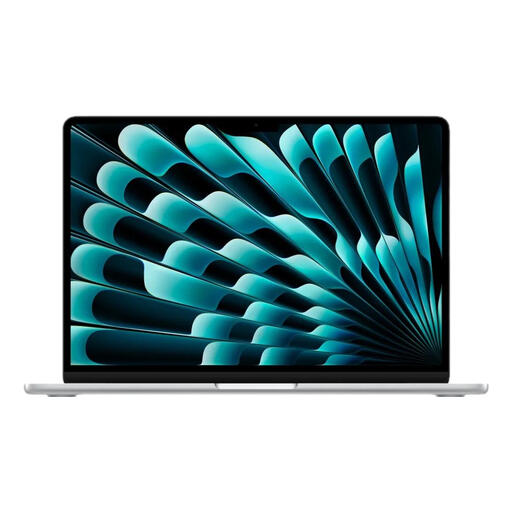
Consider the 13-inch format if you want a smaller MacBook Air for website work and your tools support macOS. The product name specifies 16GB memory and a 1TB SSD. Confirm the exact CPU configuration before ordering, as the available title and description give different core counts; also check the display and ports for your desk.
 No image available
This Windows laptop may suit a desk-based workflow if its software platform fits your tools. Its product name specifies a 15.6-inch 144Hz FHD display, 16GB memory, a 1TB SSD and GeForce RTX 5050 graphics. Check noise evidence for this configuration before choosing it for a quiet study.
 No image available
Consider this 14-inch Windows option only after checking your development tools and container images against its Snapdragon X configuration. The product name specifies 16GB memory and a 512GB SSD. If quiet operation is decisive, seek noise evidence for this exact model.
 No image available
This Windows convertible may interest you if a 16-inch touchscreen is useful for reading code and checking page layouts. Its product name specifies an Intel Core Ultra 5 226V, 16GB memory and a 512GB SSD. Check the available ports and noise behaviour before relying on it for your study setup.
Yes, if your chosen development tools support the operating system. Microsoft documents Visual Studio Code support for current Windows client versions and supported macOS versions; check any local database, CMS or deployment tool separately.
Check that the laptop’s Windows version, processor architecture and WSL setup meet Docker Desktop’s requirements. Docker documents WSL 2 as its usual Windows backend; confirm that your intended tools and container images work with the configuration you choose.
Yes. Apple’s UK M5 MacBook Air specifications list support for up to two external displays and two Thunderbolt 4 ports. Check your monitor input, cable and any hub needed for the rest of your desk equipment.
For eligible distance orders, GOV.UK says you can tell the seller within 14 days of receiving the item that you want to cancel. Exceptions can apply, including for personalised or custom-made goods, so check the chosen configuration before ordering. Change-of-mind cancellation is distinct from remedies for faulty or misdescribed goods.
Use an appropriate electrical-waste collection or take-back route rather than household rubbish. UK government guidance says that when you buy a new electrical product, the retailer must accept an old one free on a like-for-like basis.