Canva-first student organisers
If you build event calendars from templates while using research tabs, documents and calls, distinguish Canva’s minimum requirements from the configuration you want for your wider study routine.


Choose a laptop around the design applications you will actually use, then check its fitted memory, storage and screen rather than relying on a processor name or an app’s minimum requirements. A compact laptop can suit Canva-led calendar work, while colour-sensitive layouts and named desktop applications make the exact display and software compatibility more important. If you are considering Windows on ARM, check each required app before buying.
If you build event calendars from templates while using research tabs, documents and calls, distinguish Canva’s minimum requirements from the configuration you want for your wider study routine.
If your calendar also becomes a poster, social graphic or print layout, check the selected laptop’s panel specifications rather than assuming every version of a model has the same screen.
If coursework calls for a particular desktop application or plugin, check its operating-system and processor requirements first. Adobe states that Photoshop Elements 2027 does not support Windows-on-ARM processors.
Start with the software needed for the calendar, then decide which of multitasking, screen space and portability matters most in your student-room setup.
| Concern | What to check | Who this matters to |
|---|---|---|
| Multitasking | Check the installed RAM and SSD capacity of the exact configuration, alongside your design app’s requirements. | If I keep a calendar canvas, research tabs and study documents open together, I want room for that routine beyond an app’s minimum requirements; around 33% of consumers put multitasking first. |
| Layout and display | Confirm the selected panel’s size, resolution and aspect ratio; check its colour specification if your work calls for it. | When I revise small calendar text or prepare graphics for sharing, I need a screen on which I can review the layout comfortably; around 27% of consumers prioritise the display. |
| Portability and desk space | Compare weight and port layout, and check whether your charger and accessories suit the laptop. | Moving between my room and classes makes carrying weight and a workable desk setup important; roughly 20% of consumers put portability and setup first. |
| Software compatibility | Check the required app versions, plugins and peripherals against the operating system and processor architecture. | If a course requires a particular creative app, I need it to work on the laptop I choose; about 20% of consumers make compatibility their primary concern. |
Canva’s published requirements establish whether its desktop app can run; they do not describe your full routine with documents, browser tabs and calls open.
Use your design app as a starting point, then compare the laptop’s fitted RAM, storage, screen and ports with the tasks you expect to combine.
Processor architecture can change app compatibility: Adobe states that Photoshop Elements 2027 does not support Windows-on-ARM processors.
Check each required application, version, plugin and peripheral against the operating system and processor of the laptop you intend to buy.
Memory, storage and displays can vary within a laptop range. ASUS, for example, describes capacities available across the Vivobook 14 X1407 line, not necessarily in every configuration.
Match the final part number to its installed memory, storage and panel before deciding whether it suits your calendar work.
The 13-inch MacBook Air is a macOS option for students who want a compact laptop for calendar design and other study work.
The checked IdeaPad Slim 5i configuration illustrates a compact Windows route, but its specifications should not be assumed for other part numbers.
The Vivobook 14 X1407 line offers configurations worth comparing if you want a 14-inch Windows laptop.
These laptops offer different approaches to student-room calendar work, from compact and dual-screen layouts to larger displays. Compare each configuration with your software requirements and the space where you will use it.
 No image available
Consider this 2-in-1 if you want to change how you position the laptop while working on calendar layouts in a small space.
The listed configuration has 16GB RAM, a 1TB SSD and Windows 11 Home. Check your required apps, plugins and accessories against this model.
 No image available
Consider the larger screen if reviewing a calendar layout on the laptop matters more to you than keeping the device compact.
The listed model has a 15.6-inch display, 24 GB RAM and a 1 TB SSD. Check that its size suits your desk and carrying routine.
 No image available
The dual-screen design is worth considering if you want a calendar layout beside reference material.
The title specifies an Intel Core Ultra 7 255H, 16 GB RAM and a 1 TB SSD. Confirm the exact display resolution and the space needed for the full setup before buying.
 No image available
Consider this 14-inch model for browser-based calendar work only after checking any desktop software your course requires.
It lists a Snapdragon X processor, 16GB RAM and a 512GB SSD. Adobe states that Photoshop Elements 2027 does not support Windows-on-ARM processors; check other required apps individually and assess the selected display for colour-sensitive work.
 No image available
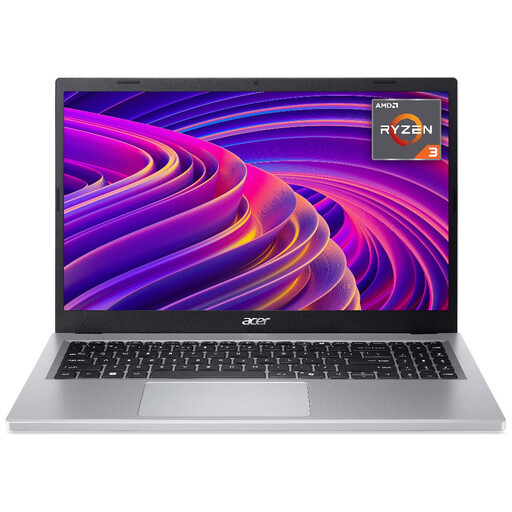
This is an option to assess for browser-based calendar design if a larger screen matters to you.
The listed configuration has a 15.6-inch Full HD display, 8GB RAM and a 256GB SSD. Compare that memory and storage with the study apps and local files you expect to keep, and check the display specification if colour matters to your work.
A basic laptop may meet Canva’s desktop-app requirements: Canva lists 1 GB RAM as a minimum and recommends 4 GB. Check the requirements for your operating system, then consider the other tabs, documents and calls you expect to run alongside Canva.
Adobe states that Photoshop Elements 2027 does not support Windows-on-ARM processors. That is a restriction for this application and version, so check any other creative apps and plugins you need separately.
Check its operating-system support and whether it can run the software you need. Microsoft states that Windows 10 support ended on 14 October 2025; for a Windows purchase, confirm which version is supplied and whether it meets your required apps’ specifications.