Catalogue editors working between sockets
You update listings in a browser without dependable access to a wall socket. Battery-test conditions and a charger compatible with the exact laptop matter more than a battery-hour figure alone.


For online catalogue updates away from a reliable socket, choose a laptop whose operating system works with your catalogue tools and whose charging setup suits the exact model. Prioritise usable battery time, suitable ports and enough memory and storage for your files and browser workload. Check the charger, cable and included accessories before ordering; manufacturers' battery-hour figures use different tests and do not establish how long active catalogue editing will last.
You update listings in a browser without dependable access to a wall socket. Battery-test conditions and a charger compatible with the exact laptop matter more than a battery-hour figure alone.
Your catalogue work depends on Windows software, organisation-managed access or USB-A accessories. Check the operating system, processor configuration and connections before choosing a different platform.
You move between product images, browser tabs and spreadsheets while working away from a desk. Screen space, memory, local storage and the available support arrangement all affect the choice.
For catalogue work with limited sockets, confirm that your software and accessories will work first, then assess charging and unplugged use. A laptop with a long stated battery life will not solve a workflow incompatibility.
| Concern | What to check | Who this matters to |
|---|---|---|
| Working away from sockets | Check the battery test behind the stated runtime and the exact model's USB-C Power Delivery and charger requirements. | If I edit listings between charging opportunities, I need to plan around my actual workload rather than a video-playback claim. Roughly 33% of consumers put unplugged working and compatible charging first. |
| Workflow compatibility | Confirm the catalogue platform, required browser extensions and peripherals on the exact operating-system and processor configuration. | When my organisation relies on a particular tool or scanner, I cannot assume it will work after changing laptops. Around 27% of consumers make workflow compatibility their primary concern. |
| Editing workspace | Compare screen size and format, installed memory and storage capacity for your open tabs and local files. | I need room to work across listings, images and spreadsheets without running short of space for files. Roughly 20% of consumers chiefly prioritise their editing workspace. |
| Charging kit and support | Check whether an adaptor is included, its required wattage and the support terms for the chosen configuration. | If the laptop is used regularly for business, I need a workable charging setup and clear support arrangements. Around 20% of consumers place those practical arrangements first. |
Power requirements depend on the model. Apple specifies a minimum 30W USB Power Delivery source for the 13-inch MacBook Air M5; Microsoft recommends at least 40W for the Surface Laptop 13-inch (1st Edition); Dell lists a 27–79W charging range for the cited Pro 13 Premium configuration.
Check the laptop's charging method and match both charger output and cable to it, including the power needed while you work.
A shared charger that does not meet those requirements may mean carrying a separate charger and suitable cable.
Apple's figure of up to 15 hours for the 13-inch MacBook Air M5 concerns wireless web use. Microsoft's figure of up to 22.5 hours for its cited 13-inch Surface Laptop concerns video playback. Neither describes active catalogue editing.
Look for testing of the exact configuration where possible, and account for uploads, screen brightness, open tabs and connected accessories when planning time away from a socket.
Apple lists USB-C/Thunderbolt ports but no built-in USB-A port on the cited MacBook Air M5. Microsoft lists USB-A alongside USB-C on its cited 13-inch Surface Laptop. Neither port layout establishes whether your software and accessories will work.
Check your scanner, label printer, drives, display, browser extensions and organisation login on the exact laptop and operating system.
A required connection may mean carrying an adaptor or dock.
Dell states that the cited Pro 13 Premium configuration has no AC adaptor included, whereas Lenovo lists a 65W USB-C adaptor and three years of Premier Support with its cited ThinkPad X13 Gen 7 configuration.
Check the selected configuration's charger, cable and support terms together, rather than assuming every model in a product family comes with the same equipment.
The 13-inch MacBook Air M5 is a macOS route for browser-based catalogue work once the required workflow has been checked.
The cited 13-inch Surface Laptop offers a Windows route with a 3:2 display and built-in USB-A alongside USB-C.
The cited ThinkPad X13 Gen 7 configuration is a Windows business-laptop option with a UK keyboard, anti-glare display and stated support arrangement.
The cited Pro 13 Premium configuration is a Windows 11 Pro option with 16GB memory and a 512GB SSD.
These laptops offer different screen sizes, operating systems and configurations for catalogue work. Check your required software and the charging arrangements for each exact model before choosing.
 No image available
Consider this macOS option if your catalogue platform and essential accessories are compatible. Apple lists up to 15 hours of wireless web use and a minimum 30W USB Power Delivery charging source for the 13-inch M5 model; that test is not a measure of active catalogue-editing time. Check the supplied charging equipment and whether USB-A accessories need an adaptor.
 No image available
This 14-inch configuration is worth considering if its operating system and Snapdragon X processor support your catalogue tools. Its named configuration has 16GB memory and a 512GB SSD. Check unplugged runtime and the charging equipment for the exact SKU before relying on it between sockets.
 No image available
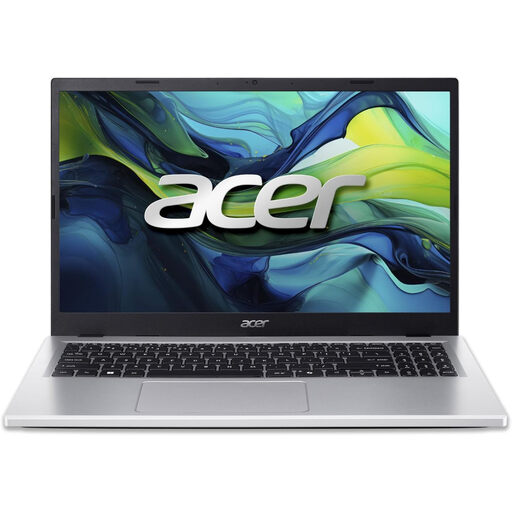
Consider this Windows 11 Home configuration if a 15.6-inch Full HD screen suits your catalogue workspace. Its product name specifies 8GB memory and a 256GB SSD; check those capacities against your tabs and local files. Confirm battery runtime, charging wattage and supplied equipment for use away from sockets.
 No image available
This Windows 11 Home laptop may suit catalogue tasks that fit its 8GB memory and 128GB SSD. Its named configuration has a 15.6-inch Full HD screen. Check how long it runs during active editing and what charger comes with the exact SKU.
 No image available
Consider this 15-inch Full HD model only after checking that Windows 11 Home in S Mode permits your required catalogue tools. Its named configuration has 8GB memory and a 128GB SSD. Confirm its charging method, supplied adaptor and runtime for your workload; do not assume a USB-C port can charge the laptop.
Yes, if the exact laptop supports USB-C charging and the charger and cable meet its requirements. Apple specifies at least 30W USB Power Delivery for the 13-inch MacBook Air M5, while Microsoft recommends at least 40W for the Surface Laptop 13-inch (1st Edition). Check whether the charger can meet the laptop's needs while you work, not just when it is idle.
No: compare the test conditions before using battery figures to plan catalogue work. Apple's cited MacBook Air M5 figure covers wireless web use, while Microsoft's cited 13-inch Surface Laptop figure covers video playback. Neither is a direct prediction for editing listings, uploading images and using accessories.
That depends on the exact configuration. Lenovo lists a 65W USB-C adaptor with its cited ThinkPad X13 Gen 7 configuration, whereas Dell states that no AC adaptor is included with its cited Pro 13 Premium configuration. Check the selected laptop's included equipment and charging requirements rather than relying on what another version in the same family supplies.