What matters when choosing?
Settle any software requirement first, then compare the screen and connections you will use for catalogue work. Windows and macOS are both possible routes for browser-led tasks, but the exact platform, browser and peripherals still need to fit.
Windows laptop
Consider it when: Your coursework or supplier workflow requires Windows software, or you want to compare conventional 14- to 16-inch laptop configurations.
Trade-off: Screen, memory and ports vary even within one range. Dell UK, for example, lists both HD and Full HD displays and different memory options for its Dell 15 family.
MacBook Air
Consider it when: You are comfortable with macOS and your catalogue platform and required integrations work with its browser.
Trade-off: Apple lists USB-C/Thunderbolt connections for the cited MacBook Air models, so existing HDMI or USB-A equipment may need a compatible adapter.
| Concern |
What to check |
Who this matters to |
| Catalogue access |
Confirm the operating system can receive current browser updates and that your catalogue platform works in your chosen browser. |
If I maintain products and settings through a web admin, I need dependable desktop access before anything else. Around 37% of consumers put catalogue access first. |
| Multi-window workspace |
Compare the exact display size and resolution, memory and storage configuration, and connections for any monitor. |
With a catalogue, supplier files and coursework open together, I need a screen and configuration that fit the way I arrange my work. For around 36% of consumers, that workspace is the primary concern. |
| Room fit and portability |
Check the space on your desk, your carrying needs and whether existing accessories require a hub or adapter. |
When I move between my room and study spaces, I want the laptop to fit both places without losing access to my equipment. This is the leading need for around 27% of consumers. |
Joybuy laptops for catalogue work
These Windows laptops and MacBook Air configurations offer different built-in screen sizes and memory and storage choices for catalogue work. Compare each one with the software, desk space and connections your own setup requires.
 Image unavailable
ASUS Vivobook 15 X1504VA, 15.6-inch, Core 5 120U, 24 GB, 1 TB SSD, Cool Silver
Consider this Windows-route configuration if you want a 15.6-inch built-in screen for catalogue pages and other work at your desk.
The product name specifies an Intel Core 5 120U, 24 GB memory and a 1 TB SSD. Check its operating system, current browser compatibility, ports and supplied charger against your setup.
View on Joybuy
 Image unavailable
Apple 15-inch MacBook Air (2026), M5, 10-core CPU and GPU, 16 GB, 1 TB SSD, Silver
Consider this macOS option if your catalogue tools work in your chosen browser and you want a 15-inch built-in screen.
The product name specifies an M5 chip with a 10-core CPU and 10-core GPU, 16 GB memory and a 1 TB SSD. Check the exact model’s browser support, ports, monitor connections and supplied charger.
View on Joybuy
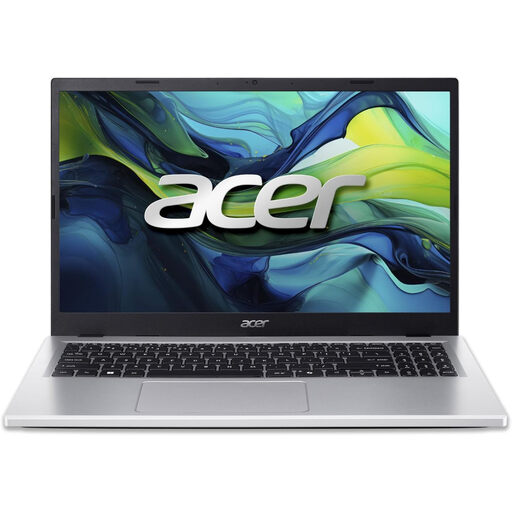 Image unavailable
Acer Aspire Go 15 AG15-71P, Core i5-13420H, 8 GB, 256 GB SSD, Silver
Consider this Windows laptop if a 15.6-inch built-in display suits your desk and you can work within its stated memory and storage configuration.
The product name specifies a Full HD screen, Intel Core i5-13420H, 8 GB DDR5 memory, a 256 GB NVMe SSD and Windows 11 Home. Check browser compatibility, display characteristics, connections and the supplied charger.
View on Joybuy
 Image unavailable
Apple 13-inch MacBook Air (2026), M5, 10-core CPU and GPU, 24 GB, 1 TB SSD, Midnight
Consider this macOS configuration if a smaller built-in screen suits your student-room desk and trips between study spaces.
The product name specifies an M5 chip with a 10-core CPU and 10-core GPU, 24 GB memory and a 1 TB SSD. Check the exact screen size, browser support, accessory connections and supplied charger.
View on Joybuy
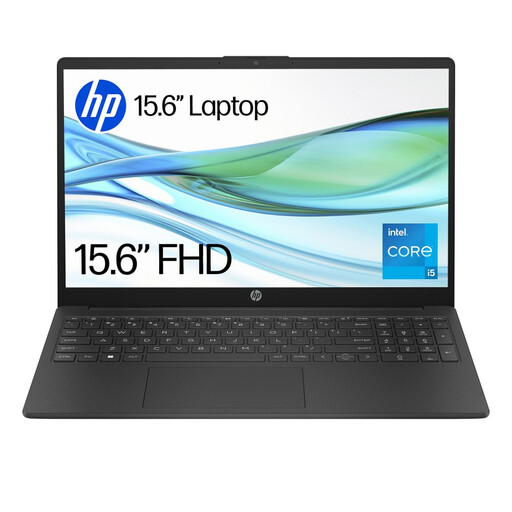 Image unavailable
HP 15-fd0064na, 15.6-inch, Core i5-1334U, 8 GB, 256 GB SSD
Consider this Windows option if you want a 15.6-inch screen for catalogue and study work while checking whether its memory and storage suit your files.
The product name specifies a Full HD display, Intel Core i5-1334U, 8 GB memory, a 256 GB SSD and Windows 11 Home. Confirm browser compatibility, monitor and peripheral connections, and the supplied charger.
View on Joybuy
Common questions
Do I need a laptop rather than a tablet to update an online catalogue?
Choose a laptop or another desktop-capable computer if your work requires advanced Shopify settings: Shopify says some of those settings require desktop access, although many functions are available on mobile. Check the workflow of your own catalogue platform before relying solely on a tablet or phone.
Should I buy an older Windows 10 laptop for catalogue work?
Do not treat a Windows 10-only laptop as a like-for-like current option. Microsoft says Windows 10 support ended on 14 October 2025; for a used device, check Windows 11 eligibility and whether it can run the browser your catalogue platform requires.
Can a MacBook Air connect to my monitor and catalogue accessories?
A MacBook Air can be an option for an external-display setup, but the connection depends on the exact model and your equipment. Apple lists external-display support and USB-C/Thunderbolt ports for the cited models; compare your monitor and peripheral connectors before deciding whether you need an adapter.
What should I check about a laptop and charger for UK use?
Check that the product and supplied charger are intended for where you will use them, and ask the seller for clear product information if anything is unclear. GOV.UK’s Office for Product Safety and Standards provides separate electrical-equipment guidance for Great Britain and Northern Ireland, so use the guidance applicable to your location rather than assuming the arrangements are identical.


