Replacing a failed charger
If your charger has stopped working, identify the exact laptop model and charging requirements before selecting a replacement. HP Support directs owners to use the notebook product number to find compatible parts.


Identify your exact laptop and its specified charging input before choosing a manufacturer replacement or a compatible alternative; a USB-C-shaped port or headline wattage alone does not establish fit. A dock makes sense when you also need desk connections and have checked laptop compatibility and the power it delivers. For a UK-plug setup, check the exact product and plug arrangement against applicable safety guidance and look for reports about that model; an Office for Product Safety and Standards report from September 2026 concerned one charger, not all third-party products.
If your charger has stopped working, identify the exact laptop model and charging requirements before selecting a replacement. HP Support directs owners to use the notebook product number to find compatible parts.
If you regularly work in two locations, a second compatible charger can stay at one desk instead of being carried between them. Dell UK describes this home-and-office use for its listed adapter.
If you want to connect desk peripherals as well as charge your laptop, check the host connection and laptop-facing power for the exact dock and computer. Lenovo Support GB describes compatibility in terms of the laptop’s supported port and protocol.
For consumers replacing or adding a charger for a UK home or hybrid-work desk, laptop compatibility and applicable plug safety matter whichever feature comes first.
| Concern | What to check when buying | Who this matters to |
|---|---|---|
| Exact laptop fit | Check the laptop’s model identifier, specified charging input and the charger’s output and connector. | If I’m replacing a failed charger, I want the replacement to match my particular laptop rather than just look like the old plug. Consumers who put exact laptop fit first make up roughly 36%. |
| UK plug and product safety | Check the exact product and plug arrangement against applicable UK safety information and official product reports. | I want to identify the actual charger and its supplier, not assume a familiar-looking plug is enough. Consumers who put safety checks first make up roughly 29%. |
| Second desk setup | Check compatibility and whether the required mains lead and charging cable are included. | If I work at two regular desks, I want a complete compatible setup at the second location. Consumers who prioritise a second charging location make up roughly 21%. |
| Dock charging | Check host compatibility, laptop-facing power and the dock’s supplied adapter. | If I want to connect desk peripherals through a dock, I need to know that the same setup can supply my laptop’s required power. Consumers who prioritise dock integration make up roughly 14%. |
Laptop makers publish model-specific charging requirements, and some dock arrangements can leave a laptop with insufficient power.
Find the exact laptop model or manufacturer identifier, then compare its specified charging input with the adapter, cable and, if relevant, dock output.
An Office for Product Safety and Standards report from September 2026 identified fire and electric-shock risks for one charger whose plug pins did not meet the relevant dimensional requirements. The report concerns that product, not every third-party charger.
Check the exact product against official safety reports, review the applicable UK plug and electrical-safety information, and follow London Fire Brigade advice to choose a genuine branded product from a supplier you trust.
The dock’s power-supply rating and its laptop-facing output can differ. Lenovo lists a 135 W adapter and up to 100 W laptop charging for its UK 40AY0135UK bundle; Dell documents insufficient-power issues in certain dock arrangements.
Check the exact dock variant, supplied adapter, laptop-facing output and host compatibility for your computer.
An adapter may not include the mains lead or charging cable needed for the desk setup.
Check the contents of the exact product listing before ordering.
A compatible mains lead or charging cable may need to be sourced separately.
These manufacturer examples illustrate different charging options; compatibility guidance and specifications apply to the stated models, not every laptop from a brand.
Manufacturer replacement options for identifiable HP notebooks include a UK-listed 65 W USB-C charger.
Dell lists different replacement adapters, including USB-C and round-connector options; a 65 W rating alone does not identify the right one.
A compatible dock can provide a desk connection and laptop charging, as illustrated by the UK ThinkPad Universal USB-C Dock bundle 40AY0135UK.
Apple provides model-specific adapter and cable guidance for Mac charging, including a separately listed UK 70 W USB-C adapter.
Anker’s UK 317 is an example of a USB-C charger with a stated maximum output of 100 W.
These Joybuy listings cover USB-C chargers and connector options for laptops that accept the relevant charging input. Match the laptop’s specified power and connector requirements, and check the UK plug arrangement before choosing.
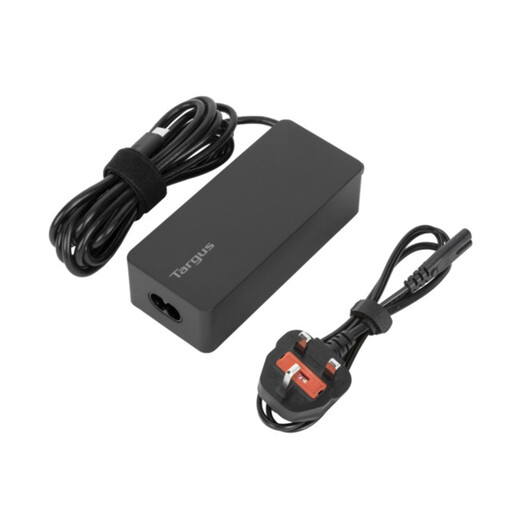 No image available
Consider this only if the laptop accepts USB-C Power Delivery and its specified input is within 65 W; confirm the complete UK plug arrangement before buying.
The product name identifies a 65 W USB Type-C charger. Its stated maximum may not suit a laptop requiring more power.
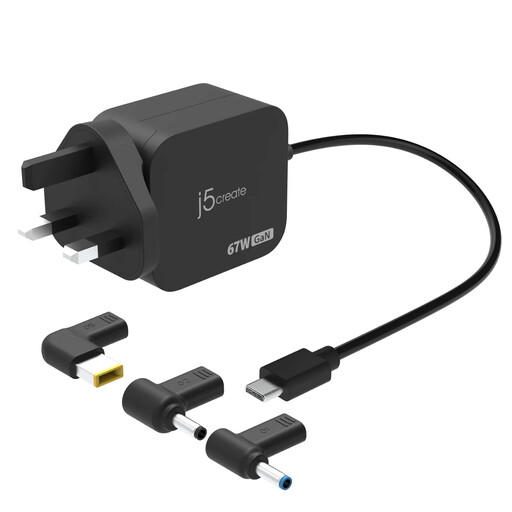 No image available
This may suit a compatible USB-C PD laptop if one of the listed DC connector types matches its specified input; check the precise connector and power requirement.
The product name identifies a 67 W GaN PD USB-C charger with a UK plug and three DC connector types. Its stated maximum may be insufficient for a laptop requiring more power.
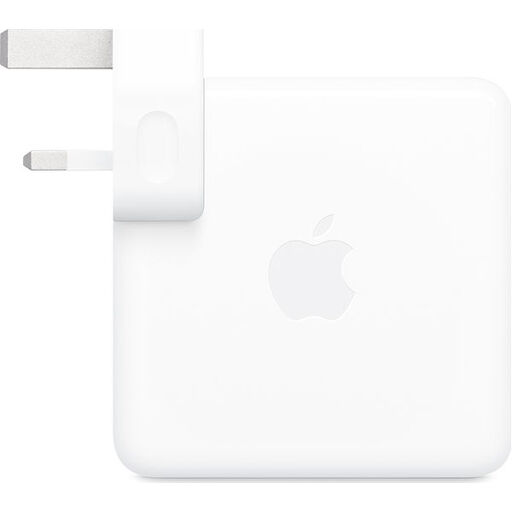 No image available
Consider it for a Mac only after checking that model’s specified USB-C charging requirement; the stated output alone does not establish fit.
The product name identifies a 96 W USB-C power adapter, and a USB-C cable is sold separately.
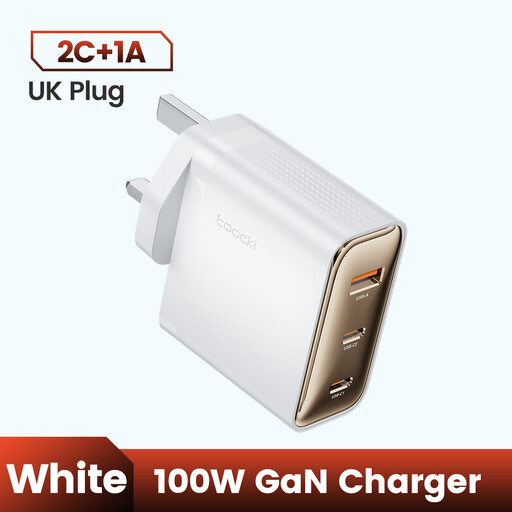 No image available
This is relevant only if the laptop accepts USB-C PD and the specific laptop-facing port provides enough power; check output allocation when other ports are in use.
The product name identifies a 100 W, three-port USB-C charger. Its laptop-charging port is stated at up to 100 W, which may be insufficient for a laptop requiring more.
Find the exact laptop model or manufacturer identifier, then compare its specified charging input with the complete proposed setup. Dell describes locating a Service Tag, while HP uses the notebook product number to find compatible parts.
No: confirm that your exact laptop accepts charging through that USB-C connection, then check the charger’s delivered power and the cable’s capability. Apple’s USB-C Power Delivery guidance applies to Macs that charge through USB-C; USB-IF distinguishes cable power-capability markings.
Check the exact dock’s host compatibility and laptop-facing power, not just the rating of its mains adapter. Lenovo lists up to 100 W laptop charging for the UK 40AY0135UK bundle with a 135 W adapter, and Dell documents insufficient-power issues with certain dock arrangements.
Yes. Check the contents of the exact listing: HP says an adapter may not include a mains power cord unless its description says so, and Apple’s UK 70 W USB-C adapter listing says its charging cable is sold separately.
Search the Office for Product Safety and Standards’ Product Safety Alerts, Reports and Recalls service using the exact brand and model. Check the applicable electrical and plug-safety information for the product, and remember that a marking alone does not establish laptop compatibility or prove that a listing is genuine.