What should you check before buying laptop charging accessories?
For travel or mobile work with an existing laptop, identify whether your main constraint is a compatible connection, stored energy, carrying conditions or the power source available.
| Concern |
What to check when buying |
Who this matters to |
| Laptop compatibility |
Confirm the laptop’s charging-capable port, supported charging method and power requirement. Match the individual output and cable, not just the connector shape or combined wattage. |
If I need a setup that works with my specific laptop, I want to check its supported input before choosing an accessory. Consumers who put compatibility first make up around 36%. |
| Energy between sockets |
Compare stored energy in watt-hours with your laptop and expected workload; capacity alone does not establish working time or a fixed number of recharges. |
When I need to keep working away from power, I want to know what reserve the accessory can provide for my workload. Consumers prioritising stored energy account for around 29%. |
| Carrying and air travel |
Check the accessory’s weight, cable arrangement and printed Wh rating. For air travel, check current CAA guidance and your airline’s conditions. |
When I travel, I need to weigh the extra item against its usefulness and check the rules if I am flying. Consumers putting carrying or air-travel needs first represent around 21%. |
| Available power source |
Work out whether you have no socket, a wall socket, a suitable vehicle socket or only need a replacement cable. Check the adapter’s input, output and included accessories. |
If I have a socket but no charger, or a suitable vehicle connection, I want an accessory made for that source rather than a battery I may not need. Consumers focused on matching the available power source make up around 14%. |
Joybuy product options for laptop power away from a socket
These options cover vehicle charging, stored power away from sockets and spare mains chargers. Check each product’s connection and output against your laptop and the power source you can use.
 No image available
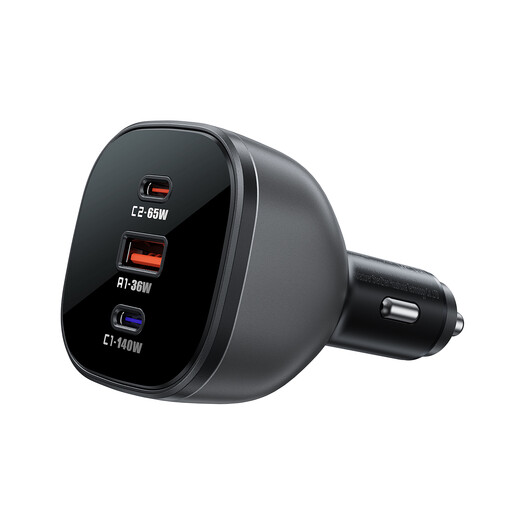
ACEFAST B14 165W 3-Port Car Charger (USB-C × 2, USB-A), Black
For a vehicle-powered setup, check that the vehicle socket and your laptop support the charger’s requirements.
The listing specifies 12–24V vehicle input, PD 3.0 and up to 100W on USB-C1. It requires a 100W E-Marker cable for the listed maximum output; 165W is the combined rating.
Joybuy
 No image available
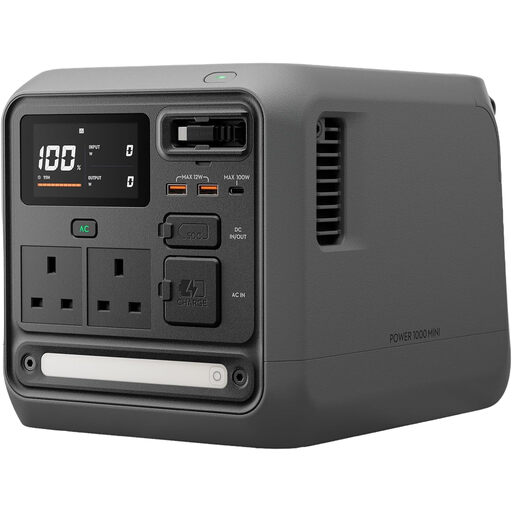
DJI Power 1000 Mini Portable Power Station, 1008Wh
For work away from sockets when a larger stored-energy unit suits your plans, check the laptop’s requirements and how you will carry the unit.
The listing specifies 1008Wh capacity, 1000W AC output and a built-in 100W retractable USB-C cable. These figures do not establish working time for a particular laptop.
Joybuy
 No image available
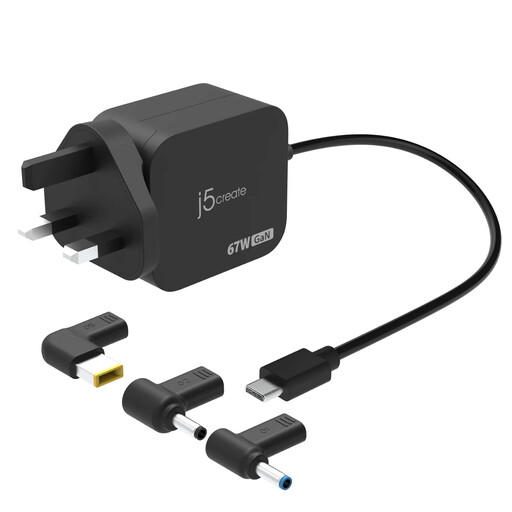
j5create JUP1565DCF3A 67W GaN PD USB-C Mini Charger, UK, Black
For a spare wall charger, check that your laptop accepts the charging method or has a matching DC input.
The listing specifies up to 67W output and three USB-C-to-DC connectors. Those connectors are useful only if one matches your laptop’s input.
Joybuy
 No image available
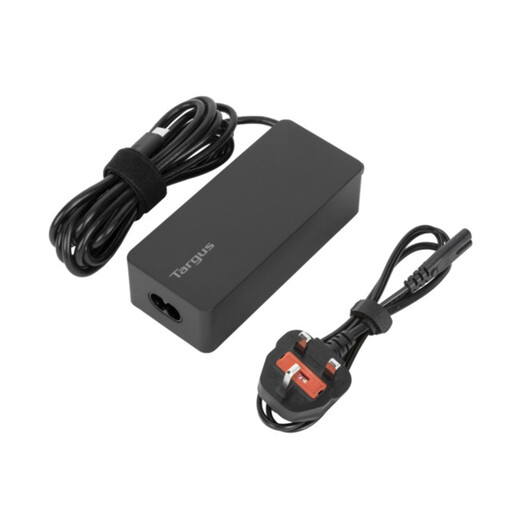
Targus 65W USB Type-C Charger
For travel where a wall socket is available, compare the charger’s stated scope with your laptop’s charging requirements.
The listing specifies USB-C Power Delivery, a 1.8m cable and UK and EU power cords. It describes compatibility with most USB-C laptops up to 14 inches, not every laptop.
Joybuy
 No image available
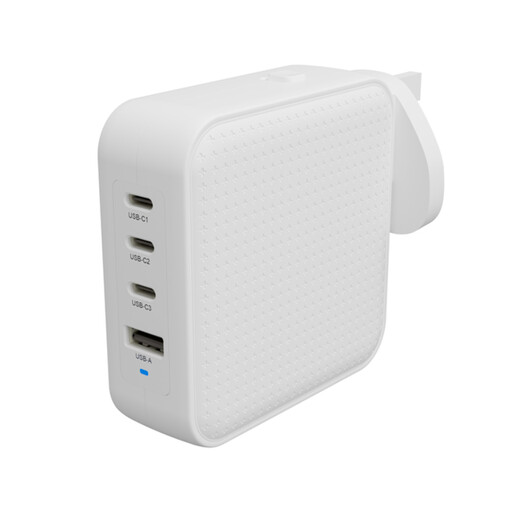
Hyper HyperJuice 100W USB-C GaN Travel Charger (3C+1A), White
For a mains-powered travel setup, check the charger’s output allocation if you plan to charge a laptop and another device together.
The listing specifies 100W total output and UK travel adapters. With two USB-C devices connected, it specifies a 65W+30W allocation; confirm that the laptop supports its available output.
Joybuy
Laptop charging away from a socket: FAQs
Will any USB-C port or USB-C charger charge my laptop?
No; check that your exact laptop supports charging through that port and charging method. Microsoft Support identifies insufficient power, an unsuitable cable or using the wrong port as possible causes of slow charging or discharging, and some PCs use proprietary charging arrangements.
Why can my laptop battery fall while the charger is connected?
The charger may not meet the laptop’s power requirements, or the cable or port may be unsuitable. Microsoft Support recommends using the designed charger and cable and checking the charging port; charging while asleep or switched off can speed charging, but does not meet the need to work continuously.
Does a 240W USB-C cable make a 100W power bank charge faster?
No, a higher-rated cable does not increase the power bank’s documented output. The cable, power source and laptop all need to support the charging level you intend to use; USB-IF’s cable labelling information describes 60W and 240W power capability labels for USB-C-to-USB-C cables.
What should I check before taking a laptop power bank on a UK flight?
Check the printed Wh rating and your airline’s current rules, as airlines may impose additional restrictions. UK Civil Aviation Authority guidance says to carry power banks in the cabin, take no more than two per person and not recharge them onboard; it states that 100Wh to 160Wh requires airline approval and that batteries over 160Wh are prohibited in passenger baggage. Carriage permission does not establish permission to use a power bank during a flight.
Can I work on my laptop while driving if it is connected to a car charger?
No; arrange laptop work for when the vehicle is safely parked. GOV.UK says it is illegal to hold and use a device capable of sending or receiving data while driving, including offline use, and drivers must maintain proper control and a clear view.


