What matters when choosing a laptop?
Test the charity’s actual applications and files first. That result sets the operating-system choice; quietness, access to records and the convenience of cloud work then help narrow the model.
Windows laptop
Choose when: The charity depends on Windows-only finance software or an Access database; Microsoft lists Access in Office LTSC 2024 as Windows-only.
Trade-off: Windows does not guarantee quiet operation. Check the exact laptop’s cooling behaviour, and check application compatibility separately if it uses a Windows-on-ARM processor.
MacBook Air
Choose when: The charity’s accounting, spreadsheet and banking tools work on macOS and a quiet study setup is a priority.
Trade-off: Windows-only applications remain a barrier. Apple describes the M2 15-inch MacBook Air as fanless, but check the cooling design and any adapter needs of the exact model you intend to buy.
Chromebook
Choose when: Expense records can be handled through tested browser services and shared cloud files without a desktop-only application.
Trade-off: Google’s Microsoft 365 editing route on a Chromebook requires OneDrive. Test the charity’s templates, accounting portal and offline process before relying on ChromeOS.
| Concern |
What to check when buying |
Who this matters to |
| Software and spreadsheet compatibility |
Test a copy of the real workbook and confirm the required accounting app, add-ins and bank-import format on the exact operating system. |
I cannot keep the charity’s records accurately if a required template or finance tool will not run. Around 36% of consumers put compatibility first. |
| Quiet study use |
Look for a fanless-design statement for the exact model; for an actively cooled laptop, assess noise during the usual workload. |
When I reconcile receipts in a quiet room, recurring fan noise would distract me. Quiet operation is the primary concern for roughly 29% of consumers. |
| Protection and recovery of records |
Confirm update support, individual account access, multi-factor authentication, backups and how records will be recovered on another device. |
I need authorised people to retrieve financial records without leaving accounts or files exposed. About 21% of consumers place protection and recoverability first. |
| Cloud-based bookkeeping |
Try the accounting portal, shared-file permissions, exports and offline access; compare the exact Chromebook’s memory and storage. |
My expense work is mainly in a browser, so I want a device that fits that process without depending on desktop software. For around 14% of consumers, cloud-first use is the main priority. |
Joybuy laptops for charity expense tracking
These choices span MacBook Air, Chromebook, Windows-on-ARM and the distinct MacBook Neo line. Match any candidate to the charity’s actual files and applications, then check the exact model’s noise behaviour if the study must stay quiet.
 No image available
Apple 15-inch MacBook Air (2026) M5, 16GB, 512GB SSD, Starlight
Consider this MacBook Air if the charity’s finance tools and shared files work on macOS. The listed variant has an M5 chip with a 10-core CPU and 10-core GPU, 16GB memory and a 512GB SSD. If low noise is essential, confirm the cooling design and behaviour of this exact configuration.
View on Joybuy
 No image available
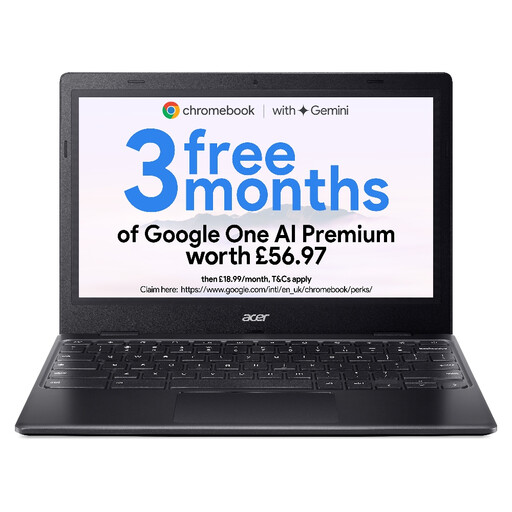
Acer Chromebook 311 CBOA311-1H, 11.6-inch HD, 4GB RAM, 64GB eMMC, Black
This Chromebook is a candidate for expense work conducted through compatible browser services. Its listed configuration has an Intel Celeron N4500, 4GB RAM, 64GB eMMC storage and an 11.6-inch HD display at 1366 × 768. Test the charity’s real files and offline process, and confirm its noise behaviour if that is decisive.
View on Joybuy
 No image available
Acer Chromebook Plus 514 CB514-5H, 14-inch WUXGA, 8GB RAM, 512GB SSD, Iron
Consider this Chromebook for a confirmed cloud-first accounting workflow, not one requiring desktop Windows or macOS software. The listed variant has an Intel Core 5 120U, 8GB RAM, a 512GB SSD and a 14-inch WUXGA display at 1920 × 1200. Check its behaviour during the charity’s normal workload if study noise matters.
View on Joybuy
 No image available
ASUS Vivobook 14 X1407QA-LY003W Copilot+ PC, Snapdragon X, 16GB RAM, 512GB SSD, Quiet Blue
This Windows-on-ARM laptop is worth considering only after the charity checks its required finance applications, add-ins and peripherals on that configuration. The name specifies a Snapdragon X processor, 16GB RAM and a 512GB SSD. Quiet Blue is the colour name, not evidence of low fan noise; assess the exact model if the study must remain quiet.
View on Joybuy
 No image available
Apple 13-inch MacBook Neo (2026) A18 Pro, 8GB, 512GB SSD, Touch ID, Silver
Consider this MacBook Neo for document and spreadsheet work only if the charity’s required tools work on macOS; it is a different line from MacBook Air. The listed variant has an A18 Pro chip with a 6-core CPU and 5-core GPU, 8GB memory, a 512GB SSD and Touch ID. Check this model’s noise behaviour rather than assuming it shares another Mac’s cooling design.
View on Joybuy
Frequently asked questions
Can a Chromebook handle a charity’s expense spreadsheets?
Yes, if the charity’s actual spreadsheets and accounting process work through its Chromebook setup. Google says Chromebooks can open, edit, download and save Microsoft 365 files, but its Microsoft 365 editing route requires OneDrive. Test formulas, imports, shared access and the accounting portal with real files before relying on it.
How do I choose a laptop for a particularly quiet study?
Look for a fanless-design statement covering the exact model if low noise is essential. For an actively cooled laptop, check model-specific acoustic evidence or assess its sound during the charity’s usual work where applicable return terms permit; Lenovo notes that fan noise can increase with processor load and heat.
What should the charity set up to protect expense records?
Set up individual accounts, multi-factor authentication, updates, controlled file sharing, backups and a way to recover access on a replacement device. The Charity Commission for England and Wales warns that charities hold money and sensitive data of interest to criminals; device specifications alone do not provide a complete records process.
Does a charity need a particular type of laptop to keep expense records?
No particular laptop category is specified in the cited Charity Commission guidance for England and Wales. Choose a device and storage process that let the charity preserve and retrieve its financial records, including receipts and invoices. Check the record-keeping rules that apply to the charity’s own legal form and jurisdiction.


