What matters when choosing
Settle operating-system and test-tool compatibility before comparing configurations. Then consider whether your work is led by desktop debugging, testing on other devices, a settled desk setup or moving between workspaces.
| Concern |
What to check |
Who this matters to |
| Desktop debugging |
Check the fitted memory and whether the screen gives your checkout page and DevTools enough room. |
When I keep a checkout, logs and several test tabs open together, I need a setup that remains workable without constantly rearranging windows. Around 31% of consumers put desktop debugging first. |
| Other browsers and devices |
Check the connections for your test devices and how you will access the browsers and real devices in your test plan. |
If a payment flow must work beyond my main desktop browser, I need a way to check those environments rather than relying on an emulated viewport. Around 31% of consumers put cross-browser and real-device validation first. |
| Quiet-study desk fit |
Check screen comfort, monitor output, charging and physical connections; assess noise with your intended workload. |
For long sessions at a quiet desk, I need a comfortable arrangement without assuming that published laptop specifications establish how loud it will be. Roughly 23% of consumers put desk usability first. |
| Portability and platform |
Check size and weight alongside support for the required operating system and processor architecture. |
When I move between workspaces, I need something I can carry while still running my required tools. Around 15% of consumers put portable, platform-compatible working first. |
Joybuy laptop choices
These laptops offer Windows x86, Windows on Arm and macOS options for checkout-page testing. Compare each one with your required software and quiet-study desk setup before choosing.
 No image available
ASUS Vivobook 15 X1504VA, 15.6-inch, 24GB, 1TB SSD, Cool Silver
Consider this Windows x86 model if your test tools support its platform and you want a 15.6-inch laptop for desk-based checkout work.
Its listed configuration includes an Intel Core 5 120U processor and 24GB memory. Check your required peripherals and assess noise during the workload you expect to run.
View on Joybuy
 No image available
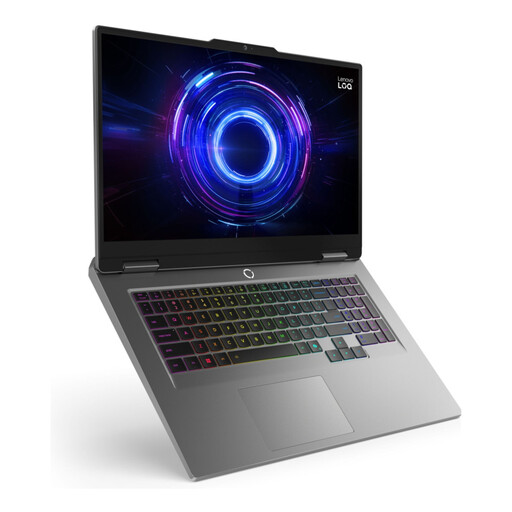
LOQ 17IRX10, i7-13650H, 24GB, 1TB, W11H
Consider this model if your testing stack requires conventional Windows and a larger laptop fits your study desk.
The product name specifies an i7-13650H processor, 24GB memory and 1TB storage. Check its dimensions, carrying requirements and noise under your intended workload.
View on Joybuy
 No image available
ASUS Vivobook 14 X1407QA-LY003W, Snapdragon X, 16GB, 512GB, Quiet Blue
This Windows on Arm option is worth considering only after confirming that your automation, payment and security tools support the architecture.
The listed variant has a 14-inch format, Snapdragon X processor, 16GB memory and 512GB SSD. Google lists Chrome support on Windows 11 for Arm processors; that browser support does not cover other test dependencies.
View on Joybuy
 No image available
Microsoft Surface Laptop 7, 15-inch, Snapdragon X Elite, 16GB, 256GB
Its 15-inch touchscreen may suit a desk setup, provided your entire checkout-testing stack works on Windows on Arm.
The product name specifies a Snapdragon X Elite processor, 16GB memory and 256GB SSD. Confirm the delivered colour and assess noise during the work you plan to do.
View on Joybuy
 No image available
Apple 15-inch MacBook Air M5, 16GB, 1TB SSD, Silver
Consider this macOS option when your browsers, payment tools and automation dependencies support macOS.
The listed variant has an M5 chip, 16GB memory and a 1TB SSD. Apple lists two Thunderbolt 4/USB-C ports and support for up to two external displays for the M5 MacBook Air; check your monitor and device connections.
View on Joybuy
Frequently asked questions
Can Chrome Device Mode replace testing a checkout on a real phone?
No. Google describes Device Mode as an approximation, not code running on a real mobile device. Use it for initial responsive checks, then test important checkout flows on the real devices and browsers your plan covers.
What should I check before choosing macOS, Windows x86 or Windows on Arm?
Check every required browser, payment-provider tool, automation driver, local service and company security application against the exact operating system and processor architecture. Google’s Chrome support requirements establish browser availability on supported systems, not compatibility for the rest of your testing stack.
Do I need an external monitor to test a checkout page?
Not necessarily: a laptop screen may be enough for simpler checks, while a second display can give you more room to arrange the checkout and debugging panels. Check the exact laptop’s display-output support and the connections required by your monitor or dock; Apple lists support for up to two external displays on the M5 MacBook Air, subject to its stated limits.
What return rights matter when buying a laptop online in the UK?
For eligible UK distance purchases, GOV.UK says consumers can cancel within 14 days of receiving the item and then have another 14 days to return it. Separately, GOV.UK says a full refund must be offered if an item is faulty, not as described or does not do what it is supposed to. Check the applicable cancellation conditions and any retailer policy separately; a retailer policy does not replace statutory remedies for a fault.


