A Chromebook is a practical choice for browser-based job applications, email and forms if you have a workable internet connection and check the exact model’s remaining update period. Choose a supported Windows laptop if a required task needs Windows software; check a refurbished machine’s operating system particularly carefully, as Microsoft ended normal Windows 10 support on 14 October 2025. If you need a device or help only for an immediate task, ask about a local loan and support scheme before committing to ownership.
Who these choices suit
Job seekers relying on a phone
A physical keyboard and more screen space may make long applications and document handling easier. Coventry City Council identifies people completing job applications or important forms on a phone among those who may benefit from its library device-loan service.
First-time laptop users who need help getting started
Owning a computer may not resolve difficulties with email, chat or navigating forms. Citizens Advice emphasises support built around the task a person needs to complete, including face-to-face help.
Consumers considering a refurbished Windows laptop
A refurbished device needs an operating-system check as well as an assessment of its condition. Microsoft ended normal Windows 10 support on 14 October 2025, so confirm that the exact machine runs a supported version before relying on it for account-based tasks.
What matters when choosing
For job applications, email and online forms, decide whether your required tasks work in a browser, need Windows software or call for short-term access and help. Then check the device and connection you would actually use.
Chromebook
Consider it when: Your essential services work in a browser and you have a workable internet connection.
Check first: Google’s final automatic-update date is model-specific, and a required Windows-only program may rule this route out.
Windows 11 laptop
Consider it when: A required program or workflow needs Windows rather than browser-based tools alone.
Check first: Confirm the installed Windows version and whether any restrictions on installing your required apps apply.
Refurbished Windows laptop
Consider it when: You want to consider a previously owned device and can inspect its exact configuration and condition.
Check first: Microsoft ended normal Windows 10 support on 14 October 2025; confirm a supported operating system, activation, battery condition and supplied charger.
Local device loan and support
Consider it when: You need temporary access, want to try completing forms on a laptop or need help setting up.
Check first: Eligibility, loan length, connectivity and available assistance depend on the local provider.
| Concern |
What to check |
Who this matters to |
| Comfort completing forms |
Try the physical keyboard and text scaling; check that required sites work in the browser. Test keyboard navigation if you rely on it. |
If I am moving long applications from my phone, I need to read instructions and enter details without struggling with a small screen. Around 40% of consumers put form-completion comfort first. |
| Ongoing software support |
Check a Chromebook’s exact update schedule with Google, or confirm the installed Windows version and support position with the seller. |
I want a low-cost computer for accounts and document uploads, but I need to know how long its software will remain supported; around 30% of consumers make ongoing support their primary concern. |
| Connection and help |
Confirm a workable internet connection and where you can get setup help; ask local loan providers what they offer. |
Getting online and learning to use email may be my immediate obstacle, even if I have a laptop. For around 30% of consumers, connection and practical help come first. |
Mistakes to avoid
-
Choosing a refurbished laptop without checking Windows support
A machine can still turn on after its operating system loses normal security updates. Microsoft ended normal Windows 10 support on 14 October 2025, which matters when using accounts and submitting personal information.
Ask for the exact model, installed Windows version and activation status, and confirm whether it runs Windows 11 before buying.
If the machine cannot run a supported version, continuing to use it for these tasks may require another device or a separately arranged interim update option.
-
Assuming a Chromebook on sale has years of updates left
Google says a Chromebook’s sale date does not determine its update eligibility. ChromeOS and browser updates stop after that model’s final update.
Get the complete model number and check its update schedule with Google, particularly for used or clearance stock.
-
Expecting the device alone to solve an access problem
A laptop will not provide an internet connection or teach someone to set up email. Citizens Advice identifies practical, task-focused support as part of helping people use digital services.
Check your connection and ask a local library or Digital Inclusion Hub what devices, connectivity and assistance it can offer before purchasing.
-
Choosing touch input instead of checking the keyboard
Long forms may require substantial typing, and keyboard operation is particularly important for people who cannot easily use a mouse.
Try typing, moving through fields with the keyboard and adjusting text size on the device you plan to use; do not assume a touchscreen meets those needs.
Relevant brands for reference
Acer
Acer’s Chromebook 314 CB314-3H/CB314-3HT family is a conventional 14-inch option to consider for browser forms and typing.
- Acer lists a 14-inch anti-glare screen for this product family.
- Check the precise configuration and Google’s update schedule for the device offered.
Lenovo
Lenovo’s IdeaPad Slim 3 Chromebook Gen 8 (14-inch MTK) is another laptop-format option for browser-focused tasks.
- The product family gives consumers a 14-inch Chromebook format to compare with their typing and screen-space needs.
- Check the complete model and configuration rather than assuming every variant has the same display or optional features.
ASUS
The ASUS Chromebook CM14 Flip family is relevant if you want to consider touch input alongside a physical keyboard.
- ASUS lists a 14-inch FHD touchscreen, 4GB memory and 128GB eMMC storage for the CM1402FM2A configuration.
- Confirm the seller’s complete model number, configuration and remaining ChromeOS update period.
Joybuy products for online tasks
These Chromebook and laptop options suit consumers comparing a keyboard-and-screen device for forms, email and job applications. Check the software required by your particular services before choosing between ChromeOS and Windows.
 No image available
Acer Chromebook Plus 514 CB514-5H, 14-inch WUXGA, Core i3-1315U, 8GB RAM, 256GB SSD
Consider this Chromebook if your applications and email work in a browser; confirm compatibility with any required non-browser software.
The listed configuration has a 14-inch 1920 × 1200 display, 8GB RAM and a 256GB SSD. Check Google’s update schedule for the exact model.
View on Joybuy
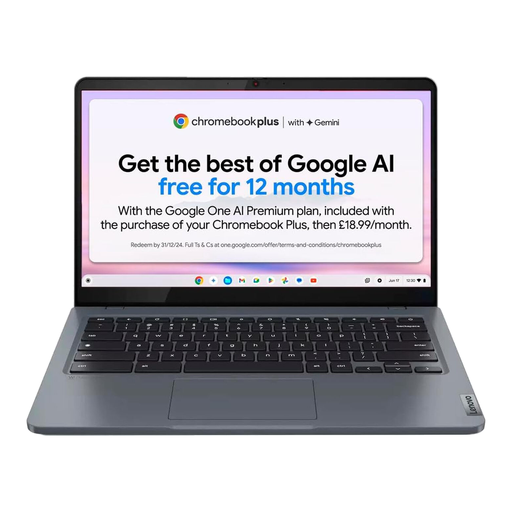 No image available
Lenovo IdeaPad Slim 3 Chromebook 14IAN8, 83BN001EUK, 14-inch, Core i3-N305, 8GB RAM, 256GB eMMC
This Chromebook is an option for browser-based forms and email; check any required software against ChromeOS before buying.
The product name specifies a 14-inch display, 8GB RAM and 256GB eMMC storage. Confirm the exact model’s remaining updates with Google.
View on Joybuy
 No image available
Lenovo IdeaPad 1, 15-inch FHD, Ryzen 3 7320U, 8GB RAM, 128GB SSD, Windows 11 Home in S Mode
Consider this Windows laptop for online forms if its software setup works with the apps you need.
The named configuration has a Full HD display, 8GB RAM and a 128GB SSD. Check required apps and services specifically against Windows 11 Home in S Mode.
View on Joybuy
 No image available
ASUS Vivobook 15 X1504VA, 15.6-inch, Core 5 120U, 24GB RAM, 1TB SSD
The 15.6-inch laptop format is worth considering if you want more space than a phone provides for reviewing forms. Confirm its installed operating system and compatibility with any required apps.
The product name specifies an Intel Core 5 120U, 24GB RAM and a 1TB SSD. If you will work away from a socket, check the battery runtime for this configuration.
View on Joybuy
 No image available
Acer Aspire Lite AL15-36P-C29Z, 15.6-inch FHD, Intel N150, 8GB RAM, 128GB SSD
This laptop offers a physical keyboard and 15.6-inch screen for forms; check whether its Windows setup allows the apps your tasks require.
The named configuration has an Intel N150, 8GB DDR4 RAM, a 128GB SSD and Windows 11 Home. The product information also identifies S Mode, so confirm app compatibility before buying.
View on Joybuy
Common questions
Is a Chromebook enough for job applications and online forms?
A Chromebook can suit applications, email and forms completed through a browser, provided you have a workable internet connection. Check that every required service and document workflow works on ChromeOS, and look up the exact model’s remaining update period with Google; choose a suitable Windows device if a required program needs Windows.
Should I buy a refurbished Windows 10 laptop for these tasks?
Do not rely on Windows 10-only status without establishing how the machine will receive security updates. Microsoft ended normal Windows 10 support on 14 October 2025; ask whether the exact device runs an activated, supported Windows version before using it for applications and accounts.
Should I check for a library loan before buying?
A local loan is worth checking if you need temporary access or help completing forms before deciding whether to own a laptop. Coventry Libraries describes a Chromebook loan for qualifying adult members, but schemes vary; ask your library or a Digital Inclusion Hub about eligibility, loan length, connectivity and assistance before visiting.


