What matters when choosing?
Settle the club’s software and file requirements before comparing compact screens and travel features. The laptop still needs to work with the timetable you actually use.
Intel or AMD Windows
Consider when: The club’s desktop software or peripheral requirements have not been checked on another platform.
Allow for: You still need to check the application, licence and printer access on the exact laptop.
macOS
Consider when: The club’s timetable files and required applications are confirmed to work on Mac.
Allow for: A browser workbook may behave differently from its desktop version; Microsoft Support says macros do not run in Excel for the web.
Windows on Arm
Consider when: The timetable workflow and required devices have been checked for the chosen Arm-based laptop.
Allow for: Microsoft Support says hardware-dependent software needs drivers designed for Windows on Arm.
| Concern |
What to check |
Who this matters to |
| Workflow compatibility |
Check a representative timetable file, required applications and add-ins, plus the club’s printer or USB devices. |
If my club relies on an existing timetable setup, I need the file and its supporting tools to work when I arrive. Around 42% of consumers put that compatibility need first. |
| Working away from a desk |
Compare the exact laptop’s carrying size and supplied charger; keep an offline copy and use approved secure access when sharing sensitive files. |
When I move between venues, I want to keep editing even if the hotel workspace or connection is inconvenient. Roughly 33% of consumers make independent mobile working their main concern. |
| Timetable workspace |
Open your file at its usual zoom on a compact screen and a larger option; check whether you need an external display. |
To review dates, names and columns together, I would accept a larger laptop rather than repeatedly moving around the sheet. About 25% of consumers prioritise that built-in workspace. |
Joybuy laptop choices
These laptops cover different ways to prepare a timetable away from the club: conventional Windows models in compact and larger-screen formats, a Windows on Arm model, and a MacBook Air. Choose a platform only after checking the club’s actual files, software and devices.
 No image available
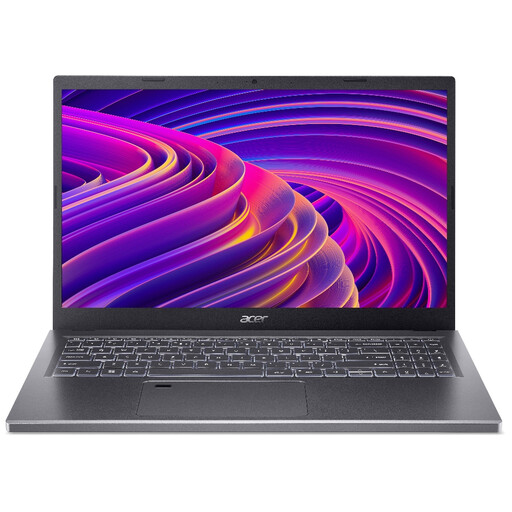
Acer Aspire 5 A515-48M, 15.6-inch, Ryzen 5 7530U, 16GB/512GB
Consider this conventional Windows route if you want a larger built-in view for a timetable with many columns.
The product name specifies a 15.6-inch Full HD (1920 × 1080) display, AMD Ryzen 5 7530U, 16GB RAM and a 512GB SSD.
Check the club’s software and printer workflow, as well as the supplied charger, before travelling.
View on Joybuy
 No image available
MSI Summit E13 AI Evo, 13-inch, Core Ultra 7 155H, 32GB/1TB
Consider this compact Intel-based option if your hotel workspace is small but you still need the club’s Windows workflow.
The product name specifies an FHD+ 60 Hz touch display, Intel Core Ultra 7 155H, 32GB LPDDR5 RAM and a 1TB SSD.
Confirm the exact battery configuration and expected runtime before planning to work away from mains power.
View on Joybuy
 No image available
Acer Nitro V 15 ANV15-52, 15.6-inch, RTX 4050, 16GB/512GB
This larger-screen Windows option may suit timetable review when built-in workspace matters more than carrying a compact laptop.
The product name specifies a 15.6-inch Full HD 165 Hz display, NVIDIA RTX 4050, 16GB RAM and a 512GB SSD; its gaming graphics do not establish an additional benefit for timetable work.
Confirm the exact processor before purchase, as the product title and description identify it differently. Consider whether the gaming-oriented build suits frequent travel.
View on Joybuy
 No image available
ASUS Vivobook 14 X1407QA-LY003W, Snapdragon X, 16GB/512GB
Consider this 14-inch Windows on Arm model only after confirming the club’s timetable app, printer and USB devices work with it.
The product name specifies a Snapdragon X processor, 16GB RAM and a 512GB SSD. Microsoft Support says driver-dependent devices need drivers designed for Windows on Arm.
Check the supplied charger and make an offline copy of the timetable before travel.
View on Joybuy
 No image available
Apple 13-inch MacBook Air (2026), M5, 16GB/1TB, Sky Blue
Consider this MacBook Air if the club’s timetable application, workbook features and printing steps are confirmed to work on macOS.
The product name specifies an M5 chip with a 10-core CPU and 10-core GPU, 16GB memory and a 1TB SSD.
Do not use a video-streaming battery claim as a timetable runtime figure; check the supplied charger for your trip.
View on Joybuy
Common questions
Do I need Windows to prepare a club timetable?
Not necessarily: choose the operating system that runs the club’s actual file, applications and devices. Microsoft Support says Excel for the web handles some files and features differently from desktop Excel and does not run macros, so test the timetable before relying on a browser or switching to macOS.
Is a Snapdragon laptop suitable for this work?
It can be, if the timetable application and required peripherals work on Windows on Arm. Microsoft Support says many Windows apps can run on Arm-based PCs, but hardware-dependent drivers must be designed for that platform; check the club’s printer and USB devices in particular.
What should I check about the charger?
Check that the supplied charger and plug are appropriate for where you will use the laptop, and review the product’s safety information before travelling. The Office for Product Safety & Standards says the Electrical Equipment (Safety) Regulations 2016 apply to equipment supplied in or into Great Britain; its Great Britain guidance should not be treated as guidance for Northern Ireland.
Can I rely on hotel Wi-Fi for the timetable?
Keep an offline copy rather than making hotel Wi-Fi your only way to work. The National Cyber Security Centre warns that insecure public networks may allow data to be intercepted or modified; use the club’s approved secure access when sharing sensitive information.
Will an advertised battery figure cover a hotel working session?
Not necessarily: a manufacturer’s figure reflects its stated test rather than your timetable workload. Apple, for example, lists up to 15 hours of wireless-web use for the 13-inch MacBook Air; compare the exact model and bring its charger.


