What matters when choosing?
For a club website in a shared office, decide whether everyday editing, connections at changing desks or local development will place the greatest demands on the laptop.
| Concern |
Buying checks |
Who this matters to |
| Website editing and office work |
Check that the operating system supports the club’s tools, then compare the exact memory and SSD configuration for the applications and files you use. |
If I keep website pages, documents and communications open together, I need room to work without choosing a configuration solely by its processor name. Around 44% of consumers put this everyday-work need first. |
| Shared desks and displays |
Compare the laptop’s ports and external-display support with the actual monitor, dock and peripherals. |
Moving between desks means I need to reconnect to the office setup and take part in calls without relying on an assumed port layout. For around 33% of consumers, those shared-office connections are the primary concern. |
| Local coding and file growth |
Confirm support for the intended development tools and check SSD capacity and model-specific service options. |
If the club keeps source files locally or adds development containers, I need to know the chosen system can run that workflow and hold its files. This longer-term need comes first for around 23% of consumers. |
Laptops for club website work
These laptops offer different screen sizes and configurations for club website editing and shared-office work. Match any model you consider to the club’s software and desk equipment, particularly where local coding or an external display is part of the job.
 No image available
ASUS Vivobook 14 X1407QA-LY003W, Snapdragon X, 16GB RAM, 512GB SSD, Quiet Blue
Consider this 14-inch option if the club moves its website work between desks. The named configuration has a Snapdragon X processor, 16GB RAM and a 512GB SSD; confirm that the club’s software and shared monitor or dock work with this exact model.
View on Joybuy
 No image available
HP OmniBook Ultra Flip 14-fh0006na 2-in-1, 16GB RAM, 1TB SSD
Consider its 2-in-1 format if a convertible laptop fits the club’s editing and meeting work. This configuration names 16GB RAM and a 1TB SSD; confirm its precise ports before relying on an existing monitor or dock.
View on Joybuy
 No image available
Microsoft Surface Laptop 7 15-inch, Snapdragon X Elite, 16GB RAM, 256GB SSD, Maya Color
The 15-inch touchscreen is worth considering if you prefer a larger built-in screen for website pages and documents. This configuration has 16GB RAM and a 256GB SSD; assess how much local file space the club needs and confirm monitor and dock compatibility.
View on Joybuy
 No image available
HP OmniBook X Flip 16-as0004na 16-inch 2-in-1, Intel Core Ultra 5 226V, 16GB RAM, 512GB SSD
Consider this 16-inch touchscreen model when built-in screen space matters more than choosing a smaller laptop. Its named configuration has an Intel Core Ultra 5 226V processor, 16GB RAM and a 512GB SSD; check its weight and desk connections if it will move regularly.
View on Joybuy
 No image available
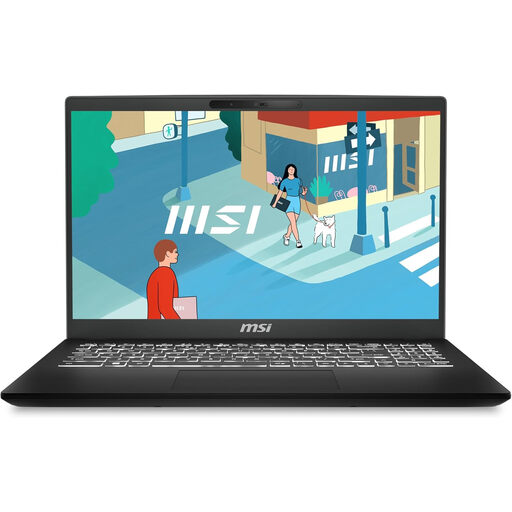
MSI Modern 15.6-inch C13M-274UK, Intel Core 15-1342OH, 16GB RAM, 512GB SSD
Consider its 15.6-inch screen and 16GB RAM for browser-based editing alongside office applications. The named configuration includes a 512GB SSD; confirm which operating system comes with it and whether its connections suit the club’s monitor and dock.
View on Joybuy
Common questions
Do I need a gaming laptop to create a club website?
Not usually for a browser-based site builder or ordinary code editing. Microsoft’s published Visual Studio Code recommendations are modest, but check the demands of the browser tabs, image tools and other applications the club will use at the same time.
Should the club choose Windows or macOS?
Choose the operating system supported by the club’s website platform, extensions, office software and any local development tools. Microsoft supports Visual Studio Code on specified Windows, macOS and Linux platforms, but that does not establish compatibility for every other application or managed-office service.
Can a laptop connect to the shared office monitor?
Yes, provided the laptop, monitor, cable and any dock support the intended connection. Apple lists two Thunderbolt 4/USB-C ports and external-display support for current MacBook Air specifications, for example, but a desk using HDMI or other connections may need a compatible adapter or dock.
What should the club do with its old laptop?
Protect the club’s data before passing the laptop on or using an appropriate recycling route: back up approved files, remove accounts and securely erase the device. UK waste electrical and electronic equipment guidance encourages recovery, reuse and recycling; the suitable handover or collection route depends on the club’s arrangements.


