What to check when buying
Start with the content checks your work requires, then establish how much desk space and display workspace you have. Compare panel specifications only for the exact configuration you intend to order.
| Concern |
What to check |
Who this matters to |
| Text and interface contrast |
Plan to check contrast in the actual content with a suitable tool; confirm the exact laptop’s panel specification for your display workflow. |
If I mainly review text and interface states, I need to check the content rather than trust how vivid it looks on screen. Around 36% of consumers put reliable contrast checking first. |
| Desk fit and working room |
Compare the laptop’s physical dimensions with usable desk space, then check whether your preferred scaling leaves room for a browser and inspection tools. |
With little desk space, I need a laptop that fits without making browser-and-notes work awkward. Physical fit is the primary need for around 29% of consumers. |
| Information conveyed by colour |
Check that your operating system offers the viewing settings your test plan uses; inspect labels, text and other cues as well as colour. |
When I change display accessibility settings, I need to see whether information still makes sense without its usual colours. Around 21% of consumers prioritise this kind of inspection. |
| Room to expand the workflow |
Check the exact configuration’s display connections and supported external-display setup if you expect to add a screen later. |
I work on a small desk now but may want more room for design files and checking tools later. That flexibility comes first for around 14% of consumers. |
Compact laptop options on Joybuy
These laptops give you compact formats to compare for desk fit, display work and testing-software needs. Check the exact screen and software requirements that matter to your workflow before choosing.
 No image available
Acer Chromebook Plus 514 CB514-5H, Iron, Core 5 120U
Consider this Chromebook if its software works with your colour-checking tools and a 14-inch laptop fits your desk.
The product name specifies a 14-inch WUXGA display at 1920 × 1200, 8 GB RAM and a 512 GB SSD. Confirm the exact panel’s colour-space and brightness specifications if either matters to your work.
View on Joybuy
 No image available
ASUS Zenbook DUO UX8406CA-QL135W, dual OLED touch
Consider the dual-screen format if you want separate viewing space for visual work and checking tools, and can accommodate that setup on your desk.
The product name specifies 14-inch dual OLED touch displays, an Intel Core Ultra 7 255H, 16 GB LPDDR5X RAM and a 1 TB SSD. Confirm the exact display resolution before comparing screen detail, and assess accessibility in the content rather than from the OLED designation.
View on Joybuy
 No image available
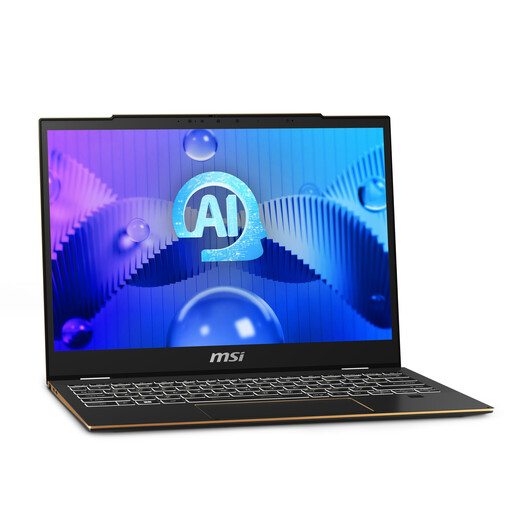
MSI Summit E13 AI Evo, Core Ultra 7 155H, 32 GB/1 TB
Consider this smaller-format laptop if a touch display is useful in your review workflow; confirm its physical dimensions against the space on your desk.
The product name specifies a 13-inch FHD+ touch display at 60 Hz, Intel Arc graphics, 32 GB LPDDR5 RAM and a 1 TB SSD. Confirm the exact screen diagonal, brightness and panel specification for the variant you order.
View on Joybuy
Questions and answers
Does a wide-gamut laptop screen make website colours accessible?
No. The W3C Web Accessibility Initiative’s WCAG guidance calls for at least 4.5:1 contrast for normal text and 3:1 for large text, subject to the criterion’s exceptions, and says colour must not be the only visual means of conveying information. Test the content; a P3, DCI-P3 or sRGB display claim cannot replace those checks.
Should I turn off settings that change the screen’s colour?
For a repeatable baseline, control or record settings that change the displayed result. Apple says True Tone responds to ambient light, while Microsoft provides colour filters and an HDR calibration app for their respective viewing conditions. If altered viewing is part of your test plan, run that check separately from the baseline.
Can colour filters replace an accessibility check?
No. Colour filters can help you inspect a different local viewing condition, but they do not measure the content’s contrast or establish that information remains available without colour. Check those requirements in the actual interface.
Does choosing a particular display establish that a public-sector service meets accessibility guidance?
No. The GOV.UK Service Manual advises regular testing of a service’s design, code and content against WCAG 2.2 level AA. Choose a laptop that supports your testing workflow, then assess the service itself rather than treating its display specification as a result.


