Choose a laptop that runs your required operating system, build tools and processor architecture before comparing battery claims. A Mac is the direct route for Xcode-based Apple-platform work, while a suitable Windows laptop can run Linux command-line tools through WSL; either way, check the exact configuration’s memory, storage and charging arrangement before relying on it away from a socket.
Who needs to consider this
Developers working away from spare sockets
If you compile locally while travelling, studying or hot-desking, check the exact laptop’s charging equipment as well as its battery claim. A USB-C connector alone does not tell you whether your available charger can power the laptop during a build.
Apple-platform developers
Apple Developer identifies Xcode as its tool suite for developing, testing and distributing apps for Apple platforms. If your work requires Xcode, check that your other tools and dependencies also run on the Mac configuration you intend to buy.
Container and large-codebase developers
For large repositories, IDE indexing, containers or parallel tests, assess the memory and SSD in the exact configuration. A laptop family name does not establish the capacity of every variant.
What to check before buying
Start with the build environment, then assess local capacity, time between charging opportunities and how the laptop will share limited sockets. Treat each concern below as a primary reason a consumer might make one check before the others.
| Concern |
What to check |
Who this matters to |
| Toolchain compatibility |
List the required OS, CPU architecture, SDKs and container images. Confirm any Xcode requirement or whether the planned Windows setup supports WSL. |
If my project depends on a particular SDK or processor architecture, a laptop that cannot run it will not meet my build needs; around 31% of consumers put toolchain compatibility first. |
| Time between charges |
Check the battery claim for the exact configuration and its test conditions; look for evidence relevant to your compiling workload. |
When I need to keep building between chances to plug in, a general battery maximum gives me too little certainty about that workload. Untethered compiling comes first for around 25% of consumers. |
| Local build capacity |
Check installed memory and SSD capacity against your repositories, development tools, containers and build outputs. |
If several development tools or large build files must stay on the laptop, I need enough local capacity for them; roughly 25% of consumers make that their primary concern. |
| Shared charging |
Confirm the accepted charging input, compatible charger and cable, and the supplied plug arrangement. |
With few sockets available, I want a charging setup that works with the equipment I can actually use; for about 19% of consumers, that shared-power setup takes priority. |
Buying pitfalls
-
Treating maximum battery life as compile-time endurance
Apple UK states up to 24 hours for its current MacBook Pro range, but a manufacturer maximum is not a measurement of a sustained compilation workload.
Compare claims for exact configurations, then look for evidence closer to your compiler, containers, display use and brightness settings. Plan how you would charge if a build outlasts the available battery.
-
Assuming any USB-C charger will power the laptop
USB-C identifies the connector, not the power the laptop accepts or the output a charger and cable can provide. Lenovo UK, for example, lists a 65 W USB-C UK adapter with a particular ThinkPad P14s Gen 6 AMD configuration; that does not establish the requirements of other laptops.
Check the exact model’s charging input, the charger and cable specifications, and what comes with the configuration you are buying.
-
Choosing a processor before checking the development stack
Apple Developer describes Xcode as Apple-platform development tooling, whereas Microsoft Learn describes WSL as a way to run Linux tools on Windows. These address different requirements.
Write down your SDKs, target platforms, processor-dependent binaries, container images and virtualisation needs before choosing between Mac and Windows workflows.
-
Overlooking the supplied plug
BSI identifies BS 1363 as the standard series for the UK national 13 A plug and socket system. A laptop’s charging-port description does not tell you which mains plug is supplied.
Check the charger and plug supplied for your delivery location, as well as whether your intended charging setup works with the sockets available to you.
Relevant brands for reference
Apple
MacBook Pro is a route to consider when development requires Xcode and a macOS workflow.
- Apple UK states up to 24 hours of battery life for its current MacBook Pro range.
- That figure is not compilation-specific; check whether your other tools, binaries and containers run on macOS and Apple silicon.
Lenovo
A ThinkPad mobile-workstation configuration is relevant when local memory and storage are central to the choice.
- Lenovo UK lists a ThinkPad P14s Gen 6 AMD configuration with 64 GB DDR5 memory, a 2 TB SSD and a 65 W USB-C UK adapter.
- Those details belong to that configuration; they do not establish another ThinkPad’s specifications or compile-time battery life.
Dell
Dell’s XPS 14 is a 14-inch Windows-laptop route to assess if a smaller form factor matters to your setup.
- Dell UK presents the XPS 14 as a laptop intended for work on the go.
- Confirm the chosen configuration’s capacity, charging arrangement and compatibility with your Linux or container workflow rather than relying on the product-family description.
Joybuy product choices
These laptops cover Mac-based Apple-platform work and Windows-based local builds, including configurations with different memory and storage capacities. Match the operating system to your project first, then check charging details for the exact product before planning to compile away from a socket.
 No image available
ASUS ProArt P16 H7606WW-SE006W, 64GB RAM, 2TB SSD
Consider this configuration if your Windows-based local work calls for the listed memory and storage, after checking that your toolchain runs on it.
The product name specifies a 16-inch 4K OLED touchscreen, AMD Ryzen AI 9 HX 370, NVIDIA GeForce RTX 5080 16GB and Windows 11 Home. Check charger compatibility and workload-specific battery endurance before depending on it between sockets.
View on Joybuy
 No image available
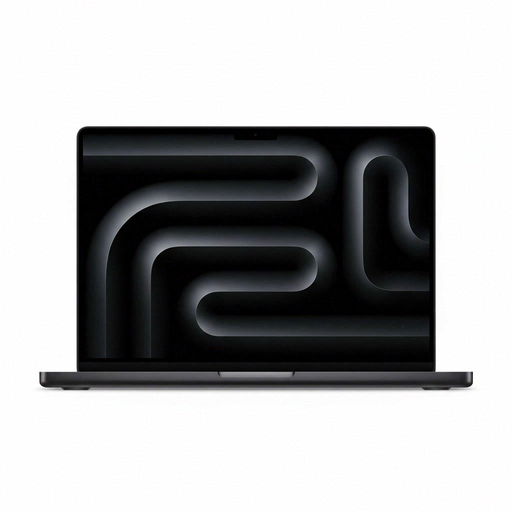
Apple MacBook Pro 14.2-inch (M5 Pro), 24GB/2TB, Space Black
This is a Mac route for Xcode-based work if your remaining tools and dependencies support macOS and Apple silicon.
The named configuration has a 15-core CPU, 16-core GPU, 24GB unified memory and a 2TB SSD. Check the charging equipment needed for this variant and how long your own build workload can run between charges.
View on Joybuy
 No image available
Lenovo LOQ Essential 15ARP11, Ryzen 7 170, 16GB/1TB
For work combining Windows applications with Linux command-line tools, check that your project and intended Windows setup support WSL before choosing this model.
The product name specifies 16GB RAM, a 1TB SSD, GeForce RTX 5050 and a 15.6-inch 144Hz FHD display. Check whether the memory meets your build needs and which charging arrangement works during sustained use.
View on Joybuy
 No image available
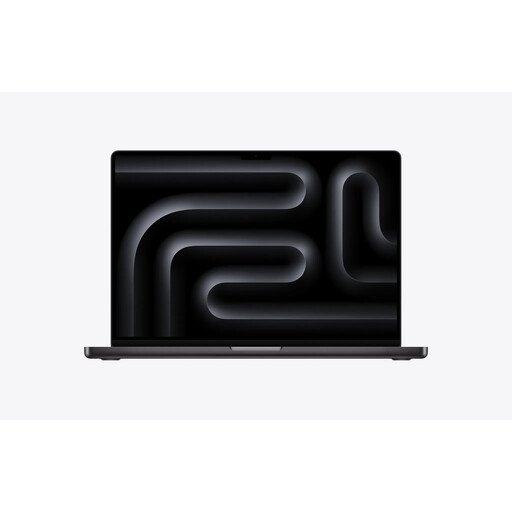
Apple MacBook Pro 16.2-inch (M5 Max), 48GB/2TB, Space Black
Consider this Mac configuration for local work needing the listed capacity, provided your toolchain and targets run on macOS and Apple silicon.
The product name specifies an 18-core CPU, 40-core GPU, 48GB unified memory and a 2TB SSD. Confirm its charging requirements and workload-relevant battery endurance before planning long builds away from power.
View on Joybuy
 No image available
Lenovo Legion Pro 7 16IAX10H (83F5000UUK), 64GB/2TB
This Windows configuration is worth assessing if your local builds need the listed memory and storage; confirm any WSL, container and processor-architecture requirements separately.
The product name specifies a 16-inch display, Intel Core Ultra 9, NVIDIA GeForce RTX 5090 and Windows 11 Home. Check its battery endurance and charging equipment before treating it as a limited-socket option.
View on Joybuy
Frequently asked questions
Should I choose a Mac just for its battery-life claim?
No: choose a Mac if your development workflow requires Xcode or otherwise runs on macOS and Apple silicon. Apple UK states up to 24 hours for its current MacBook Pro range, but that maximum does not establish how long your compilation workload will run.
Can a Windows laptop handle work that uses Linux tools?
Yes, if the project works with the chosen Windows and WSL setup. Microsoft Learn says WSL runs Linux distributions and command-line tools on Windows; check your containers, virtualisation needs and processor-dependent dependencies before relying on it for a particular build.
Can I use one USB-C charger for the laptop and my other devices?
You can plan to share a charger only after confirming that its output and cable match the exact laptop’s accepted charging input. Also check which adapter and cable come with that configuration, particularly if you need to keep compiling while plugged in.
What support details should I check before buying?
Check the warranty terms and support coverage for the exact configuration and seller. Battery service arrangements and access to a compatible replacement charger also matter if the laptop will regularly be used away from a fixed desk.


