Choose the operating-system route your development tools require before comparing processors: Xcode work calls for a Mac compatible with the required Xcode and macOS releases, while local Visual Studio 2026 work requires a supported Windows environment. Size memory and CPU capacity for your own builds and concurrent tools, then check noise under sustained work for the exact configuration you intend to buy.
Who needs which configuration?
Developers with large local builds
If your IDE runs alongside tests, containers and other applications, compare CPU, installed memory and storage against your largest project. Microsoft Learn says Visual Studio 2026 runs best with 64 GB RAM and a CPU with at least 16 cores; that guidance is specific to Visual Studio, not every development workflow.
Apple-platform developers
If your work requires Xcode, Apple SDKs or simulators, choose a Mac that supports the required Xcode and macOS releases. Apple Developer publishes compatibility by Xcode version, so establish the release your project needs before choosing a configuration.
Developers at shared desks
If builds run near colleagues or during calls, assess sustained-work noise as well as screen and workspace fit. Which? includes sound quality in its laptop testing, but a general sound-quality rating should not be taken as a measurement of fan noise during compilation.
What should you check first?
Start with software compatibility, then match the configuration to your builds and the way you use a shared desk.
| Concern |
What to check |
Who this matters to |
| Local build capacity |
Compare installed memory and CPU specifications with your largest build and the tools you run alongside it; check SSD capacity if project files, containers or build artefacts stay local. |
I run sizeable builds while keeping an IDE and other tools open, so available memory and processing capacity come first. Around 34% of consumers put local build capacity first. |
| Toolchain compatibility |
Confirm the required operating system, IDE, compiler, simulator and employer-managed software before choosing a laptop family. |
My required development tools have to run locally; a faster configuration would not solve an incompatible platform. For around 33% of consumers, toolchain compatibility is the primary concern. |
| Noise during builds |
Look for independent acoustic testing of the exact configuration under sustained work, rather than relying on its size or brand. |
Long builds may run beside colleagues or during calls, and I need to judge whether the resulting noise works at my desk. Sustained-build noise comes first for around 25% of consumers. |
| Moving between desks |
Check the exact model’s weight, charger, ports and compatibility with the displays or dock you use. |
I carry my laptop between desks and meetings, so the complete working setup matters as much as screen size. Around 8% of consumers prioritise this portability need. |
Purchasing mistakes to avoid
-
Comparing processors before checking the toolchain
Processor specifications cannot resolve an operating-system requirement. Microsoft Learn lists supported Windows environments for Visual Studio 2026, while Apple Developer ties Xcode releases to supported macOS versions.
List your required IDE, compiler, simulator, target platform and workplace software before comparing hardware.
-
Treating one tool’s guidance as a universal minimum
Microsoft Learn says Visual Studio 2026 runs best with 64 GB RAM and a CPU with at least 16 cores. That is not a compulsory specification for every compiler, project size or cloud-build workflow.
Use your largest project and concurrent applications to judge how much memory and CPU capacity to choose.
-
Assuming a compact laptop will be quiet
A laptop’s size does not establish how it sounds during a sustained local build. A review’s general sound-quality assessment may also measure something other than compile-load fan noise.
Seek testing that identifies the configuration and workload. If the seller’s applicable return terms allow it, try a representative build promptly after delivery.
-
Using an older model page as the purchase specification
Lenovo’s cited ThinkPad P14s Gen 6 AMD configuration was listed out of stock, and Dell UK says the cited Precision 5490 is no longer available. Another configuration or successor need not have the same specifications.
Check the current seller listing for the exact model code, installed memory, operating system, keyboard layout, warranty and delivery details.
Relevant brands for reference
Apple
A Mac route to consider when the required work depends on Xcode and Apple-platform SDKs.
- Apple Developer lists Xcode releases alongside their supported macOS versions, giving buyers a specific compatibility check.
- Choose the memory configuration at purchase rather than assuming it can be upgraded later; also confirm that any required Windows-native tools have a workable route.
Lenovo
The cited ThinkPad P14s Gen 6 AMD configuration illustrates a mobile-workstation route for local development.
- Lenovo UK listed that configuration with 64 GB DDR5 memory.
- The cited configuration was out of stock when assessed. Check the specifications and availability of the exact configuration under consideration.
Dell
The cited Precision 5490 illustrates why operating-system options need checking at model and configuration level.
- The cited model documentation listed Windows 11, Ubuntu 22.04 and Red Hat Linux 9.4 options.
- Dell UK says the Precision 5490 is no longer available. Check a current model’s operating system, memory, graphics and warranty rather than carrying those options forward.
Joybuy laptops for these routes
These configurations cover Windows laptops for local development and Macs for macOS-compatible tools. Match each one to your required software and check sustained-work noise separately before choosing it for a shared office.
 No image available
ASUS ProArt P16 H7606WW-SE006W, 16-inch
Consider this Windows configuration if your local development tools run on Windows 11 Home and you need to assess a larger-screen workspace.
Ryzen AI 9 HX 370; 64 GB RAM; 2 TB SSD; 16-inch 4K OLED touchscreen; NVIDIA GeForce RTX 5080 16 GB.
Check acoustic testing for this exact configuration if you will compile near colleagues or during calls.
Joybuy
 No image available
Lenovo Legion Pro 7 16IAX10H, 83F5000UUK
This is a Windows 11 Home option to assess for local builds and projects that retain substantial files on the laptop.
Intel Core Ultra 9; 64 GB RAM; 2 TB SSD; 16-inch display; NVIDIA GeForce RTX 5090.
Confirm that your tools work on this Windows edition and seek exact-configuration noise testing for shared-desk use.
Joybuy
 No image available
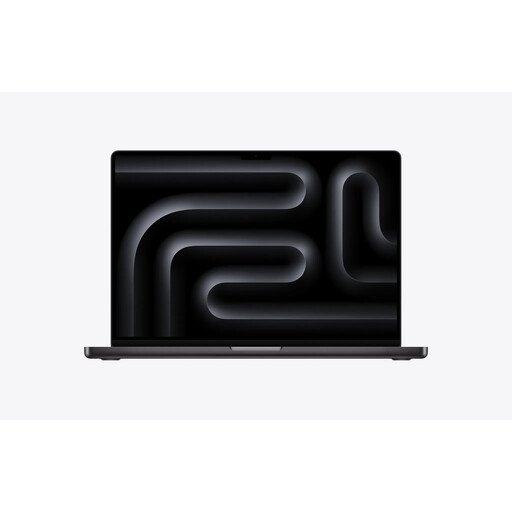
Apple MacBook Pro 16.2-inch M5 Max, 48 GB/2 TB
Consider this Mac configuration if your development tools require macOS and you want to assess a 16.2-inch workspace.
M5 Max with 18-core CPU and 40-core GPU; 48 GB unified memory; 2 TB storage; Space Black.
For Xcode, check the required release against Apple Developer’s supported macOS versions. Check exact-configuration noise and carrying requirements separately.
Joybuy
 No image available
Apple MacBook Pro 14.2-inch M5 Pro, 24 GB/2 TB
This smaller-screen Mac configuration is worth assessing when the required development tools support macOS.
M5 Pro with 18-core CPU and 20-core GPU; 24 GB unified memory; 2 TB storage; Silver.
Confirm the Xcode and macOS combination your project requires, and assess sustained-work noise for this configuration.
Joybuy
 No image available
Apple 13-inch MacBook Air M5, 24 GB/1 TB, Midnight
Consider this smaller-screen Mac if your required tools support macOS and a compact desk setup matters to you.
M5 with 10-core CPU and 10-core GPU; 24 GB memory; 1 TB SSD.
Check the required Xcode and macOS versions, then assess how the exact configuration handles your own sustained builds.
Joybuy
Common questions
Do I need 64 GB of RAM and a 16-core CPU to compile software?
No, those figures are not a universal requirement. Microsoft Learn says Visual Studio 2026 runs best on Windows 11 with 64 GB RAM and a CPU with at least 16 cores; use your actual project and concurrent tools to decide whether that guidance fits your work.
When do I need a Mac for development?
Choose a Mac route when your required workflow depends on Xcode and its Apple-platform SDKs or simulators. Apple Developer lists supported macOS versions by Xcode release, so check the release your project needs before selecting a Mac.
How can I judge whether a laptop is quiet enough for a shared office?
Look for acoustic testing of the exact configuration during a sustained workload similar to your builds; brand, processor name and thinness cannot settle the question. If the seller’s applicable return terms permit it, run a representative build soon after delivery and assess it at the desk where you will work.


