Buying priorities
Start with the course software and local-workload requirements, then decide whether you need a Windows machine, a Mac-compatible workflow, dedicated graphics or access to university systems.
| Priority |
What to check |
Your needs |
| Software compatibility |
Check the required operating system, processor architecture, software versions and plug-ins. Confirm whether Windows-on-ARM, Intel/AMD Windows or Apple silicon is supported. |
I need every required application to run on my own laptop, not just basic study tools. UWE Bristol describes Windows as the most compatible choice for university and specialist software, while the University of Nottingham advises Windows 11 or newer for its electrical and electronic engineering students. |
| Memory and storage |
Use the programme’s stated RAM and SSD minimums, then allow working space for applications and active project files. Compare the exact configuration, not only the laptop family name. |
I want enough headroom for large files and several demanding applications at once. The University of Liverpool’s Architecture guidance specifies 16GB RAM and a 500GB SSD minimum for its PC and Mac routes, with higher recommendations for more demanding work. |
| Graphics capability |
Establish whether sustained local 3D modelling, simulation, rendering or video work is required. Where a course specifies dedicated graphics memory, compare that requirement with the exact GPU configuration. |
My coursework involves graphics-heavy local work rather than occasional viewing or basic editing. The University of Liverpool specifies dedicated graphics for its PC architecture route, while the University of Strathclyde notes that integrated graphics can still be acceptable for some student CAD use. |
| University access |
Ask about lab computers, remote desktops, loan devices, access hours, booking rules and the home connection needed for remote work. Confirm whether key tasks must be completed away from campus. |
I may prefer a lighter personal laptop if the department provides reliable systems for the heaviest tasks. The University of Cambridge and the University of Bath describe departmental or remote software-access routes for relevant engineering study. |
Joybuy product options
Joybuy laptop options for students who have confirmed a Windows-based creative, engineering, CAD or graphics-heavy local-workload route.
 No image available
ASUS ProArt P16 H7606WW-SE006W, 64GB RAM, 2TB SSD
For confirmed frequent local rendering, video production or GPU-accelerated design work on Windows.
Windows 11 Home, AMD Ryzen AI 9 HX 370, 64GB RAM, 2TB SSD and NVIDIA GeForce RTX 5080 with 16GB graphics memory are listed. The 16-inch 3840 × 2400 OLED touchscreen, HDMI 2.1, USB4, USB-C and SD-card reader are also listed.
Confirm that course applications, plug-ins and licence workflows support this configuration. Its high local specification may be unnecessary where suitable lab or remote-desktop access is available.
Joybuy
 No image available
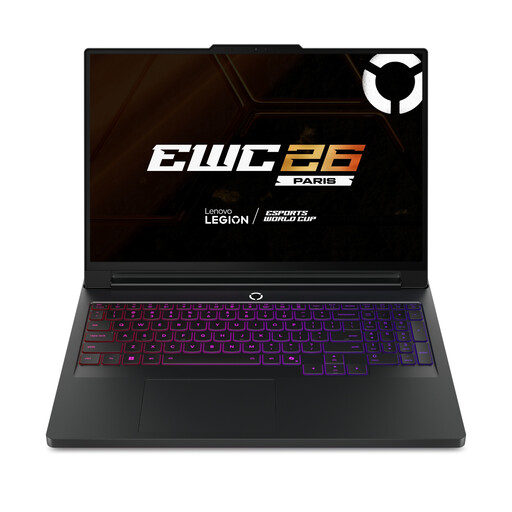
Lenovo Legion Pro 7 16IAX10H, 64GB RAM, 2TB SSD
For students with confirmed sustained local 3D, simulation, rendering or complex creative workloads on Windows.
Windows 11 Home, Intel Core Ultra 9, 64GB RAM, 2TB SSD and NVIDIA GeForce RTX 5090 with 24GB GDDR7 are listed, alongside a 16-inch WQXGA OLED display and Thunderbolt 4.
Check whether your programme requires professional GPU certification, a particular software version or specific Windows-only tools. Confirm portability, battery behaviour under specialist workloads and warranty terms before buying.
Joybuy
 No image available
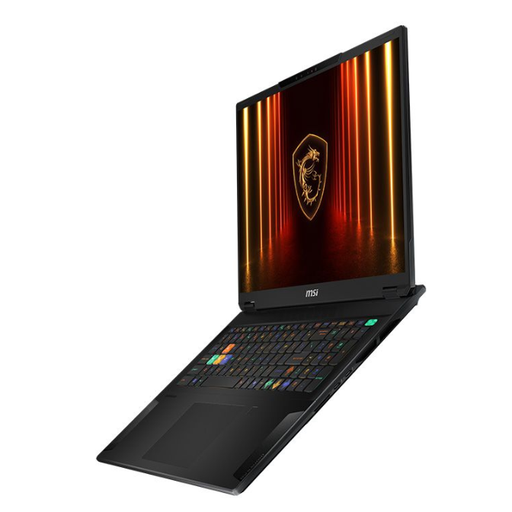
MSI Stealth 18 AI Studio A1VGG-001UK, 32GB RAM, 2TB SSD
For architecture, design or media work that needs substantial local memory, storage and dedicated graphics.
Windows 11 Pro, Intel Core Ultra 9, 32GB DDR5 RAM, 2TB PCIe Gen 4 SSD and NVIDIA GeForce RTX 4070 with 8GB GDDR6 are listed. It also has an 18-inch 3840 × 2400 Mini LED display, Thunderbolt 4 and HDMI 2.1.
The stated 2.89kg weight makes this a heavier daily carry option. The listed battery figure is up to 5 hours and depends on usage, so check whether that suits your timetable.
Joybuy
 No image available
Lenovo LOQ Essential 15ARP11, 16GB RAM, 1TB SSD
For students needing a Windows laptop with dedicated graphics for regular local CAD or creative work.
AMD Ryzen 7 170, Windows 11 Home, 16GB DDR5 RAM, 1TB SSD and an NVIDIA GeForce RTX 5050 Laptop GPU with 8GB GDDR7 are listed. The configuration also lists a 15.6-inch 144Hz Full HD display, HDMI 2.1, USB-C and Ethernet.
This configuration is listed with 16GB as its maximum memory, while some specialist courses recommend 32GB. Confirm that the processor and GPU meet your course’s exact software requirements.
Joybuy
 No image available
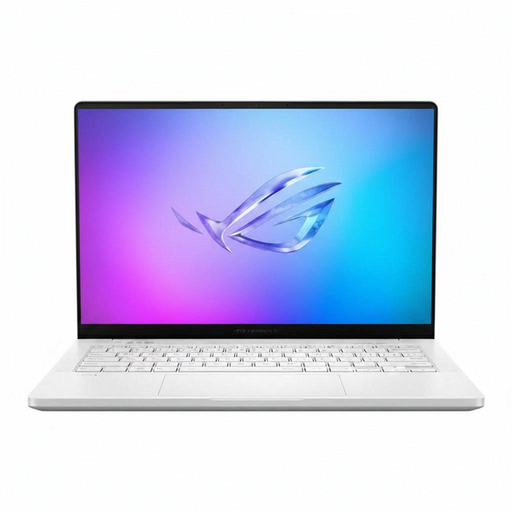
ASUS ROG Zephyrus G14 GA403WR-QS088W, 32GB RAM, 2TB SSD
For students who need a portable 14-inch Windows option for creative workloads between classes and home.
Windows 11 Home, AMD Ryzen AI 9 HX 370, 32GB LPDDR5x RAM, 2TB SSD, NVIDIA GeForce RTX 5070 Ti Laptop GPU, Wi-Fi 7 and a 14-inch WQXGA+ display are listed.
Confirm the GPU memory against any course requirement expressed as a dedicated-VRAM minimum. Check that your required applications and plug-ins support the exact hardware and graphics configuration.
Joybuy
Frequently asked questions
Should an engineering student in the UK choose Windows or a Mac?
Start with the course software list. Windows is the lower-risk route where specialist engineering applications are required: UWE Bristol calls Windows the most compatible choice for university and specialist software, and the University of Nottingham advises Windows 11 or newer for its commonly used systems and specialist engineering software. A Mac can suit the course only when every required application and workflow is supported.
Is 16GB RAM enough for a creative or engineering degree?
It can be a course-specific minimum rather than a universal guarantee. The University of Liverpool specifies 16GB RAM minimum and 32GB recommended for its Architecture PC and Mac routes, while the University of Bristol describes 16GB as an ideal general-student level. Follow the department’s higher recommendation where one is given, particularly for concurrent 3D, rendering or simulation work.
Do I always need a dedicated graphics card for CAD or 3D modelling?
No. The University of Liverpool specifies dedicated graphics for its Architecture PC route, but the University of Strathclyde notes that integrated graphics can be acceptable in some student CAD situations even though dedicated graphics are ideal for graphics-heavy 3D modelling and simulation. Check the precise workload and whether lab or remote systems handle the most demanding tasks.
Can university computer labs or remote access let me buy a lighter laptop?
Sometimes. The University of Cambridge provides departmental desktops with course software and says students do not need a CAD-optimised Windows machine for its modest teaching use; the University of Bath also provides a Windows Azure Cloud-based software-access option. Confirm access hours, remote availability, required internet connection and whether coursework must be completed off campus before relying on this route.
Are Chromebooks suitable for specialist creative and engineering courses?
Do not treat a Chromebook as a safe default for specialist-course work. The University of Bristol says Chromebooks and mobile devices are not suitable as a main computer, and the University of Cambridge notes that a course-provided PicoScope does not work with many Chromebooks. Confirm the required software and hardware before choosing one.


