Desk-based map reviewers
If you refine routes mainly at a desk, you may want enough built-in screen space to view the map alongside route controls. Komoot provides a website planner, while Ordnance Survey offers route-planning tools through OS Maps.


For browser-based cycle-route planning at a home-office desk, choose the screen you will use for reviewing maps, then check the operating system, memory, storage and connections against your everyday work. A 15–16-inch laptop with a Full HD or higher-resolution display is a practical choice if its built-in screen is your main workspace; a smaller laptop or touchscreen model makes more sense when desk space or flexible input matters, provided its exact display and connections suit you.
If you refine routes mainly at a desk, you may want enough built-in screen space to view the map alongside route controls. Komoot provides a website planner, while Ordnance Survey offers route-planning tools through OS Maps.
If route planning sits alongside email, documents and other browser tabs, assess the laptop as an everyday computer rather than buying for an unspecified specialist mapping workload. For a Windows laptop, check Windows 11 compatibility: Microsoft says Windows 10 support ended on 14 October 2025.
If you prefer touch input, a stylus or a separate desk monitor, check those features on the exact model. They are workflow choices, not requirements established by the web route planners.
Start with how you will view and edit routes, then check the laptop against your usual browser-and-office work and any route files you need to handle.
| Concern | What to check | Who this matters to |
|---|---|---|
| Map workspace | Check screen size and native resolution. If you mainly use the built-in display, consider a 15–16-inch Full HD or higher-resolution model. | I want room to inspect a route and its controls without relying on a desk monitor. Around 31% of consumers put the built-in map workspace first. |
| Everyday computing | For Windows, check Windows 11 compatibility, memory and storage for your usual applications. Microsoft’s Windows 11 minimums are installation requirements, not a measure of comfortable multitasking. | When I plan a route, I also keep ordinary work open and need the laptop to handle both. Roughly 31% of consumers make that everyday workload their primary concern. |
| Routes and files | Check your route service’s saved-route and GPX export conditions; check the published requirements of any separate local mapping software. | I need to move a saved route into another device or application, so the export workflow matters more to me than extra laptop storage. About 23% of consumers prioritise route-file handling and service conditions. |
| Input and connections | Confirm the exact touchscreen, stylus and ports you need, including whether a chosen connection supports your external display. | I would rather edit maps by touch or connect a monitor and peripherals at my desk. Around 15% of consumers put flexible input or connectivity first. |
Microsoft lists 4 GB RAM and 64 GB storage among the Windows 11 minimum requirements. Meeting an operating-system minimum does not establish how comfortably your usual browser tabs, documents and route planner will run together.
Use those requirements to check eligibility, then compare memory, storage and the display with the work you actually do.
HP lists a 14-inch configuration with 16 GB RAM and a 512 GB SSD but a 1366 × 768 display. Its memory and storage figures do not tell you how much screen space the panel offers for a map and controls.
Check native resolution on the exact listing, particularly if you will not normally use an external monitor.
Komoot says the corresponding region must be unlocked to export a saved route as a GPX file. More laptop storage does not change that service condition.
Check the export entitlement and the steps for moving routes to your intended device before choosing hardware around that task.
The ThinkPad E14 line is worth comparing if you want a 14-inch business-oriented laptop and are considering future configuration changes.
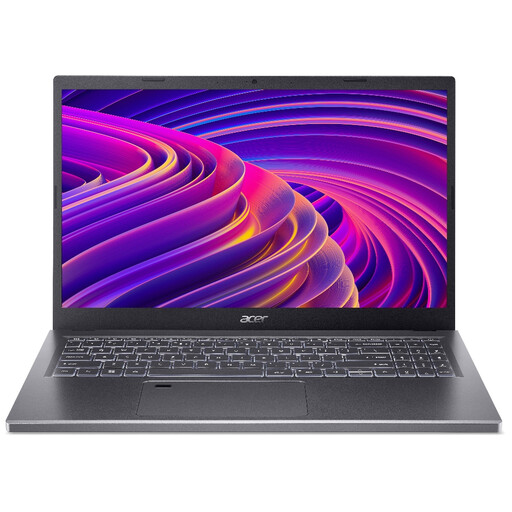
Acer provides examples of both a conventional 15.6-inch Aspire 5 and a touchscreen Aspire 5 Spin 14 for different desk and input preferences.
HP’s 14-inch laptop range offers a compact configuration to compare with larger-screen choices.
These Joybuy laptops include larger built-in screens, a more compact option and touchscreen designs. Compare their exact configurations with your map workspace and everyday work; a gaming label or dedicated graphics card is not, by itself, a reason to choose a laptop for browser-based route planning.
 No image available
Consider it if you will review routes mainly on the laptop’s built-in screen at a desk.
The named configuration has a 15.6-inch 144 Hz Full HD display and GeForce RTX 5050 graphics. Decide whether you need its gaming-oriented hardware for other tasks.
 No image available
Its built-in display is relevant if you plan and review routes at a desk without routinely connecting a monitor.
The named configuration has a 15.6-inch Full HD (1920 × 1080) display. Check the exact memory configuration if future changes matter to you.
 No image available
Consider its touchscreen if you want to interact directly with maps on a 15-inch laptop.
The named variant has a PixelSense touchscreen and 256 GB SSD. Check that storage suits your other files, and confirm the connections needed for any desk monitor. If you use separate local software, check its compatibility with the Snapdragon processor.
 No image available
The 14.5-inch format is an option if you want a smaller built-in map workspace and touch input.
The named variant includes an Intel Core i9 processor, RTX 3050 graphics and Windows 11 Home. Confirm the ports and external-display connection if a monitor is part of your desk setup.
 No image available
Consider this 2-in-1 if you want a 16-inch touchscreen for reviewing maps with flexible screen positioning.
The named variant includes Windows 11 Home. Check its numeric native display resolution, the ports you need and whether a stylus is included before choosing it for those uses.
Do not choose a dedicated graphics card solely for the documented web-planning tasks. Komoot describes planning and editing routes through its website; if you also use local GIS, 3D mapping or video software, check that application’s published hardware requirements.
No: laptop storage does not determine your export entitlement. Komoot says the corresponding region must be unlocked to export a saved route as GPX, so check your service access and intended export workflow.
Read the warranty terms on the exact product listing rather than assuming one term applies across a brand. For example, a Joybuy Acer Aspire Lite listing states a two-year manufacturer’s warranty; check what applies to the particular laptop you choose.
Use an appropriate electrical-waste collection route rather than household rubbish. GOV.UK says that when you buy a new electrical product, a retailer must accept an old one free on a like-for-like basis; check how the retailer arranges collection or drop-off.