Start with the individual workstation assessment, not a standard shopping list. For prolonged laptop work, a riser with a separate keyboard and mouse lets you position the screen and input devices independently; a separate monitor is another option when the display needs its own position. Add a dock or USB-C hub only after checking the laptop’s video, display and charging capabilities.
Who needs to consider this equipment?
Regular home and hybrid screen users
If you use display screen equipment daily for continuous periods at home or across home and workplace, an individual workstation assessment can identify which adjustments you need. The Health and Safety Executive (HSE) says the applicable DSE assessment should consider the whole workstation, the work and individual requirements.
People working for long periods on a laptop
A laptop riser changes the screen position but also raises the attached keyboard. HSE guidance advises a separate keyboard and mouse when elevating a laptop screen, or a separate display as another arrangement.
Laptop users connecting a desk setup
If a dock or hub monitor would connect your display and peripherals, check the laptop’s video protocol and the devices’ compatibility before choosing one. A USB-C socket alone does not establish which display functions will work.
What should you check before choosing?
Identify the screen and input arrangement first, then check connections if the chosen setup needs a hub or dock.
| Priority | What to check | Your needs |
|---|
| Workstation assessment |
Consider the whole workstation, the work being done and individual requirements, as HSE advises for covered DSE users. Identify the adjustment needed before choosing equipment. |
I want equipment that addresses my workstation arrangement, rather than a complete office-style bundle by default. |
| Laptop screen position |
If raising a laptop on a riser, allow for a separate keyboard and mouse. Consider a separate monitor if the display needs to be positioned independently. |
For long laptop sessions, I need to place the screen without having to type on an elevated keyboard. |
| Display and input layout |
Check that the primary screen, keyboard and mouse can be positioned together for the user and task. Check desk space and any stand or mounting adjustment the arrangement requires. |
A separate screen is useful to me only if it fits my desk and lets me place my input devices where I need them. |
| Dock compatibility |
Check the laptop model’s supported video protocol, external-display configuration and charging requirement against the dock or hub monitor’s documentation. Lenovo notes that some dock functions can be limited with non-Lenovo notebooks. |
I would like one connection for desk devices, but it must work with my particular laptop and intended displays. |
What commonly goes wrong?
-
Buying a complete setup before identifying the issue
HSE says home workers may not need office-equivalent equipment, while existing equipment may also be insufficient. A standard bundle can therefore leave the particular workstation need unresolved.
Use the individual DSE assessment to establish whether the adjustment concerns the display, input devices, connections or another part of the workstation.
-
Raising a laptop but using its attached keyboard
Raising the screen also moves the laptop’s keyboard and pointing device. That may not give you the separate positions needed for prolonged work.
HSE advises pairing an elevated laptop screen with a separate keyboard and mouse; a separate display is another option to assess.
-
Assuming every USB-C port supports the same dock features
USB-C describes the connector, not a guaranteed video output, display configuration or charging capability. Lenovo also notes functional limitations for some docks connected to non-Lenovo notebooks.
Check the exact laptop model, required video protocol, intended displays and charging needs against the dock’s compatibility information.
-
Treating monitor adjustment as the whole solution
An adjustable screen does not settle the position of the keyboard, mouse or furniture. HSE’s assessment guidance considers the workstation as a whole.
Check how the display and input devices will be arranged together for the person and the work being done.
Relevant brand references
Lenovo
Lenovo’s USB-C and Thunderbolt docks are relevant when a laptop desk needs connections for displays and peripherals.
- Lenovo says its docks work with laptops supporting the applicable USB-C Alt Mode, DisplayLink or Thunderbolt protocol.
- Lenovo says some functions are limited with non-Lenovo notebooks; check the specific laptop and dock combination.
Dell
Dell’s Pro 24 Plus USB-C Hub Monitor P2425HE is an example of a display that combines monitor and hub functions.
- Dell specifies up to 90W power delivery for the P2425HE.
- Check the laptop’s charging requirement and whether this model’s display and connections fit the workstation arrangement.
Logitech
Logitech offers separate input devices, including the ERGO K860 keyboard and MX Vertical mouse.
- A separate keyboard and mouse can be positioned independently of a raised laptop screen, as HSE advises for that arrangement.
- An ergonomics-focused product name does not establish that its shape suits every user; choose input devices for the individual workstation need.
Joybuy product options
These options cover separate monitors, a USB-C hub and a keyboard-and-mouse set for laptop work. Choose the type of equipment the workstation needs, then check the model’s fit and compatibility.
 No image available
AOC Q32V4 31.5-inch 2K IPS monitor
A separate-screen option where the workstation calls for an independently positioned display. Check that its 31.5-inch size fits the desk and that the available stand or mounting arrangement provides the screen position you need.
View on Joybuy
 No image available
Baseus Metal Gleam Series II 10-in-1 USB-C hub, Cosmic Black
For a laptop desk needing display and peripheral connections, the named configuration includes two HDMI outputs, USB-A and USB-C connections, RJ45, SD/TF and USB-C PD input. Check the laptop’s video protocol, supported display configuration and charging requirement before relying on those connections.
View on Joybuy
 No image available
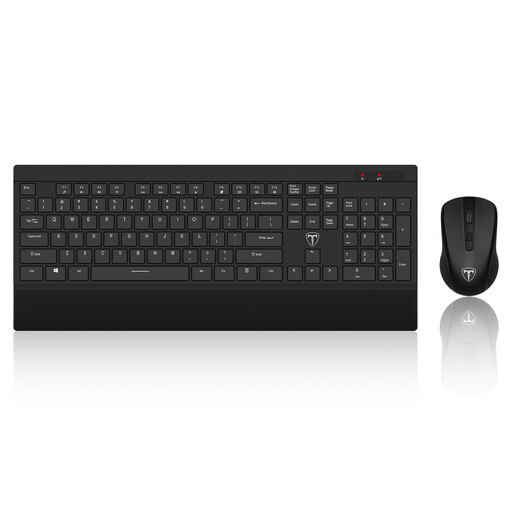
ET Silent 2.4GHz wireless keyboard and mouse set, US layout
A separate keyboard and mouse allow independent input placement when working with a raised laptop or external screen. This set is described as wireless with a US-layout keyboard; check that layout and the device arrangement against your typing and workstation needs.
View on Joybuy
 No image available
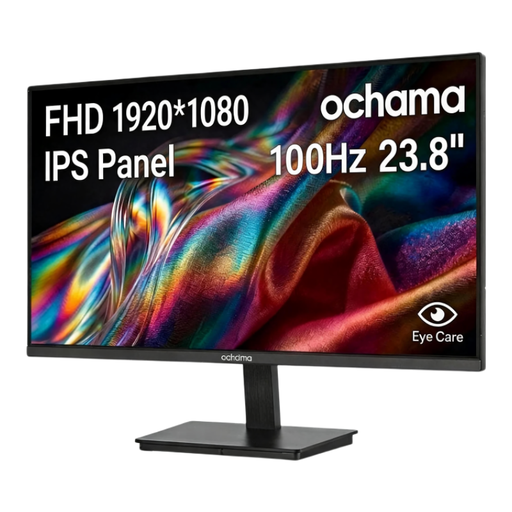
ochama 23.8-inch 1080P 100Hz monitor
Another separate-screen option, specified as 23.8 inches, 1080P and 100Hz. Confirm its video connections against your computer and check how its stand will provide the required screen position.
View on Joybuy
 No image available
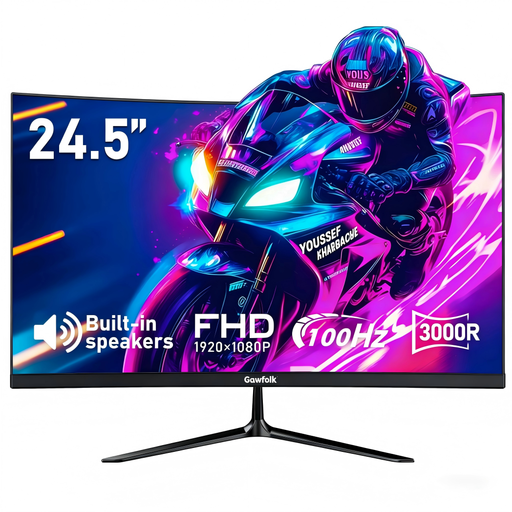
Gawfolk 24.5-inch FHD curved monitor
A curved separate display with HDMI named in the product title. Check whether its shape and screen position suit the work; if using a separate mount, confirm the VESA hole size before choosing one, as the supplied mounting details conflict.
View on Joybuy
Common questions
Does every home worker need office-equivalent equipment?
No. HSE says home workers may not need office furniture or equipment, although what they already use may be insufficient. For workers covered by the DSE rules, the individual assessment should guide any equipment decision.
What should I use with a laptop riser for prolonged work?
HSE advises a separate keyboard and mouse when the laptop screen is raised on a riser or similar support. A separate display is another option if that better addresses the assessed screen arrangement.
Will any USB-C dock run an external monitor from my laptop?
No: the USB-C connector alone does not confirm video capability. Check the laptop’s supported video protocol and display configuration against the dock’s documentation, along with charging and operating-system compatibility where those functions matter.
Can I be charged for DSE equipment identified by an assessment?
Where the UK DSE regulations apply and the workstation assessment identifies action such as providing DSE equipment, HSE says the worker cannot be charged for it. The assessment and whether the rules apply determine the scope of that requirement.


