Home workers who change locations
If your primary computer travels to meetings or another workplace, a laptop keeps the same machine with you. For long sessions at home, you may also need separate input devices and a way to position the screen.


Choose a laptop if the same computer regularly needs to leave your desk; for prolonged desk use, plan how you will position its screen and separate input devices. If the computer will stay put, a desktop lets you choose the display and peripherals independently, while an all-in-one combines the computer and display in one unit. Check the exact model’s connections, accessories and options for changing parts before deciding.
If your primary computer travels to meetings or another workplace, a laptop keeps the same machine with you. For long sessions at home, you may also need separate input devices and a way to position the screen.
If most work happens in one place, a desktop lets you choose the display, keyboard and mouse for that desk. Check the exact model before relying on future memory or storage changes.
If a computer will remain at home but separate equipment would crowd the desk, an all-in-one combines the computer and display. Its ports, stand and included input devices still need checking.
Choose when: The same computer regularly moves between your home desk and other places.
Allow for: The Health and Safety Executive advises a separate keyboard and mouse for prolonged laptop use, so the screen can be raised, or the use of a separate display.
Choose when: The computer will stay at one desk and you want to choose or keep a separate display and input devices.
Allow for: The working setup also needs compatible peripherals; options for changing internal parts depend on the model.
Choose when: You want a fixed computer and display combined in one desk unit.
Allow for: Replacing just the display is less straightforward than with a separate monitor and computer.
| Priority | What to check | Your needs |
|---|---|---|
| Movement | List where the computer must go. If considering a laptop, check the exact configuration’s weight, size and required connections. | I regularly take my work or study computer away from its usual desk, rather than moving it only occasionally. |
| Desk arrangement | Check screen position, stand adjustment and room for a separate keyboard and mouse. For prolonged laptop use, follow the Health and Safety Executive’s guidance on raising the screen or using a separate display. | I spend long periods at one desk and need to arrange the screen and input devices to suit that workspace. |
| Complete setup | Check which display, keyboard, mouse and other required accessories you already have, which come with the computer and which connections they need. | I want to know what will be on my desk and ready to connect, not judge the computer unit in isolation. |
| Future changes | Check the exact model’s memory and storage access, available ports, parts information and warranty terms. Do not assume the same options apply across a brand’s range. | I may want to change storage, memory or peripherals later, so I need to know what this configuration permits. |
Its attached screen and keyboard limit how independently you can position them for prolonged desk use.
Plan the screen and input-device positions before choosing accessories; the Health and Safety Executive advises a separate keyboard and mouse with a raised laptop screen, or a separate display.
Your arrangement may call for a riser or display, separate input devices and compatible cables.
A separate desktop needs a compatible display and input devices to form a usable workstation. What is included varies by configuration.
List the equipment you own and check the contents and connections of each computer you are considering.
Ports, access to memory or storage, and bundled accessories vary by model. Lenovo’s listing for the ThinkCentre Neo 50a Gen 5, for example, describes its keyboard and mouse as optional.
Check the exact configuration’s technical details, included accessories and warranty terms before ordering.
Dell’s UK range includes slim towers and all-in-one desktops for fixed desks.
Lenovo offers tower and all-in-one formats alongside compact desktop options.
Mac mini is a compact macOS desktop for a separately chosen display and input devices.
These laptops suit consideration when the computer needs to move; the compact desktops are options for a fixed desk with separately chosen peripherals. Check each configuration against your workspace.
 No image available
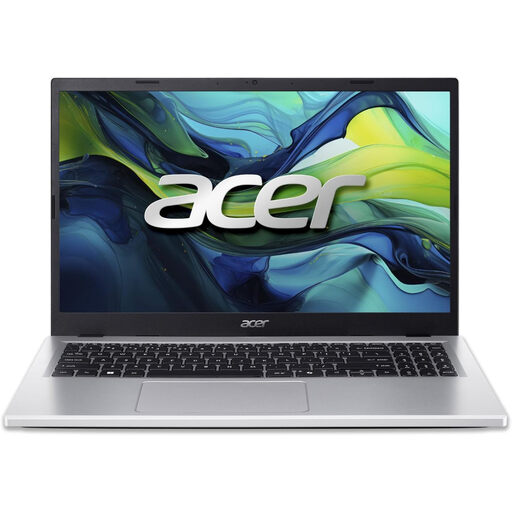
Consider this laptop if one primary computer needs to move between workspaces. Its listed configuration includes a 15.6-inch display; for prolonged desk sessions, plan how you will position the screen and separate input devices.
 No image available
This laptop is an option if your computer must leave its regular desk. The named configuration has a 15.6-inch Full HD screen and Windows 11 Home; check that its storage and your intended desk peripherals meet your needs.
 No image available
Consider this 15-inch Full HD laptop if you need a computer you can move. It lists Windows 11 Home in S Mode: check your required applications and installation needs, as well as whether 128 GB of storage is sufficient.
 No image available
This compact desktop is an option when the computer will stay at one desk and you want to choose the display and input devices. Check their compatibility and which accessories come with this exact configuration.
 No image available
Consider this compact desktop for a fixed workspace if your required applications work with macOS. The named configuration has a 12-core CPU and 12-core GPU; check display and input-device compatibility and what comes with the unit.
Not necessarily. For prolonged laptop use, the Health and Safety Executive advises a separate keyboard and mouse so you can raise the laptop screen, or the use of a separate display. Choose an arrangement you can position appropriately at your desk.
Account for a display, keyboard, mouse and any webcam, speakers, dock, cables or adapters your work requires. Check what you already own, what the chosen configuration includes and whether the connections are compatible.
Do not assume so: check the exact model’s documentation for memory and storage access, ports, parts information and warranty terms. Dell advertises upgradeable memory and storage for its slim desktop range, but that claim does not establish the options on every desktop or all-in-one.
No. The Health and Safety Executive says employers must protect home workers from health and safety risks, but that does not prescribe a desktop computer. If you are an employee, discuss how your regular screen and input-device arrangement will work at home.