Desk-and-travel user
Uses the same computer with a home monitor and peripherals, then carries it away; needs to check both port compatibility and portability.


A laptop can take over a home desktop for documents, communication and browsing if its exact configuration supports your monitor and peripherals, and its screen and portability suit how you work away from home. A new laptop may mean less uncertainty about previous battery use; a refurbished business laptop is worth considering only after checking the individual unit’s operating system, battery, seller terms and remaining manufacturer coverage. Add a dock only when its video, charging and peripheral connections match the laptop and monitor.
Uses the same computer with a home monitor and peripherals, then carries it away; needs to check both port compatibility and portability.
Would consider an older business laptop but wants the individual unit’s battery condition, software support and seller terms to be clear.
Wants to connect existing desk equipment without buying an unnecessary dock or finding out that a USB-C port cannot carry video.
For a desktop replacement that will also travel, decide whether a new configuration or a refurbished unit suits your tolerance for condition checks, then match the chosen laptop to your desk equipment.
Consider it when: you want a stated current configuration and less uncertainty about prior battery use.
Trade-off: check whether the offer includes the cables, dock or other accessories your desk setup needs; published battery runtime is not a guarantee of your own use.
Consider it when: the specific unit’s configuration, condition and seller terms meet your needs.
Trade-off: a model-family specification does not establish an individual unit’s ports, battery condition, installed operating system or remaining coverage.
| Concern | What to check when buying | Who this matters to |
|---|---|---|
| Monitor and peripheral compatibility | Match the monitor input to the exact laptop’s documented HDMI or USB-C video output; count the ports needed by the keyboard and mouse. | If I want my existing monitor and peripherals to work without extra adapters, I’ll check each connection before choosing. Around 33% of consumers put desk compatibility first. |
| Portability and workspace | Compare the exact configuration’s screen size, weight and battery information with how often you will carry it and use it away from the monitor. | If I’ll use the laptop away from home, I need a screen and carrying weight that suit those trips as well as desk work. Around 27% of consumers prioritise portability and usable workspace away from the desk. |
| Refurbished condition and seller terms | Check the individual unit’s battery evidence, written condition, warranty and return terms; check manufacturer coverage separately using the device identifier. | If I’m considering a refurbished laptop, I want clear evidence about that unit and what the seller covers. Around 20% of consumers put refurbished condition and seller protection first. |
| Operating-system support | Check the installed Windows edition and version, update status and eligibility for any upgrade on the actual device. | If I want to keep using the laptop with an appropriately supported operating system, I’ll verify the software on the unit rather than rely on a model-family listing. Around 20% of consumers prioritise operating-system support. |
USB-C video support depends on the laptop’s specific connection, so the connector’s shape alone does not establish that it can drive your monitor.
Check the exact laptop’s documented video output against the monitor and any proposed dock before buying.
A compatible cable, adapter or dock may be needed if the devices cannot connect directly.
A model-family specification cannot confirm an individual laptop’s battery health, installed operating system, seller warranty or remaining manufacturer coverage.
Ask for evidence about the actual unit and read the seller’s battery, warranty and return terms; use the manufacturer’s identifier-based checker separately where available.
Battery replacement or a remedy under the seller’s terms may become relevant, depending on the unit and offer.
Microsoft says ordinary Windows 10 support ended on 14 October 2025. Its consumer Extended Security Updates programme is limited to eligible, enrolled devices and provides security updates, not full Windows support.
Check the installed version, eligibility and enrolment on the actual device before relying on ESU; compare that position with a Windows 11 option.
The laptop’s available connections determine whether your monitor, keyboard and mouse can connect directly or whether a hub may be useful.
List the monitor input and the connection type of each peripheral before deciding whether you need a dock or hub.
The ThinkPad T14 Gen 3 Intel is a refurbished business-laptop line to compare for portable use alongside desk connections.
The EliteBook 840 G9 is another business-laptop line to compare when considering refurbished options.
Dell is a manufacturer to consider when checking the coverage of a specific device.
The Vivobook S14 M3407 family is a new-laptop line to compare for a desk-and-travel setup.
These Joybuy choices are laptops to compare for a home desk and everyday use away from it. Check the exact model’s connections against your monitor and peripherals before choosing any dock or hub.
 No image available
The 14-inch format is one option to compare for desk use and carrying away from home; check this configuration’s monitor connections before selecting accessories.
Snapdragon X; 16GB RAM; 512GB SSD; Quiet Blue.
 No image available
The 15.3-inch display is a larger-screen option to compare for desk work; check its weight and your travel routine when deciding if it suits both settings.
AMD Ryzen 5 7535HS; 24GB DDR5 RAM; 512GB PCIe SSD; Windows 11 Home; Wi-Fi 6.
 No image available
This configuration can be compared for everyday documents and browsing; check its exact monitor output and peripheral connections for your desk.
AMD Ryzen 3 7320U; 8GB RAM; 128GB SSD; Windows 11 Home in S Mode; Cloud Grey.
 No image available
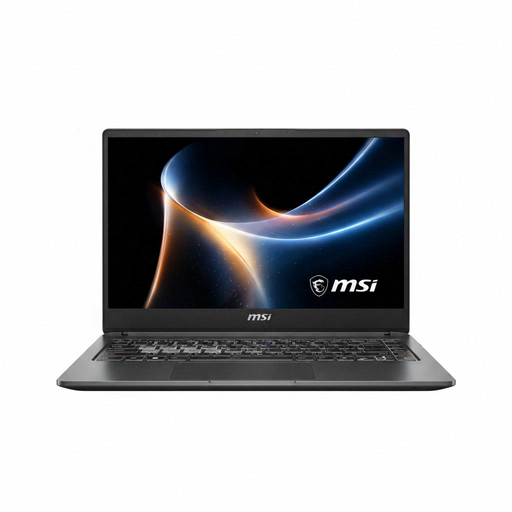
The listed HDMI, USB-C and USB-A connections make the exact video capability worth checking against your monitor and peripherals.
Intel N150; 8GB DDR4 RAM; 128GB SSD; Windows 11 Home; Silver.
 No image available
This convertible 16-inch configuration is a larger-screen option to weigh against its stated 1.9 kg weight if you plan to carry it regularly.
32GB RAM; 1TB SSD; 2.8K 120Hz OLED touchscreen; UK keyboard.
No. Check that the exact laptop port supports video and that the dock supports the monitor’s input and intended display arrangement. Match its charging and peripheral connections to your setup too; the USB-C connector shape alone does not prove video support.
Ask for evidence about the actual unit and compare it with the seller’s written battery and return terms. Lenovo Support describes checking battery health in Lenovo Vantage or Windows; the original battery specification for a model cannot establish its present condition.
No. Check the seller’s written offer and, separately, any remaining manufacturer coverage using the device identifier. A manufacturer coverage check does not establish the independent seller’s battery promise or return terms.
No: Microsoft says ordinary Windows 10 support ended on 14 October 2025. Microsoft’s consumer Extended Security Updates programme offers eligible, enrolled devices specified security updates through 12 October 2027, not feature improvements or technical support. Check the actual device’s eligibility and enrolment.
Microsoft’s lifecycle information lists 13 October 2027 as the end date for Windows 11 Home and Pro version 25H2. Check which version is installed on the specific laptop and whether it is eligible for updates.