Gaming laptops for a socket-limited setup
These Joybuy laptops combine the computer and its main display. Compare their listed components with your chosen settlement game, and check the supplied power connection before deciding which fits your space.
 No image available
Lenovo LOQ Essential 15ARP11, 15.6-inch FHD
Its integrated display suits a setup where a separate monitor would use another socket.
Listed with a Ryzen 7 170, GeForce RTX 5050, 16 GB RAM, 1 TB SSD and a 144 Hz display. Compare the exact graphics configuration with your game, and confirm the supplied UK power connection.
View on Joybuy
 No image available
HP OMEN 17-db1000na, Full HD
This laptop offers an integrated display for play without a separately powered monitor.
The product name lists a Ryzen AI 7 350, RTX 5060, 16 GB RAM, 1 TB SSD and Windows 11 Home. Check the exact graphics specification against your game and confirm the supplied UK plug or cable.
View on Joybuy
 No image available
THUNDEROBOT Radiant S16, 16-inch QHD+
Its built-in screen keeps the core computer-and-display setup together where sockets are limited.
The name specifies a Ryzen 7 7745HX, GeForce RTX 5060, 16 GB DDR5 RAM, 1 TB SSD and a 240 Hz display. Compare the exact model with your game’s requirements and confirm its power connection.
View on Joybuy
 No image available
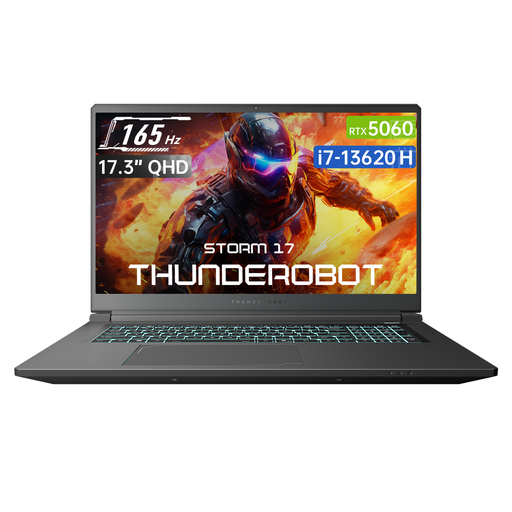
THUNDEROBOT Storm 17 5060, 17.3-inch QHD
The integrated 17.3-inch display avoids a separate monitor for the basic setup, provided its size works in your space.
The name lists a Core i7-13620H, GeForce RTX 5060, 16 GB DDR5 RAM, 1 TB SSD and a 165 Hz display. Check the game’s requirements and the supplied power connection before buying.
View on Joybuy
 No image available
MSI Pulse 16 AI, 16-inch QHD+
Its integrated display suits a one-device core setup if you do not need an external monitor.
The product name lists a Core Ultra 7 155H, GeForce RTX 4060, 16 GB DDR5 RAM, 1 TB SSD and a 240 Hz display. Confirm the exact model’s components, ports, keyboard and UK power connection before ordering.
View on Joybuy
Common questions
Can a gaming PC, monitor and accessories share one extension lead?
They can share a suitably rated lead only if their combined load stays within its maximum rating. Electrical Safety First warns that an overloaded lead or adaptor can overheat and create a fire risk; count every connected device and never daisy-chain extension leads.
Do limited sockets mean I have to choose a laptop?
No. A laptop can combine the PC and main display on one power connection, while a desktop remains an option if you have a monitor and can power the full setup safely. Compare the space, display and model-specific upgrade trade-offs alongside your game’s requirements.
Is 16 GB RAM enough for a medieval settlement game?
It is a useful comparison point for some titles, not a guarantee for every game or workload. GOG.com lists 16 GB RAM in Going Medieval’s recommended requirements; check the current requirements for your chosen title and consider your intended settings, mods and background applications.
What should I check about a prebuilt desktop’s warranty?
Check the terms for the exact configuration you intend to buy, including the warranty period, service method and who handles faults. Also retain its full model or part number: components and applicable terms can differ within a desktop family.


