What to check before buying
For a fixed desk built around one laptop, confirm that the laptop can run the intended displays before choosing a hub or dock for charging and other connections.
| Concern |
What to check when buying |
Who this matters to |
| Independent displays |
Check the exact laptop’s video-capable port, operating system and simultaneous display limit against the dock’s supported screen modes. Plugable says macOS does not use MST for multiple independent extended displays. |
If I need separate external workspaces, I want to know the laptop can drive them at the resolution and refresh rate I plan to use. Around 36% of consumers put independent displays first. |
| Laptop charging |
Compare the dock’s power delivered to the host with the laptop’s charging requirement; check whether a suitable charger is included. Anker’s 555 hub, for example, specifies up to 85 W laptop pass-through from a suitable separate charger. |
If I reconnect at my desk and want the laptop powered through the same connection, I need the delivered power to suit my computer. Around 29% of consumers prioritise one-cable charging. |
| Peripheral and network connections |
Count the USB data ports and other connections you need, distinguishing them from power input; check whether Ethernet is built in or needs an adapter. |
If my keyboard, storage and wired network all stay at the desk, I want enough usable connections without buying ports I will not use. Around 21% of consumers put peripherals and Ethernet first. |
| Operating-system and software fit |
Check the laptop’s operating system and whether you can install the required software and grant permissions. DisplayLink Manager requires Screen Recording permission on macOS. |
If my work laptop is managed, I need a display route that its software rules allow. Around 14% of consumers prioritise software-compatible displays. |
Joybuy product options
These options cover USB-C hubs and docking stations for connecting displays and desk peripherals, with charging or Ethernet features where stated in the product name.
 No image available
Targus USB-C Universal Dual HDMI 4K Docking Station, 100W PD Pass-Thru (Retail Packaging)
For a desk setup that needs two displays and several peripheral connections.
The product name specifies dual HDMI 4K and 100W Power Delivery pass-through. The stated setup requires an external 100W+ adapter connected to the dock.
Joybuy
 No image available
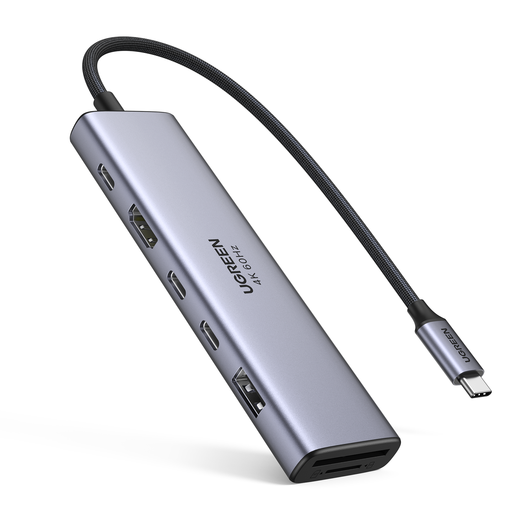
UGREEN 7-in-1 USB-C Multi-Function Docking Station
For connecting a display and a mix of desk peripherals through a multi-connection USB-C dock.
The product name lists HDMI, two USB-C 3.2 connections, one USB-A 3.2 connection, SD/TF and PD.
Joybuy
 No image available
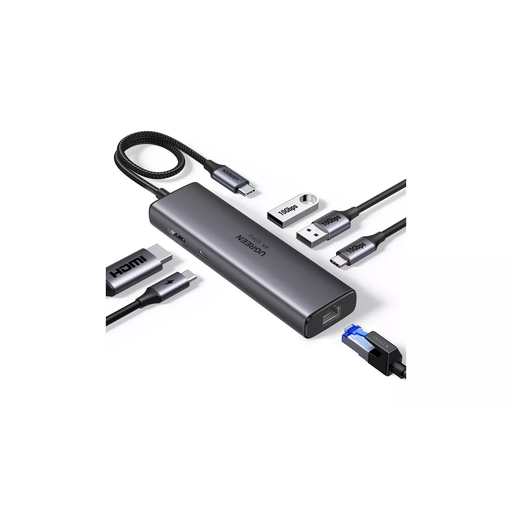
UGREEN USB-C Multi-Function Docking Station, HDMI, RJ45 and PD
For a desk setup that needs a display connection, wired networking and USB peripherals.
The product name lists HDMI, two USB-A 3.2 connections, one USB-C 3.2 connection, RJ45 and PD, with 4K/60 stated in the name.
Joybuy
 No image available
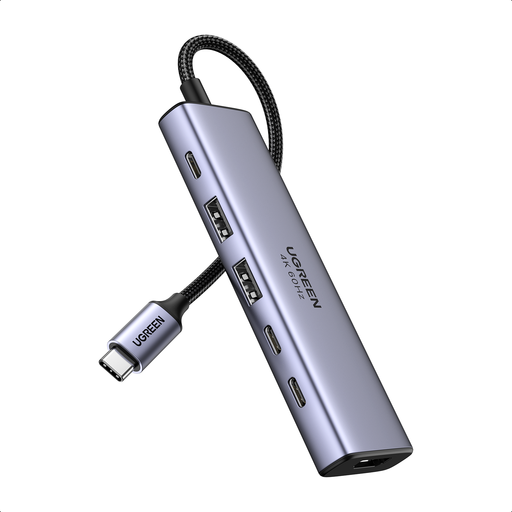
UGREEN 6-in-1 USB-C Multifunctional Adapter
For a laptop desk that needs an external display and several USB connections in an adapter format.
The product name lists HDMI, two USB-A 3.2 connections, two USB-C 3.2 connections and PD power.
Joybuy
 No image available
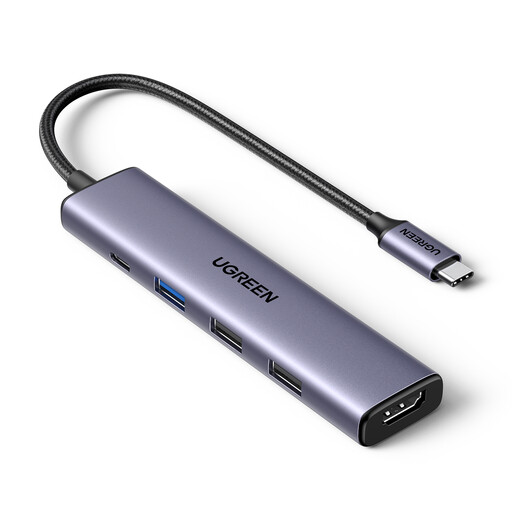
UGREEN Revodok 5-in-1 USB-C Hub, 100W PD, 4K HDMI
For a desk setup needing one external display, USB-A peripherals and pass-through power.
The product name specifies 4K HDMI, 100W PD and three USB-A data ports.
Joybuy
Frequently asked questions
Will two HDMI sockets give my laptop two different external desktops?
Not necessarily. Check the laptop’s external-display limit, video-capable port, operating system and the dock’s simultaneous-screen modes. Plugable says macOS does not support MST for multiple independent extended displays; Apple’s native display support also depends on the exact Mac model.
Does a USB dock charge the laptop automatically?
No; check the exact dock’s host-power specification and your laptop’s charging method. DisplayLink says USB Standard A–B docks are not designed to charge a computer, and USB-C charging capability needs to be confirmed for the specific model and setup.
What should I set up before using a DisplayLink dock on a Mac?
Check that the software is compatible and that you can install it and grant the required permission. DisplayLink says macOS users must grant DisplayLink Manager Screen Recording permission; its support guidance also warns that some protected video may not play while DisplayLink screens are connected.
Are electrical-product marking rules the same in Great Britain and Northern Ireland?
The applicable guidance differs by destination. UK government guidance addresses equipment supplied in Great Britain separately from equipment supplied in Northern Ireland under the Windsor Framework. For a mains-powered dock or included power supply, check the actual product and seller documentation for the destination rather than assuming one marking rule applies to every USB-powered hub.
What should I check if an online dock purchase is faulty or I change my mind?
Keep the seller’s details and check the applicable rights for your purchase. GOV.UK guidance says online buyers generally have 14 days after receiving an item to notify the seller of cancellation and a further 14 days to return it; separate remedies apply to faulty goods. A manufacturer’s warranty is not the whole of your rights.


