What matters when choosing a dock?
Check the complete connection from laptop to drive before deciding whether charging, display expansion or a quieter desk layout calls for a different type of dock.
| Concern |
What to check |
Who this matters to |
| External-drive connection |
Match the drive connector to a data-capable dock port, then check the rated data capability of the laptop port, host cable, dock and drive. |
If my drive holds the files I use throughout a study session, I do not want the connection to be the avoidable bottleneck. Around 31% of consumers put the drive connection first. |
| Quiet, uncluttered use |
Check host-cable reach, port placement and whether the exact dock uses active cooling; assess the drive’s own noise separately. |
When the desk is also a quiet place to read or work, I want the drive within reach without adding distracting equipment noise. For roughly 25% of consumers, that desk setup is the main concern. |
| Charging and desk peripherals |
Compare the dock’s charging output with the laptop’s supported input, and check the power supply and exact laptop compatibility. |
If storage and peripherals stay connected at my desk, I want to reconnect the laptop without rebuilding the setup each time. About 25% of consumers chiefly need that persistent connection. |
| Displays and higher-bandwidth work |
Check the laptop’s external-display limits, operating-system support and the connection required by the dock, alongside the drive’s interface. |
When I use external storage alongside demanding displays, I need the laptop and dock to support that combination. Around 19% of consumers make this expansion their primary concern. |
Joybuy products for this setup
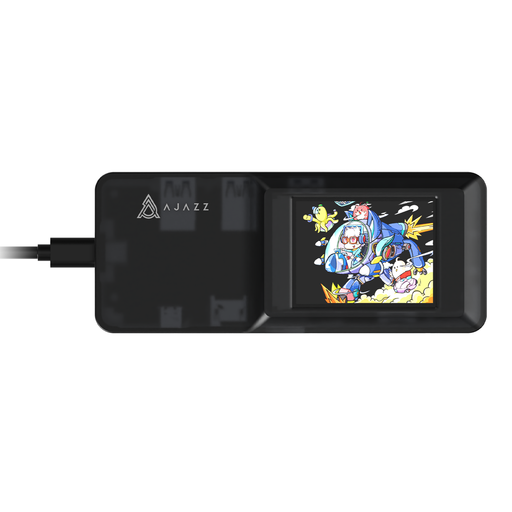
This USB-C hub is a compact option to assess if you want an external-drive connection alongside other desk connections. Confirm its data-port capability and compatibility with your laptop before choosing it for a quiet study.
 No image available
AJAZZ AKP01E Visualization Hub 8-in-1 USB-C dock
Consider this hub if you want to connect an external drive at a desk, provided the exact data port and your laptop support the drive’s connection.
The product name identifies a USB-C connection and dual TF/SD card slots. Check the USB data-port rating, laptop-charging output and cooling design for the exact model before buying.
Joybuy
Frequently asked questions
Will a USB-C dock make my external drive faster?
Not automatically: the dock cannot raise the connection beyond the capabilities of the laptop port, cable and drive. The USB Implementers Forum identifies 5Gbps, 10Gbps and 20Gbps USB 3.2 rates, so check the complete connection rather than the dock’s headline rating alone.
Can I use any USB-C cable between the laptop and dock?
No; cables with the same connector can have different capabilities. Use the dock’s supplied host cable, or confirm with the manufacturer that a replacement supports the data, charging and display functions you intend to use.
Will two HDMI ports give me two independent monitors?
Not on every laptop. Apple Support says a Mac’s external-display support depends on its technical specifications; Anker also states that its A210B extends displays on Windows but mirrors the same content across monitors on macOS. Check both your laptop model and the exact dock’s operating-system notes.
Do I need a powered dock for one external drive?
Not necessarily: a compact hub may suffice if its data connection is suitable and the laptop can provide the power the connected equipment needs. A powered dock becomes more relevant when you also want laptop charging and peripherals to remain connected; check its host-charging output against your laptop’s supported input.
What should I check for a mains-powered dock in the UK?
Check that the seller supplies information appropriate to where the dock will be used, including its power supply and applicable market documentation. The Office for Product Safety and Standards publishes electrical-equipment guidance for businesses placing products on the market in Great Britain and notes that Northern Ireland has different provisions; use the information relevant to your location rather than assuming GB guidance covers Northern Ireland.


