One-cable desk workers
You regularly reconnect a monitor and input devices, perhaps Ethernet too, and want to check whether a powered dock can charge your laptop as well.


For one supported external display and a few peripherals, a USB-C hub or direct adapters may be enough; consider a powered dock when you want to reconnect more of the desk and power the laptop through one connection. For independent multi-monitor use, check the exact laptop’s display limit and the dock’s video method first. DisplayLink can provide another route, but it involves software requirements.
You regularly reconnect a monitor and input devices, perhaps Ethernet too, and want to check whether a powered dock can charge your laptop as well.
You need two distinct external desktops and must check the laptop’s display limit and the dock’s video method before buying.
You need a display and a few desk connections, so a hub or separate adapters may suit your setup without a full dock.
For a home desk, compare connection routes by the screens, charging and peripherals you need, then check that the laptop supports the chosen method.
Consider when: one supported display and a small set of USB or Ethernet connections cover your desk.
Trade-off: pass-through charging may require a separate suitable charger, and the hub’s input rating is not necessarily the power delivered to the laptop.
Consider when: you want a fuller set of desk connections and dock-supplied laptop power, provided the host supports the dock’s video and charging.
Trade-off: check the included power supply, host power and supported display modes rather than judging by socket count alone.
Consider when: your laptop supports the connection and your desk needs a broad mix of displays, storage and networking.
Trade-off: functionality depends on the host; a less capable connection can mean reduced functions.
Consider when: a compatible laptop’s native display route cannot meet your independent-screen needs and the required software is acceptable.
Trade-off: full functionality can require a driver and permissions; Plugable says its UD-6950PDH does not support HDCP.
Consider when: your laptop already supports the displays you need and only a few connections need matching.
Trade-off: you keep separate desk connections, and an adapter cannot change the laptop’s native display limit.
| Concern | What to check when buying | Who this matters to |
|---|---|---|
| Reconnect and power the desk | Check the laptop’s charging support, the dock’s delivered host power and whether a power supply is included. | If I want to reconnect my monitor, peripherals and wired network at one desk, I would check host power as well as ports. Consumers who put whole-desk reconnection first account for around 29%. |
| Two independent displays | Confirm the exact laptop’s display limit and whether the dock uses native video, MST or DisplayLink. | If I need two separate desktops rather than mirrored screens, I would verify the laptop limit and dock method before choosing. Independent-screen support is the first concern for around 29% of consumers. |
| Enough connections without a full dock | Count the required display, USB, audio and Ethernet connections; distinguish charging input from power delivered to the laptop. | If I only need one display and a few peripherals, I would count the connections I use before choosing a fuller dock. Around 24% of consumers put a compact set of essential connections first. |
| Host or software restrictions | Identify the laptop’s ports and operating system; for DisplayLink, check driver requirements and whether software installation is permitted. | If my laptop has limited ports or software restrictions, I would confirm the connection method and any required driver before buying. Host or software compatibility is the priority for around 18% of consumers. |
Two video sockets do not by themselves establish that a laptop and dock can produce two independent extended screens. Check the laptop’s display limit and the dock’s video method.
Confirm support for the exact laptop and operating system before comparing the number of sockets.
If the displays mirror or the host cannot drive them independently, you may need a different connection method.
Anker says the 555 hub reserves 15 W from its stated 100 W pass-through input for hub operation, and its wall charger is not included.
Compare the power delivered to the laptop with its charging requirements, and check what power equipment is supplied.
You may need a separate compatible charger and cable, or to keep using the laptop’s charger.
DisplayLink-controlled displays on macOS require DisplayLink Manager and the relevant Screen Recording permission. Plugable also says HDCP is unsupported for its UD-6950PDH.
Check software requirements and protected-content needs before choosing this route, particularly for a managed laptop.
Setup involves software and permissions; protected-video playback can also be affected while DisplayLink screens are connected to a Mac.
Compact USB-C hub options include the 555 and the separate 553 model.
Powered USB-C desk docking options include the DOCK182EUZ.
The TS4 illustrates a port-rich Thunderbolt desk dock.
The UD-6950PDH illustrates a DisplayLink-based dock option.
The Pro SD25TB4 illustrates a Thunderbolt dock with host-dependent power delivery.
These Joybuy listings are USB-C hubs for desk connections such as displays, USB peripherals, Ethernet, card readers or pass-through power. Check each model’s listed connections against your laptop and monitor.
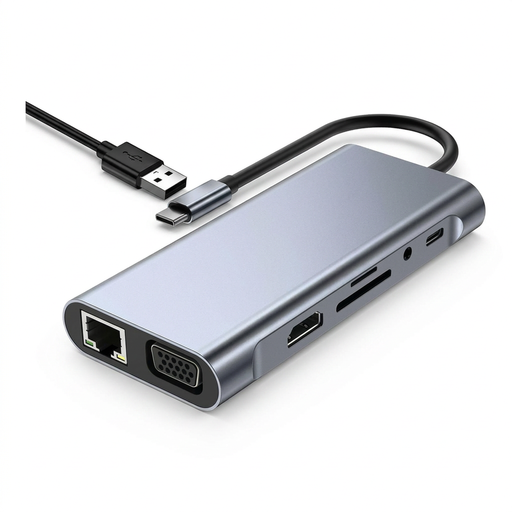 No image available
For a desk needing HDMI and VGA alongside wired networking and card-reader connections.
Listed connections include 4K HDMI, VGA, USB 3.0, USB-C PD, RJ45 Ethernet, SD and TF card readers, and 3.5 mm AUX. Check that the laptop supports video and charging through its USB-C connection.
 No image available
For a desk comparing multiple display connections alongside USB, wired networking and card readers.
The listed connections include HDMI 4K120Hz and HDMI 4K60Hz, USB, RJ45 Ethernet and SD/TF readers. Two HDMI ports alone do not establish support for two independent displays, so check the host and dock display modes.
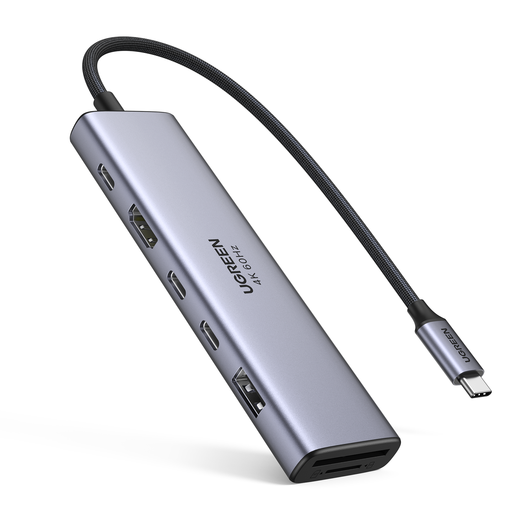 No image available
For a desk needing an HDMI connection, USB data ports and removable-storage readers.
The title lists HDMI, 2 × USB-C 3.2, 1 × USB-A 3.2, SD/TF and PD connections. Check the laptop’s video and charging support for the chosen USB-C port.
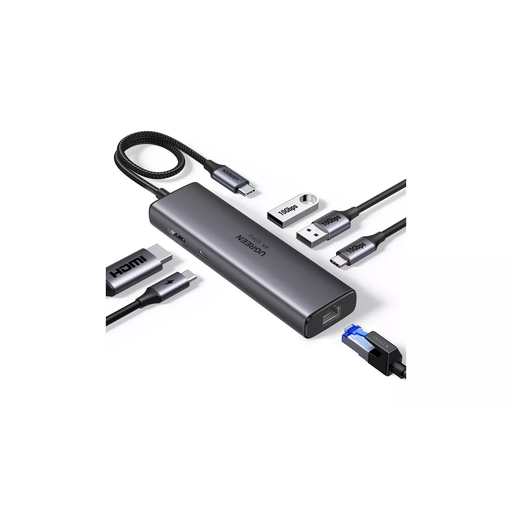 No image available
For a desk needing HDMI, USB data connections and wired networking.
The title lists HDMI, two USB-A 3.2 ports, one USB-C 3.2 port, RJ45 Ethernet and PD. Confirm the host’s display and charging support before relying on those connections.
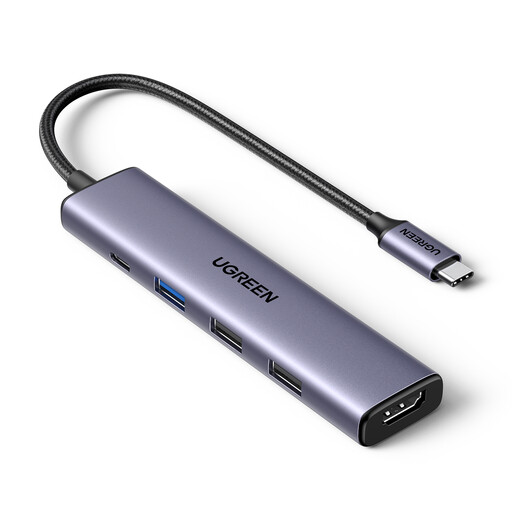 No image available
For a desk needing one HDMI connection and several USB-A data ports.
The title specifies 4K@30Hz HDMI, three USB-A data ports and 100 W PD pass-through charging. Check the laptop’s USB-C video support and the power delivered to the host.
Not necessarily; check the laptop’s native display limit and whether the dock uses MST, Thunderbolt or DisplayLink. Plugable says macOS does not use MST hubs for multiple independent extended displays. Apple lists one native external display for the 2020 M1 MacBook Air and up to two for MacBook Air models with the M4 chip.
Only if the laptop accepts charging through that connection and the dock supplies suitable power to the host. Check whether a power supply is included: Anker says the 555 hub’s wall charger is not included, while Dell lists different SD25TB4 power-delivery figures for Dell and non-Dell systems.
DisplayLink-controlled displays require the applicable DisplayLink Manager software and macOS Screen Recording permission. Check that software installation is acceptable on a managed laptop; protected video can also be affected while DisplayLink screens are connected.
The Health and Safety Executive says display-screen-equipment rules can apply to permanent, long-term or routine hybrid home workers who use display-screen equipment daily for continuous periods of an hour or more. Where the rules apply, the employer should assess the workstation; this is conditional guidance, not a universal requirement for every student or dock buyer.