Daily multi-peripheral home workers
People who reconnect a laptop to external displays, charging, keyboard, mouse, storage or Ethernet on most workdays and want a repeatable one-cable desk routine.


Choose a full dock for a fixed desk with several peripherals, charging, wired networking and multiple displays; choose a compact hub when one display and fewer ports are enough. Direct display cables suit a minimal setup when the laptop already provides the required video output, but check the exact laptop’s display limit, port capability, operating-system support and charging needs before buying.
People who reconnect a laptop to external displays, charging, keyboard, mouse, storage or Ethernet on most workdays and want a repeatable one-cable desk routine.
People who mainly need one external display and a few USB peripherals, and may prefer a compact hub or direct cable over a larger dock.
People changing between laptop models or using a MacBook, where the supported external-display count, accessory approval and port standard can change the result.
Choose it when: You need a fixed, one-cable connection for charging, several desk peripherals, Ethernet and external displays.
Consider: Display support still depends on the laptop; a dock’s physical ports do not increase the host’s supported display count.
Choose it when: One monitor, a keyboard or mouse receiver, and occasional Ethernet matter more than a permanent desk connection.
Consider: Multi-monitor operation, charging headroom and video modes can have stricter host requirements.
Choose it when: You use one monitor, have a compatible display output and connect only a small number of peripherals.
Consider: It keeps the setup simple but does not remove repeated cable connections.
| Priority | What to check | Your needs |
|---|---|---|
| Display compatibility | Confirm that the exact laptop port supports DisplayPort Alt Mode, Thunderbolt or USB4 video as required. Check the laptop’s maximum external-display count at your intended resolution and refresh rate. | I need the monitor arrangement advertised by the hub or dock to work with my actual laptop, not just fit its USB-C connector. |
| Charging and port mix | Compare stated laptop charging output with the laptop’s required wattage. Count the displays, USB devices, Ethernet and card-reader connections you will use. | I want to reconnect my regular desk equipment without leaving out an essential peripheral or relying on spare adapters. |
| Screen and input layout | Allow space to position a monitor separately from the keyboard and mouse. The Health and Safety Executive advises a separate keyboard and mouse when raising a laptop screen. | I want the screen, keyboard and mouse to be adjustable independently for longer desk sessions. |
| Wired networking | Check whether the dock or adapter has Ethernet and whether it matches your router and local network. Test a cable directly to the router when practical. | I need a more dependable local connection for calls when Wi-Fi is the issue. Ofcom advises Ethernet directly to the router for faster, more reliable connectivity than Wi-Fi. |
USB-C can carry video through compatible Alternate Mode connections, but connector shape alone does not establish video support.
Check the exact laptop specifications for DisplayPort Alt Mode, Thunderbolt or USB4 video support before comparing dock and hub display ports.
A dock’s outputs cannot raise the number of external displays supported by the host. Apple notes that Mac display limits depend on the model, resolution and refresh rate.
List the number of extended displays you need, plus their resolution and refresh rate, then compare that requirement with the exact laptop and dock support information.
Power Delivery pass-through is not always the same as the power delivered to the laptop. StarTech.com states that its DKM31C3HVCPD reserves 20W from its 100W pass-through rating.
Compare the laptop maker’s charger requirement with the dock or hub’s stated host-delivery wattage rather than relying on a headline pass-through figure.
An Ethernet-equipped dock can improve the local connection path, but it cannot resolve every broadband, router or Wi-Fi issue.
Where the router is accessible, test Ethernet first. If that improves the connection, choose a dock Ethernet port or a separate adapter that suits the rest of the setup.
Relevant for Thunderbolt and USB4 desk docks such as the SD5780T, specified for Thunderbolt 4, Thunderbolt 3, USB4 and USB-C hosts running Windows 10+ or macOS 11+.
Relevant for compact hubs and desk docks with explicit USB-C DisplayPort Alt Mode, MST and Power Delivery conditions.
Relevant for Thunderbolt 4 and USB4 dock buyers who need downstream Thunderbolt ports, Ethernet and laptop charging at a fixed workstation.
Relevant for buyers considering the 577/A8396 Thunderbolt 3 dock with HDMI, Ethernet, card readers and charging.
Joybuy product options for recurring home-working desk expansion, including USB-C docks and hubs for displays, peripherals, charging input and wired networking.
 No image available
For a recurring dual-display desk setup with USB peripherals and wired networking.
Stated features include two HDMI 2.0 outputs, USB ports, Gigabit Ethernet and 100W Power Delivery pass-through. Confirm that the laptop supports two extended 4K displays and that delivered charging power meets its requirement.
 No image available
A compact option for a one-monitor home desk or travel setup with USB peripherals and Ethernet.
It lists HDMI 4K@30Hz, VGA, two USB 3.0 ports, Gigabit Ethernet and 100W Power Delivery. The stated operation is single-display SST, so HDMI and VGA should not be assumed to provide dual monitors simultaneously.
 No image available
For a multi-peripheral workspace needing HDMI, USB data ports, card readers and an Ethernet option.
Listed connections include HDMI 4K120Hz, HDMI 4K60Hz, 10Gbps USB-A and USB-C, 1000Mbps RJ45, SD/TF and 100W PD input. Video requires USB-C DisplayPort Alt Mode; check the laptop’s display limit and actual charging delivery.
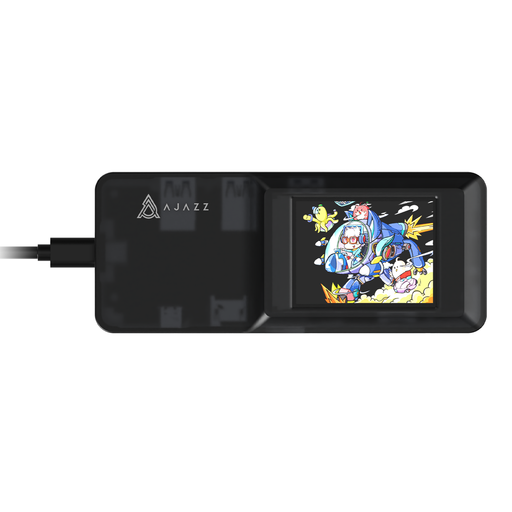 No image available
A basic one-monitor desk expansion route with USB ports, card readers and Ethernet.
It lists one HDMI output, three USB 3.0 ports, SD/TF slots, 100W PD input and 100Mbps Ethernet. SD and TF cards cannot be used simultaneously; check the laptop video mode and charging output before purchase.
 No image available
For a peripheral-heavy desk where several display and accessory connections are required.
The listed ports include dual HDMI, DisplayPort, USB, RJ45, SD/TF, audio and PD. Confirm the simultaneous display arrangement, resolution and refresh-rate limits, host charging wattage and Ethernet speed before relying on it for a multi-screen setup.
No. Microsoft notes that USB-C can support Alternate Modes such as DisplayPort or DockPort for audio and video, but this depends on the laptop and compatible adapter rather than connector shape alone. For Mac display adapters, Apple says the adapter must comply with DisplayPort Alt Mode, Thunderbolt 3 or Thunderbolt 4.
The laptop model and host connection can limit the result. Apple states that the number of external displays depends on the Mac model, resolution and refresh rate; Kensington specifies a one-display limit for USB-C Alt Mode laptops and base M1/M2/M3 MacBooks on its SD5780T dock.
Choose a mains-powered dock for a fixed desk needing charging, several USB peripherals, Ethernet and repeated display connections through one cable. A hub or compact adapter can suit fewer peripherals, one display or portable use, provided its Power Delivery, DisplayPort Alt Mode and MST requirements match the laptop.
It can be useful when Wi-Fi stability is the limiting issue and the router is accessible. Ofcom advises connecting a computer directly to the router by Ethernet for faster, more reliable connectivity than Wi-Fi, although this will not resolve every broadband or router fault.
A separate keyboard and mouse can let you raise the laptop screen, according to Health and Safety Executive guidance, while a separate display provides another positioning option. Check that the desk allows the screen, keyboard and mouse to be placed comfortably and independently.