What matters when choosing a dock
Start with how the microphone connects, then check what the laptop can support. Display expansion and a smaller desk footprint matter most after those connections are settled.
| Concern |
What to check |
Who this matters to |
| Microphone connection |
Identify whether the microphone uses USB, a 3.5 mm headset or microphone plug, or XLR. Match an analogue plug to an explicitly described input and its wiring requirements. |
If I use an analogue microphone, I need to know that the dock accepts its particular plug before considering extra display ports. Around 46% of consumers choosing for this study setup would put connector compatibility first. |
| One-cable desk expansion |
Check the laptop’s required USB-C Alt Mode, USB4 or Thunderbolt support, the intended display configuration and the actual laptop-charging output. |
When my microphone shares a desk with a monitor and peripherals, I want those connections to work through the laptop port I have. For around 36% of consumers, bringing the desk together is the primary concern. |
| Compact study setup |
Check the dock’s port layout and video-output limits against the connections you will use, rather than choosing by the number of ports alone. |
If a microphone is my main addition to a small desk, I would rather choose connections I can use than make room for an elaborate workstation dock. Keeping the setup proportionate comes first for around 18% of consumers. |
Joybuy product choices
These docks offer USB connections to consider for a USB microphone at a study desk. If you use an analogue microphone, check the exact audio-input function and plug compatibility before choosing one.
 No image available
MOVESPEED DK5A1 10-in-1 USB-C docking station
Consider this dock for a USB microphone and other peripherals if its ports and host connection match your setup.
The product title specifies USB-A and USB-C connections, 4K at 60 Hz HDMI, SD/TF card slots and 3.5 mm audio. Check the 3.5 mm socket’s plug compatibility for an analogue microphone, and confirm laptop charging and video support against your laptop.
Joybuy
 No image available
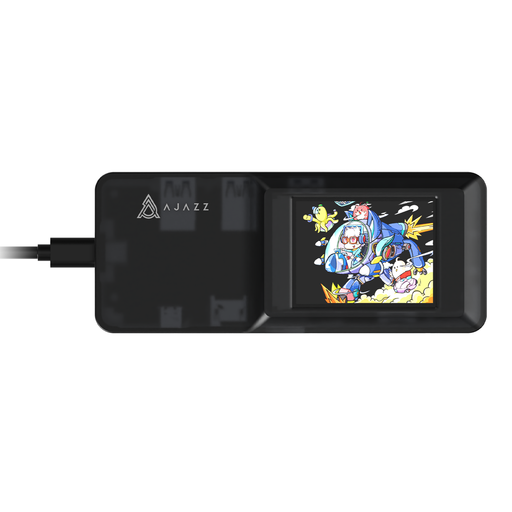
AJAZZ AKP01E 8-in-1 expansion dock
Consider this model for a USB microphone if you can confirm an available USB port for it and a compatible laptop connection.
Its title describes 4K projection, TF/SD card slots and a USB-C connection. Check the intended microphone connection, display support and laptop-charging requirements before buying.
Joybuy
 No image available
USB-C dock with 2 HDMI, DisplayPort, USB and RJ45
This dock is worth checking if a USB microphone must share the desk with display and network connections.
The title lists two USB 3.0 and two USB 2.0 connections, alongside SD/TF and audio. Check whether that audio connection accepts your microphone if it is analogue. Confirm laptop host compatibility and actual charging output separately; the listed PD connection does not specify the power delivered to your laptop.
Joybuy
Common questions
Can I connect a USB microphone through a laptop dock?
Yes, if the dock provides a suitable USB connection and the laptop recognises the microphone. Connect it, then choose it as the input in the operating system or recording app; Apple documents selecting a connected USB microphone as an input source.
Will any 3.5 mm socket on a dock accept my microphone?
No. Check whether the exact dock specifies a combined headset/microphone input or a separate microphone jack, then match that description to your microphone’s plug. StarTech.com and Targus describe different audio layouts on the models discussed here.
Can I connect an XLR microphone directly to a dock?
Plan for an appropriate audio interface unless the exact equipment documentation establishes another suitable connection. Check the interface’s XLR input and its connection to the laptop or dock rather than assuming a dock’s 3.5 mm socket will accept the microphone.
How do I select a dock-connected microphone in Windows or macOS?
Select the connected device as your sound input and test it before use. Microsoft Support describes choosing a device for speaking or recording in Windows; on a Mac, Apple Support directs users to the sound input settings. Also check the calling or recording app’s selected input.
Does a laptop’s USB-C socket support every dock feature?
No. Check the laptop’s stated host-port protocol, external-display capability and charging support against the particular dock. Lenovo makes relevant dock functions conditional on compatible USB-C Alt Mode or Thunderbolt support, while the USB Implementers Forum says USB4 connections operate at the best mutual capability of connected devices.


