Hot-desk keyboard sharers
People moving between laptops at a shared desk who chiefly need a wired keyboard connection. A matching USB port and a compatible laptop connection matter more to them than extra display or management features.


For a shared desk where the main task is connecting a wired keyboard, start with a dock or adapter that has a matching USB data port and works with each intended laptop. A larger powered dock makes more sense when the same connection must also handle charging, displays or Ethernet; consider Thunderbolt expansion only if the laptops support it and the desk needs its additional connections.
People moving between laptops at a shared desk who chiefly need a wired keyboard connection. A matching USB port and a compatible laptop connection matter more to them than extra display or management features.
People who want to reconnect a keyboard, laptop charging, external displays and Ethernet with one host cable. They need to check both the laptop’s port capabilities and the dock’s charging output for that laptop.
Teams keeping a fixed desk in service across compatible business laptops, where supported firmware-management functions, wired networking or a physical security slot may affect the choice.
Check the keyboard plug and every laptop that will use the desk before deciding how much expansion the dock needs. Charging, monitors and managed-desk functions only need to shape the choice if they are part of that desk’s setup.
| Concern | What to check | Who this matters to |
|---|---|---|
| Keyboard connection | Match the keyboard plug to a USB data port, and check the dock’s host connection against the laptop. | If I mainly swap laptops while keeping one wired keyboard at the desk, I want the connection to be straightforward; around 29% of consumers put keyboard sharing first. |
| Laptop compatibility | Check each laptop’s documented USB-C Alt-Mode, DisplayLink or Thunderbolt capabilities against the particular dock’s requirements. | When several different laptops use the desk, I need the dock’s required functions to work with each one; compatibility is the primary concern for around 36% of consumers. |
| One-cable workstation | Compare charging output for each laptop with its requirement, then check the required monitor connections and Ethernet port. | If my desk also uses charging, a monitor or wired networking, I want those connections ready when I plug in the laptop; around 21% of consumers prioritise that wider setup. |
| Managed fixed desk | Confirm which management or network functions the organisation uses, their laptop compatibility and whether a security slot is needed. | For a dock that stays at a managed shared desk, I care about the IT functions or physical lock the team will actually use; around 14% of consumers put these needs first. |
A USB-C socket alone does not establish that a dock’s display or other advanced functions will work. Lenovo specifies host-port protocol requirements for its USB-C and Thunderbolt docks.
Check the documented capabilities of every laptop using the desk against the exact dock’s compatibility information.
Charging output can depend on the connected laptop and power-adaptor configuration. Dell, for example, gives different Dell and non-Dell figures for its SD25TB4 dock.
Compare the applicable output with each laptop’s usual charging requirement, and check which power adaptor comes with the dock.
Additional display and peripheral connections do not, by themselves, improve the task of attaching one wired keyboard.
Start with the keyboard port and required laptop compatibility. Consider a Thunderbolt dock when a supported laptop will also use its additional expansion.
GOV.UK states that the processes for placing products on the market differ between Great Britain and Northern Ireland.
For a Northern Ireland purchase or deployment, check the applicable product-marking requirements separately.
Lenovo’s USB-C travel and desk docks are relevant to compatible laptops used at portable or fixed shared workstations.
Dell’s SD25 USB-C and SD25TB4 Thunderbolt docks are options to examine for fixed desks needing more peripheral connections.
CalDigit publishes model-by-model USB-C and Thunderbolt dock comparisons for desks needing more than a keyboard connection.
These USB-C adapters and hubs are choices to examine when a shared desk needs a wired-keyboard connection, with some also offering display, network or charging connections. Match the keyboard plug and the functions you intend to use to each product and laptop before choosing.
 Image unavailable
Consider this adapter if the shared desk needs USB ports for a wired keyboard alongside display or network connections.
The named configuration includes two USB 3.0 ports, 4K HDMI, VGA, Gigabit Ethernet and 100 W Power Delivery. Check that the keyboard plug matches and that each laptop supports the functions you intend to use.
 Image unavailable
This multiport adapter may suit a desk where the keyboard is joined by other peripherals, a display or a wired network connection.
Its named connections include two HDMI ports, DisplayPort, USB ports, RJ45, Power Delivery, SD/TF and audio. Confirm the USB connector needed by the keyboard and the laptop capabilities required for the intended functions.
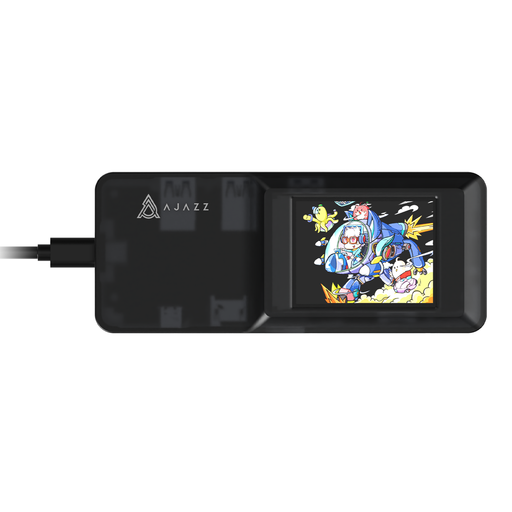 Image unavailable
Consider this expansion hub if the shared desk may use other peripherals alongside the wired keyboard.
The named variant has a USB-C connection and SD/TF card slots. Check the keyboard’s connector, the required laptop compatibility and whether its additional connections suit the desk.
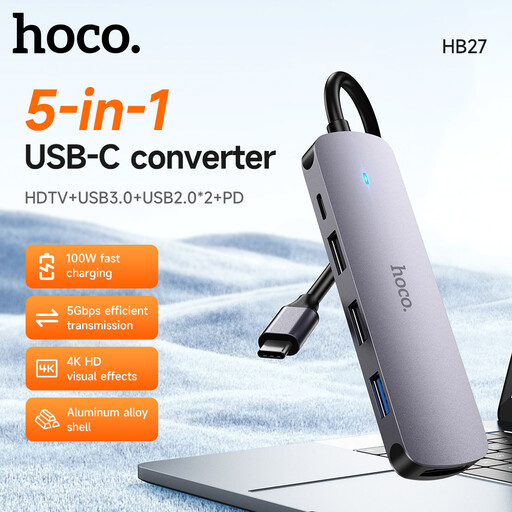 Image unavailable
This USB-C hub is an option to examine for a desk that needs peripheral connections without choosing a larger fixed dock.
Confirm that its USB ports match the wired keyboard and that each intended laptop supports the connections the desk needs.
No: the port’s shape does not establish that every dock function is supported. Lenovo says its USB-C and Thunderbolt docks require a laptop Type-C port supporting the applicable USB-C Alt-Mode, DisplayLink or Thunderbolt protocol, so check the individual laptop and dock before buying.
A wired keyboard does not, by itself, call for Thunderbolt expansion; a compatible USB data connection is the starting point. Consider a Thunderbolt dock when the laptop supports it and the desk also needs its additional display or peripheral connections.
Compare each laptop’s usual charging requirement with the dock’s stated output for that laptop and its power-adaptor configuration. Dell lists 130 W for Dell systems and 96 W for non-Dell systems on the SD25TB4, illustrating why one headline figure should not be applied to every connected laptop.
For Great Britain, GOV.UK guidance dated 21 August 2026 says CE marking continues to be recognised alongside or instead of UKCA marking where UK requirements remain aligned with EU rules. Check the requirements applicable to the particular product; GOV.UK notes that the processes for Northern Ireland differ from those for Great Britain.
Only if the organisation will use the functions supported by the chosen dock and laptops. Lenovo describes firmware-update and management capabilities for its ThinkPad Universal USB-C Dock, but those capabilities should not be assumed for every dock or laptop combination.