Headset-first desk workers
If calls or daily listening are the priority, start with a spare USB data port that fits the headset. A dock’s separate 3.5 mm audio socket is for an analogue connection, not a USB headset.


Choose a dock with a downstream USB data port that fits your headset, then check whether its connection to the laptop supports the displays and charging your desk needs. A USB-C or Thunderbolt dock depends on the laptop’s host-port capabilities; a DisplayLink dock may require software, while a compact hub makes more sense when you need fewer connections.
If calls or daily listening are the priority, start with a spare USB data port that fits the headset. A dock’s separate 3.5 mm audio socket is for an analogue connection, not a USB headset.
If the headset will share a desk connection with screens and other peripherals, check the laptop’s host port and intended display arrangement before choosing the dock. Lenovo notes that actual video output depends on the laptop.
If you mainly need the headset and a few additional connections, consider a compact hub. Check each port’s role: Anker specifies that the USB-C Power Delivery input on its 565 hub is for charging only.
Start with the headset plug and an available USB data port. Then decide whether the same laptop connection also needs to handle your monitors, charging and other desk devices.
| Concern | What to check | Who this matters to |
|---|---|---|
| Headset connection | Match the headset’s USB-A or USB-C plug to a spare downstream data port. Do not count a 3.5 mm jack or a charging-only USB-C input as that port. | If my headset is needed for calls throughout the day, I want it connected without taking the USB port reserved for another essential device. Around 45% of consumers put headset-port fit first. |
| Desk displays and charging | Compare the laptop’s host-port capability with the dock’s display requirements, intended monitors and charging output; check any software or DSC conditions. | When I connect screens and peripherals at a fixed desk, the headset is only one part of what that laptop connection must handle. For around 33% of consumers, the complete desk setup is the primary concern. |
| Portable expansion | Count the ports needed at the same time, and check whether the hub’s charger and host cable are included. | If I move between workspaces and need just a headset and a few accessories, I would rather carry a compact hub than a larger desk dock. Portability comes first for around 22% of consumers. |
A USB-C socket labelled as a Power Delivery input may accept charging power without carrying headset data. Anker specifies this distinction for its 565 hub.
Check the port diagram and reserve a listed downstream USB data port for the headset.
Connecting a USB headset does not establish that the laptop can drive the intended monitors. Lenovo says actual video output depends on the laptop; other dock configurations can have software or display-support conditions.
Compare the laptop’s port specification, operating system and monitor arrangement with the chosen dock’s requirements.
The laptop may continue using its previous audio output after a USB audio device is connected. DisplayLink notes that an application already using audio may need restarting after an output change.
Select the USB headset as the output device in the operating system, then restart an affected audio application if necessary.
Dell offers USB-C, Thunderbolt and universal dock options for connected desks.
Lenovo’s USB-C docks are relevant to desk setups built around a laptop with the required host-port support.
StarTech.com offers docks with separately specified USB and analogue audio connections.
Kensington’s SD4842P is a desk-dock reference for buyers checking USB expansion alongside displays and charging.
Anker’s 565 hub is a reference for compact USB-C expansion rather than a permanent full-size desk dock.
These USB-C hubs and adapters are options for connecting a USB headset alongside other peripherals. Check the headset connector and your laptop’s host-port requirements before choosing among them.
 Image unavailable
Consider this hub if your headset has a matching USB plug and you also need connections for desk peripherals.
The listed configuration includes USB-A 10Gbps and 5Gbps, USB-C 10Gbps, HDMI rated at 4K 60Hz, SD/TF readers rated at 160MB/s and a separate 3.5 mm audio jack. Check the laptop’s USB-C host and display support for your intended setup.
 Image unavailable
Consider this adapter when the headset must share a laptop connection with other desk devices; confirm that a listed USB port fits its plug.
The product name lists two USB 3.0 connections, two USB 2.0 connections, dual HDMI, DisplayPort, RJ45, Power Delivery, SD/TF and audio. Check the USB connector shapes and the laptop’s display support before buying.
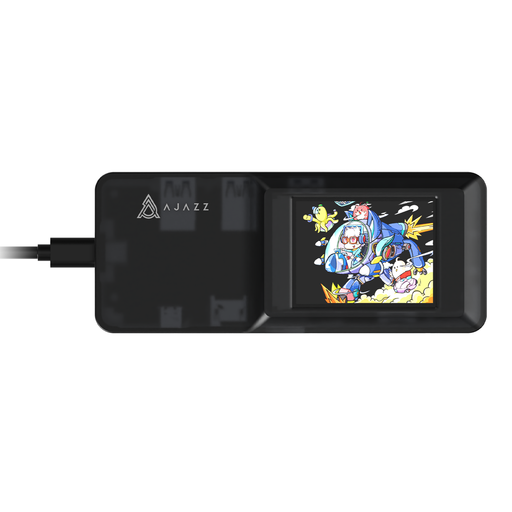 Image unavailable
Consider this expansion hub only after confirming that one of its USB data connections suits your headset and laptop setup.
Its product name lists a USB-C connection, 4K display output and TF/SD card slots. Check the USB port shapes and the laptop’s host and display compatibility for the connections you plan to use.
No: a 3.5 mm combo socket is an analogue headset connection, not a USB data port. Choose a dock with a spare downstream USB-A or USB-C data port that fits your headset, or check whether a suitable adapter is needed.
The laptop may still have its previous audio output selected. Select the USB headset in the operating system’s sound settings; DisplayLink advises that an application already using audio may need restarting after the change.
No; the host-port requirement depends on the dock. Lenovo says its USB-C and Thunderbolt docks require a notebook supporting the relevant industry-standard protocol through its Type-C port, while a DisplayLink-based dock can use a different display connection route and may require software. Match the chosen dock’s requirements to your laptop before buying.