Joybuy products for this desk setup
These docks and adapters offer different combinations of keyboard connections and display outputs for the bright-window desk. Check each one against your laptop and planned monitor position; connectivity alone does not address glare.
 No image available
Targus USB-C Universal Dual HDMI 4K Docking Station, 100W PD Pass-Thru
Consider this model if you want two HDMI connections at the desk; confirm that your laptop supports the intended display setup and that the dock has a downstream port suited to your keyboard.
The product name specifies dual HDMI 4K output and 100W power-delivery pass-through. Check the power adapter and mains lead required for your setup before relying on laptop charging.
View on Joybuy
 No image available
V7 V7UC-U3CRJ45HDVG-BLK USB-C Adapter
This adapter is worth checking for a keyboard and single external-screen setup, provided its USB connections suit your keyboard and the laptop supports the required video output.
The product name specifies 4K HDMI, VGA, Gigabit Ethernet, 100W power delivery and two USB 3.0 ports. Confirm the screen mode you need; do not choose it on the assumption that HDMI and VGA will run separate external displays together.
View on Joybuy
 No image available
USB-C Hub with Dual HDMI, DisplayPort and USB Connections
For a keyboard alongside other wired devices, check whether this hub's downstream USB connections fit their plugs and whether your laptop can run the intended screens.
The product name lists two HDMI connections, DisplayPort, two USB 3.0 connections, two USB 2.0 connections, RJ45, PD, SD/TF and audio. Check the charging power and required supply before using it as a laptop charger.
View on Joybuy
 No image available
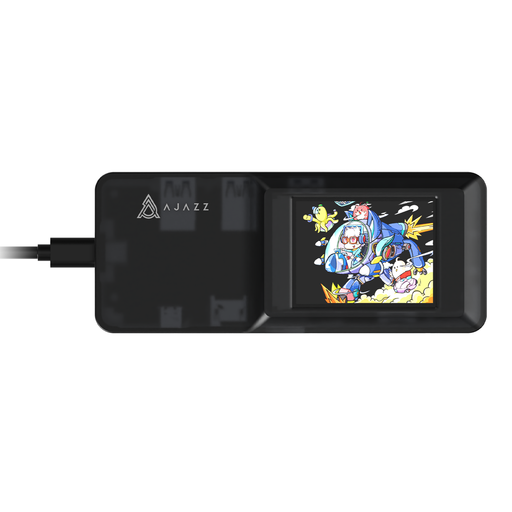
AJAZZ AKP01E Visualization Hub 8-in-1 Expansion Dock
If you want a keyboard connection alongside a screen and card slots, check this hub's port types against your devices and the laptop's video capability.
The product name identifies an 8-in-1 USB-C expansion dock with SD/TF card slots and 4K projection. Confirm its charging function and power arrangement before expecting it to charge the laptop.
View on Joybuy
 No image available
Mokin 2USBC to TB Hub with USB-A and HDMI
Its two named USB-A ports give you connections to consider for a wired USB-A keyboard and another device, subject to the laptop's host-port compatibility.
The product name also lists a USB-C 3.0 connection, SD/TF slots and 4K HDMI. Check the exact HDMI refresh rate required for your monitor before choosing a display mode.
View on Joybuy
Common questions
Will any USB-C laptop work with a dock and external monitor?
No: USB-C is the connector type, while video output depends on the laptop's supported connection modes. Check its host-port and external-display specifications against the dock's requirements; Microsoft Learn identifies DisplayPort/DockPort as an alternate mode that a USB-C connection can support.
Can a docking station reduce glare from a bright window?
A dock cannot remove glare, although its cable arrangement may help you place a monitor where it is easier to view. The Health and Safety Executive advises arranging screens and lighting to avoid reflections and glare.
How do I know whether a wired keyboard will connect?
Match the keyboard's plug to a downstream port on the dock, and check that enough suitable ports remain for your other devices. For a USB-A keyboard, for example, Kensington specifies five USB-A ports on the SD4781P and CalDigit specifies five on the TS4; laptop compatibility needs a separate check.
Will a dock rated at 100W charge every laptop at 100W?
No: a stated power-delivery figure is a dock limit under its specified conditions, not a charging result for every laptop. Compare the laptop maker's charging requirements with the dock's host-power rating and required power supply.
What should I check before using a mains-powered dock?
Check that its power equipment suits the electrical supply and that the plug is undamaged before use, as the Health and Safety Executive advises for electrically powered equipment. Confirm which power supply and mains lead the dock requires, and follow the manufacturer's instructions.


