
24/7 Customer Support

Free returns

Same-day & Next-day Delivery

Quality Guaranteed

Unlock Your Welcome Offers: FREE Delivery | Up to 80% OFF | Free 30-day JoyPlus trial
Download the APP
Modern laptops are thinner, lighter and more powerful than ever. But this sleek design often comes at a cost: a lack of ports. If you've found yourself juggling adapters just to connect a mouse, an external monitor and a charging cable, you're not alone. The solution lies in expanding your connectivity with a USB-C hub or a laptop docking station.
Navigating the market can be confusing, with countless options available. This guide is designed to help you understand the key features to look for and to highlight a few standout options that cater to different needs, from simple port expansion to creating a full-featured workstation.
Before diving into specific products, let's cover a few practical considerations to help you identify what you truly need.
The terms are often used interchangeably, but they generally refer to two distinct categories:
portable usb hub is ideal for travel or flexible work setups, offering a handful of extra ports like USB-A, HDMI and card readers.Take a moment to list the devices you use daily. This will determine the ports you need.
dual monitor docking station will be essential for your productivity.multiport adapter for laptop will offer a mix of both.As the Joybuy Product Recommendation Officer, I've filtered through the options to present a few practical choices for different users.
Targus 4-Port USB Hub
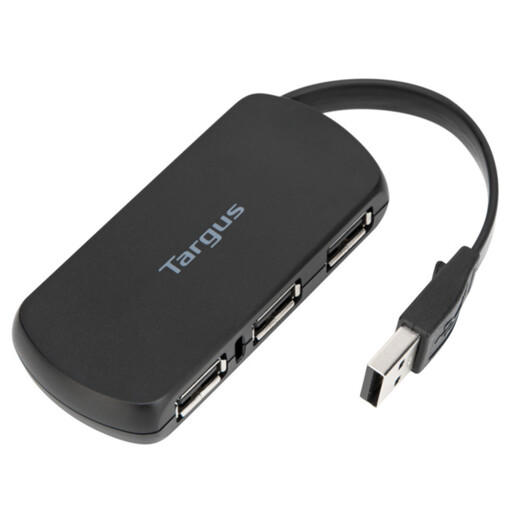
This hub from Targus is all about straightforward functionality. It turns one of your laptop's USB ports into four, giving you the connections you need for everyday peripherals without any complex setup.
View the Targus 4-Port USB Hub
Baseus Metal Gleam Series USB-C to 7 Ports USB Hub - Grey
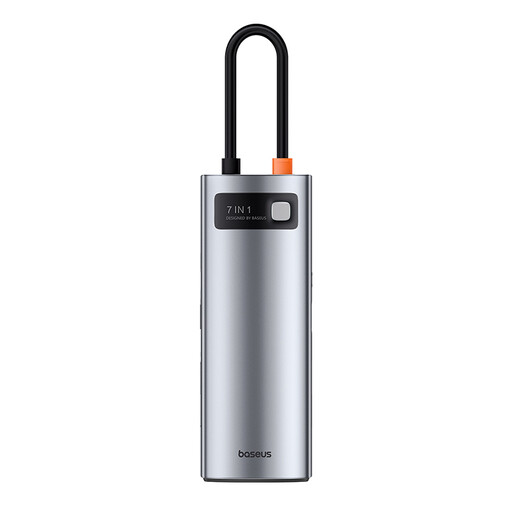
The Baseus Metal Gleam hub strikes an excellent balance between portability and performance. It packs seven useful ports into a sleek, metal alloy body, making it a fantastic companion for those who split their time between home and the office.
View the Baseus 7-in-1 USB-C Hub
Targus USB-C Universal Dual HDMI 4K Docking Station
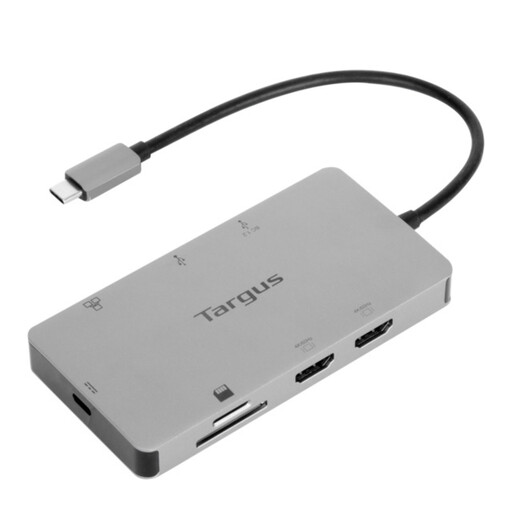
For those looking to build a powerful and permanent desk setup, this Targus docking station is a formidable choice. It’s engineered to transform your laptop into a true dual-monitor workstation, capable of driving two 4K displays at a smooth 60Hz.
dual monitor docking station, its ability to support two 4K displays simultaneously is its main draw. Combined with 100W power delivery, a Gigabit Ethernet port and multiple high-speed USB ports, it provides all the connectivity needed for a professional-grade workspace with a single cable connection to your laptop.View the Targus Dual 4K Docking Station
If these recommendations don't quite match what you're looking for, don't worry. Your perfect setup might be waiting in our wider collection. Explore our full range of multifunctional USB-C solutions to find a device tailored to your specific needs.
A USB-C hub is generally a smaller, bus-powered adapter designed for portability and adding a few essential ports. A laptop docking station is a larger, more powerful desktop solution, often with its own power source, designed to support multiple monitors and a full suite of peripherals for a permanent workstation.
Most modern USB-C hubs and docking stations are plug-and-play, meaning they work straight out of the box without needing special software. However, some advanced docking stations, particularly those using DisplayLink technology to support more than two monitors, may require a one-time driver installation to enable full functionality. Always check the product specifications.
When you purchase from reputable brands that adhere to safety standards (like CE and RoHS in the UK), the risk is minimal. It is important to use certified cables and power adapters, especially for high-wattage Power Delivery. Quality hubs also incorporate thermal management to dissipate heat safely during intensive use, such as when driving a 4K display and charging simultaneously.