Two-location desk workers
If you return to the same home desk with your laptop, a dock is worth considering when you want to reconnect its display, power and peripherals with fewer separate cables.


Choose a dock when you repeatedly reconnect a laptop at a fixed desk, or a portable monitor when the extra screen needs to travel. If your display and charging setup already works, a call accessory or a second charger may address the remaining need without a full dock. Check your exact laptop's video output, display limits and charging requirements, and ask what equipment your employer provides or approves before buying personally.
If you return to the same home desk with your laptop, a dock is worth considering when you want to reconnect its display, power and peripherals with fewer separate cables.
If you need more screen space away from a permanent desk, a portable monitor shifts the decision towards laptop compatibility and what you are willing to carry.
If your laptop has uncertain display, port or charging capabilities, identify the exact model before choosing a dock, monitor or charger. The connector shape alone cannot settle the choice.
Start with the problem that most often interrupts your move between home and office, then check whether your laptop can support the equipment you have in mind.
| Concern | What to check | Who this matters to |
|---|---|---|
| Fixed-desk reconnection | Check the laptop's video-capable port and display limit; compare the dock's host charging output with the laptop's requirement. | If I return to the same desk, I want my screen and peripherals ready without reconnecting each one. About 25% of consumers put fixed-desk reconnection first. |
| A travelling second screen | Check the monitor's video input and power requirements, then consider its size and carrying weight. | I need extra screen space at more than one location, so the display has to travel with my laptop. For about 25% of consumers, a portable second screen is the primary need. |
| Meeting readiness | Decide whether the gap is camera, microphone, listening audio or desk input; check the required connection. | My screen setup works, but calls are the part of changing locations I want to address. Clearer meeting arrangements come first for about 19% of consumers. |
| Compatibility and power | Confirm the exact laptop's external-display support and charging requirement; check software conditions for a DisplayLink dock. | Before adding equipment, I need to know that my laptop can drive the intended displays and accept the intended charging connection. About 31% of consumers make compatibility and power their primary concern. |
A USB-C-shaped socket does not establish whether a particular dock or portable monitor can receive the video signal it needs, or whether the charging arrangement will work.
Find your laptop's exact port specification and charging requirement, then compare them with the accessory's stated requirements. Lenovo, for example, specifies DisplayPort 1.2 Alt Mode and PD 2.0 compatibility for the ThinkVision M14.
The intended display arrangement also depends on the laptop and the dock's display technology. Apple publishes model-specific external-display limits for MacBook Air; a DisplayLink route has different software conditions from a native display connection.
Compare the dock's compatibility information with your laptop model and planned displays. For DisplayLink on macOS, DisplayLink Support says its manager requires Screen Recording permission.
Buying a personal dock, display or charger may be unnecessary if equipment is already available through work. HM Revenue & Customs guidance recognises employer-provided homeworking equipment, but it does not establish what your employer will supply.
Ask what can be provided, loaned or approved before choosing accessories for either location.
The Department for Business and Trade publishes product-marking guidance that distinguishes the Great Britain and Northern Ireland markets. A conclusion about one market should not be assumed to cover the other.
For a mains-powered charger or dock intended for Northern Ireland, check the applicable market guidance and the documentation for that particular product.
Kensington offers USB-C, USB4 and Thunderbolt docks for fixed-desk connections.
Plugable's dock range includes USB-C, Thunderbolt and DisplayLink connection options.
ThinkVision portable monitors address the need for a second screen that moves between work locations.
Logitech offers webcams and headsets for targeted meeting needs.
These products address distinct parts of a home-and-office laptop setup: desk connections, a travelling screen, meeting equipment and a separate charger. Choose the part that solves your main problem, then check it against your laptop.
 No image available
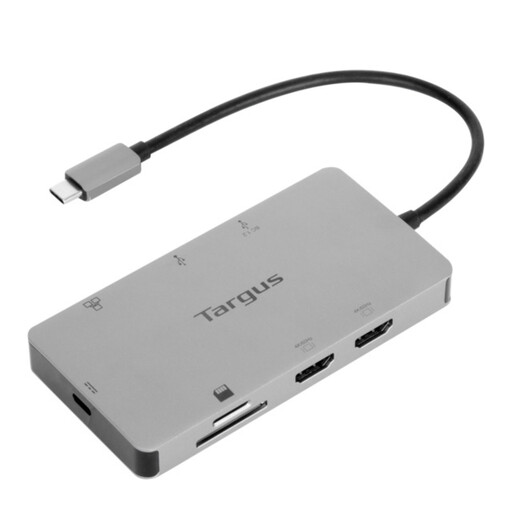
Consider this dock if reconnecting displays and peripherals at a fixed desk is your main concern. The named configuration has dual HDMI 4K outputs and 100W Power Delivery pass-through; check the intended display arrangement and charging requirement against your exact laptop.
 No image available
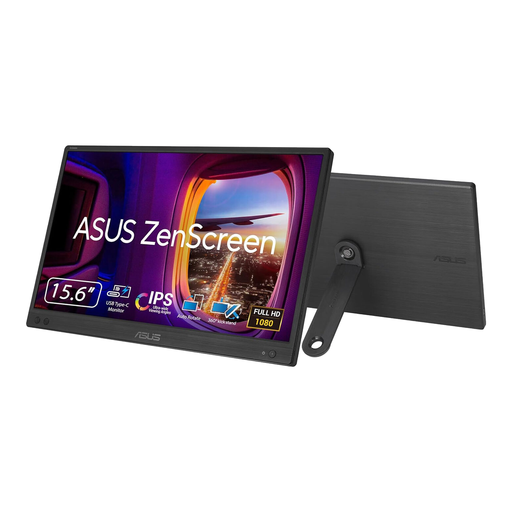
Consider a portable monitor if your second screen needs to move between work locations. This MB166CR is identified as an FHD model; check its video-input and power requirements against your laptop before planning a single-cable setup.
 No image available
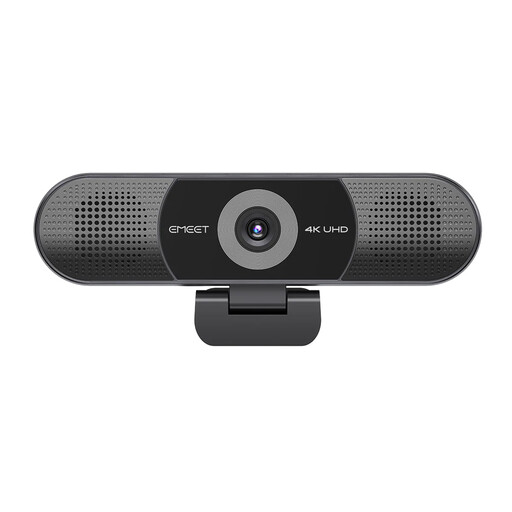
Consider this meeting accessory when a separate camera and audio unit, rather than another display, is your priority. Its name specifies a four-microphone array, dual speakers, fixed focus and a 98° adjustable field of view; check that its connection and framing suit your laptop and meeting space.
 No image available
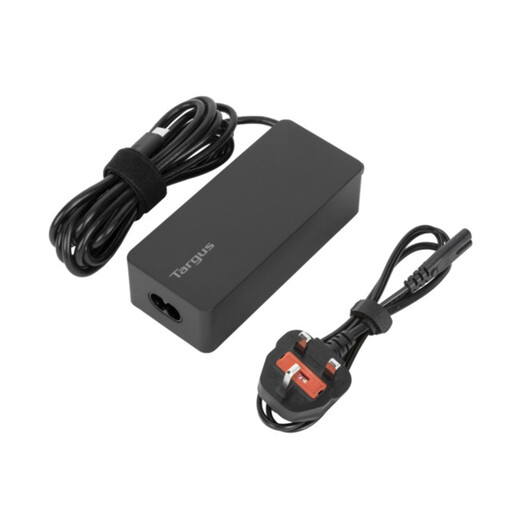
A separate charger addresses the need to keep power available at another work location without adding a dock. Compare this model's 65W rating and USB Type-C connection with your laptop's documented charging requirement, and check the intended cable and plug arrangement.
 No image available
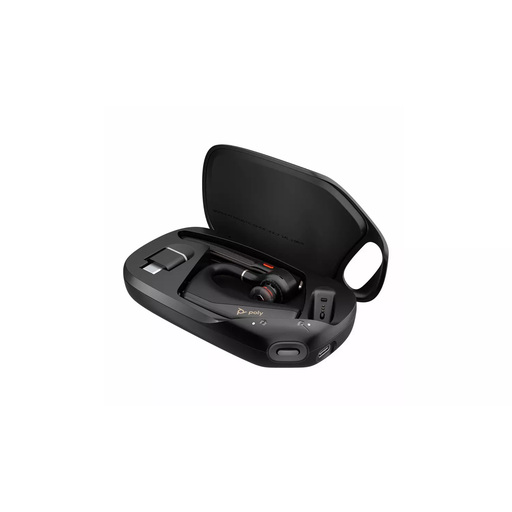
Consider a headset when calls, rather than screen space or desk connections, are the main reason to add equipment. This is a Bluetooth model; check compatibility with your laptop and calling platform, and confirm the package contents if you need a USB receiver.
No. Check your exact laptop model's video output, external-display support and charging specification against the accessory. Lenovo, for example, specifies DisplayPort 1.2 Alt Mode and PD 2.0 compatibility for its ThinkVision M14; a USB-C socket by itself does not confirm those capabilities.
A dock addresses repeated connections at a fixed desk, while a portable monitor addresses the need to take a second screen between locations. Choose by which task causes the most friction, and check the exact laptop's connections before buying either device.
A compatible DisplayLink dock is a separate display route, but do not assume every dock uses it or that installation is automatic. DisplayLink Support says macOS requires Screen Recording permission for DisplayLink Manager; also check the dock and your exact Mac model before choosing a display arrangement.
Yes, if the accessories are for work: ask what equipment your employer provides, loans or approves before buying duplicates. Your workplace arrangements determine what is available to you; guidance about employer-provided homeworking equipment does not establish a universal personal reimbursement arrangement.
Not automatically. Department for Business and Trade guidance distinguishes products placed on the Great Britain and Northern Ireland markets. For a mains charger or dock, check the guidance applicable to its intended market and the documentation for the particular product.