What matters when choosing?
For shared-desk draft review, settle the screen and workstation arrangement before matching ports to the desk equipment and deciding how much portability you need.
| Concern | What to check | Who this matters to |
|---|
| Readable documents and glare |
Check the selected screen size, resolution and finish, then consider lighting and screen position at the desk. |
If I spend long stretches reading and comparing drafts, I need text I can view comfortably under the desk’s lighting. Around 40% of consumers put readability and glare management first. |
| Connections and workstation setup |
Match the exact laptop’s display output and charging capabilities to the monitor or dock; plan space for a separate keyboard and mouse. |
When I arrive at a shared desk, I need to connect its equipment and arrange the screen for sustained work. For around 30% of consumers, desk integration is the primary concern. |
| Portability and privacy |
Consider carrying weight and camera controls, and check workplace rules for keeping on-screen drafts out of view. |
If I move between desks with sensitive drafts, I need a manageable device without relying on a webcam shutter for screen privacy. Portability or privacy controls come first for around 30% of consumers. |
Relevant brands to consider
These model lines illustrate different screen, connection and form-factor choices; check the configuration rather than assuming a feature applies across a brand.
Lenovo
ThinkPad configurations provide examples of both port-equipped 14-inch laptops and lighter models for moving between desks.
- Lenovo UK lists USB-C, USB-A and HDMI on the cited ThinkPad E14 Gen 5; its cited X1 Carbon Gen 13 configuration has a 14-inch anti-glare display and a listed weight below 1 kg.
- Ports, camera features and display specifications depend on the generation and configuration.
Dell
The Dell Pro 14 Plus line is relevant if you are considering a convertible instead of a conventional laptop.
- Dell UK describes a Pro 14 Plus 2-in-1 form factor, with QHD+ resolution and optional 5G available in the line.
- Check which display and connectivity options belong to the configuration you select.
HP
The EliteBook 630 G11 illustrates a compact business-laptop configuration for reviewers who move between desks.
- HP Store UK lists a named 13.3-inch EliteBook 630 G11 configuration with Intel Core Ultra 5, 16 GB RAM and 512 GB SSD.
- A 13.3-inch screen provides less on-laptop viewing area than a 14-inch screen; consider how often you will use an external monitor.
Joybuy laptops for this setup
These laptops include compact and larger-screen choices for reviewing drafts at a shared desk. Check the exact configuration against your workplace applications, monitor and dock before choosing.
 No image available
ASUS Vivobook 14 X1407QA-LY003W, Snapdragon X, 16GB RAM, 512GB SSD, Quiet Blue
A 14-inch choice for reviewers who move between shared desks. Confirm that its connections and charging arrangement suit your monitor or dock, and check workplace application compatibility before buying.
View on Joybuy
 No image available
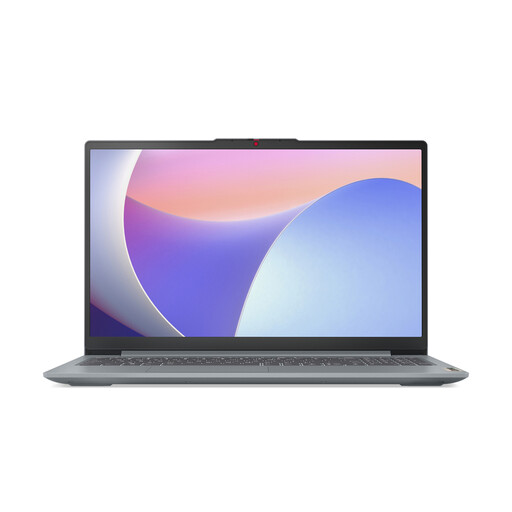
Lenovo IdeaPad Slim 3 15IAH8, 15.6-inch, 83ER00G4UK
The 15.6-inch screen is worth considering if you often read drafts on the laptop itself and have room for it at the desk. This Intel Core i5 variant has 8GB RAM and a 512GB SSD; confirm monitor or dock compatibility and the battery runtime if you regularly move between desks.
View on Joybuy
 No image available
Acer Aspire Lite AL15-36P-C29Z, 15.6-inch Full HD, 8GB RAM, 128GB SSD
A larger-screen option for draft reading at a desk, with an Intel N150 processor. Confirm whether its Windows 11 Home installation is in S Mode if your work requires particular applications, and check its connections against the shared monitor or dock.
View on Joybuy
 No image available
Acer Chromebook Plus 514 CB514-5H, 14-inch WUXGA, 8GB RAM, 256GB SSD
A compact Chromebook choice if your organisation permits its document workflow. The named variant has an Intel Core i3-1315U processor and a 1920 × 1200 display; confirm required application and security compatibility, as well as the shared desk’s display connection.
View on Joybuy
 No image available
HP OmniBook Ultra Flip 14-fh0006na 2-in-1, 16GB RAM, 1TB SSD
The 2-in-1 form factor may appeal if repositioning the device helps when reading or showing a draft to a colleague. Confirm the display finish and exact ports before relying on it with a shared monitor or dock.
View on Joybuy
Questions about shared-desk review
How should I set up a laptop for prolonged draft review?
Use a separate keyboard and mouse so the laptop screen can be raised on a riser or similar support, as the Health and Safety Executive advises for prolonged laptop use. Arrange the lighting and screen position to reduce reflections and glare.
Does a shared or hot-desk workstation need a UK display screen equipment assessment?
The Health and Safety Executive says employers must assess a workstation if a worker uses display screen equipment daily as part of normal work for continuous periods of an hour or more. Shared or hot-desk use does not remove the need to consider that working arrangement.
Will a webcam shutter keep a confidential draft out of view?
No. A webcam shutter controls the camera, not who can see text on the display. Position the screen appropriately and follow your organisation’s rules for handling sensitive documents.
Can I recycle an old laptop when buying a replacement in the UK?
UK government material on electrical-equipment takeback says distributors, including retailers, must give customers buying new electrical equipment an opportunity to recycle old items free of charge. Check how the retailer operates its takeback service, and clear data from the old laptop under your organisation’s approved procedure before handing it over.


