Desk-based source-and-draft writers
If you keep source material or notes open while drafting, an extended desktop lets you place them beside your review. Microsoft Support distinguishes this arrangement from a duplicated display.


For a book review, start by choosing a laptop that supports its built-in screen plus one external monitor as an extended desktop, then check the exact model’s video-output specification. If you want two external monitors, fewer cables at a desk or a screen you can carry, check the laptop’s display limit and its compatibility with the intended dock or portable monitor before buying.
If you keep source material or notes open while drafting, an extended desktop lets you place them beside your review. Microsoft Support distinguishes this arrangement from a duplicated display.
If you connect a monitor and peripherals each time you sit down, a compatible dock may simplify the connection. Check the laptop’s port protocol and charging requirements against the dock; Lenovo makes its dock compatibility conditional on the supported laptop connection.
If your writing space changes, a portable monitor may be easier to carry than a fixed desk display. Check its video and power requirements against your laptop before relying on a single USB-C cable.
Decide whether two screens means the laptop display plus one monitor, or two external monitors as well. That choice sets the display count to check before you consider a dock, desk monitor or portable screen.
| Concern | What to check | Who this matters to |
|---|---|---|
| Independent screens | Check the exact laptop’s supported external-display count with its built-in screen active, and confirm a compatible video-output path. | If I need a book or article beside my draft, mirrored screens will not give me a separate workspace. Around 36% of consumers put independent extended-display support first. |
| Desk connection and charging | Match the laptop’s USB-C or Thunderbolt protocol to the dock or monitor, and check its power-delivery requirements. | When I return to the same desk, I want to connect my display and peripherals without rebuilding the setup. For around 29% of consumers, a simpler desk connection is the primary need. |
| Portable second screen | Compare the monitor’s size and carrying requirements; check that the laptop supplies the video connection and power it needs. | If I write in different locations, being able to take the second screen with me matters more than keeping a larger display on one desk. Portability comes first for around 21% of consumers. |
| Reading and editing space | Compare screen size, resolution and stand adjustment for the place where you will work. | For sustained reading and revision, I want enough room to see source text and work comfortably with my draft. Around 14% of consumers make the viewing arrangement their main priority. |
A USB-C connector alone does not establish whether the laptop can drive a monitor. Lenovo specifies compatible video or Thunderbolt protocols for its docks.
Check the exact laptop port against the monitor or dock’s required protocol, as well as the intended display count and charging arrangement.
An incompatible connection may mean changing the planned dock or adapter.
Microsoft Support explains that a splitter duplicates a signal rather than creating two independent external desktops.
If you need two external monitors, check that the exact laptop and connection arrangement support both as separate displays.
A dock’s listed outputs do not override the laptop’s own display limits. Lenovo conditions dock compatibility on the laptop’s supported protocols, while Apple says external-display support varies by Mac model and display configuration.
Check the laptop’s supported display count first, then the dock’s compatibility, connection and charging requirements for that configuration.
A one-cable arrangement depends on both the laptop and monitor supporting the required video and power connection. A smaller screen also leaves less space for source pages and notes than a larger desk display.
Check USB-C compatibility, then compare the panel size and stand arrangement with where you expect to write.
Relevant to writers considering a laptop-and-dock desk arrangement or a portable second monitor.
Relevant to a fixed writing desk where the external screen may also connect peripherals.
Relevant to writers considering a MacBook with an external display.
These choices cover a laptop with two built-in screens and external monitors for desk-based or portable writing arrangements. For any separate monitor, confirm that your laptop supports the connection and screen arrangement you intend to use.
 No image available
Consider this if you want two built-in screens rather than carrying a separate monitor. Its product name specifies an Intel Core Ultra 7 255H, 16 GB LPDDR5X memory and a 1 TB SSD. Confirm the exact panel resolution and supported external-display arrangement if you also plan to attach a monitor.
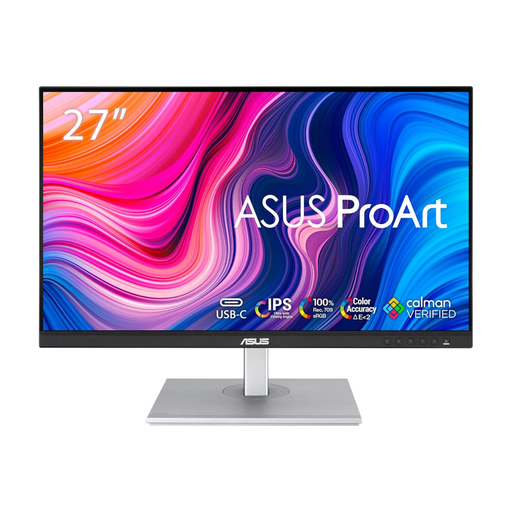 No image available
Consider this as a fixed second screen beside a laptop for reading source material while drafting. Its product name specifies an IPS WQHD display. Check that your laptop has a compatible video output, particularly if you intend to connect over USB-C.
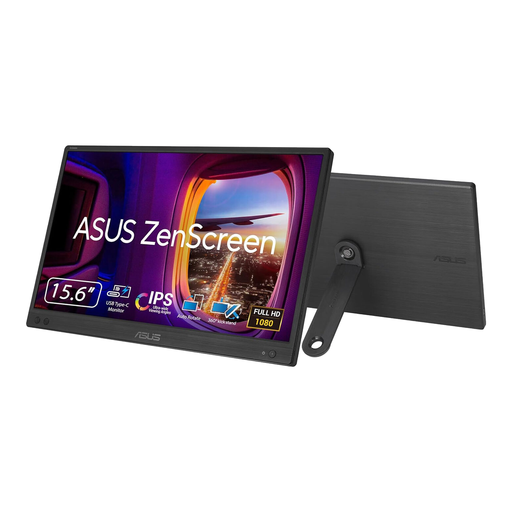 No image available
Consider this for a second-screen arrangement you can move between writing locations. Its product name specifies FHD resolution. Before relying on a USB-C connection, check that the intended laptop port supports the monitor’s video and power requirements.
 No image available
Consider this if a compact touch-enabled second screen fits your writing arrangement. The product name specifies a 180° adjustable stand. Check your laptop’s video output and the required cable before planning to connect it over USB-C.
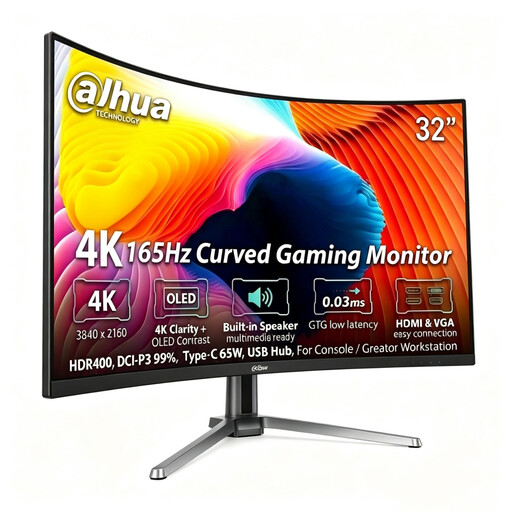 No image available
Consider this as a larger fixed second screen if its curved shape suits your desk and reading arrangement. The product name specifies 3840 × 2160 resolution. Check the laptop connection against the resolution and refresh rate you intend to use.
No: the connector alone does not establish video capability. Check the exact port against the monitor or dock’s required protocol; Lenovo, for example, conditions its USB-C and Thunderbolt dock compatibility on supported laptop protocols.
No. Microsoft Support says a splitter duplicates a signal rather than creating two independent signals. For two separate external monitors, check the laptop’s supported display count and the proposed port or dock arrangement.
Once a supported monitor is connected, select an extended desktop rather than a duplicated display, then arrange the screens in Windows display settings. Microsoft Support provides guidance for adjusting connected displays.
No. Apple says external-display support varies by Mac model and by the connected displays’ resolution and refresh rate. Check the specification for the exact MacBook and the number of monitors you intend to connect.