What matters when choosing?
Start with the platform your course requires; the other routes make sense only if the course tools and dependencies support them.
Windows with an Intel or AMD processor
Choose when: Your course specifies Windows software or WSL, or you want to avoid an additional Windows-on-Arm architecture check.
Bear in mind: Memory, storage and connections vary by configuration, even within one laptop family.
MacBook Air with Apple silicon
Choose when: Your course supports macOS; the Python Software Foundation says its current macOS installers run natively on supported Apple-silicon Macs.
Bear in mind: Check course-specific tools and whether your wired accessories need connections beyond the MacBook Air ports Apple lists.
Windows on Arm
Choose when: The laptop suits your needs and you can confirm the course packages, tools and peripherals you will use.
Bear in mind: Microsoft says Windows 11 on Arm can emulate x64 applications, but kernel drivers must be native Arm64.
Linux
Choose when: Your course uses Linux or you are comfortable setting up and maintaining it yourself.
Bear in mind: Check the course instructions and required software against the Linux distribution you intend to use.
| Concern | What to check | Who this matters to |
|---|
| Course compatibility |
Check the required operating system and whether lessons use WSL or platform-specific tools. Microsoft's VS Code setup also calls for a separately installed Python interpreter. |
If I am following course instructions for the first time, I want its tools to work on my chosen platform without changing the lessons. Around 31% of consumers put straightforward course setup first. |
| Multitasking |
Compare installed RAM and SSD capacity on the exact configuration against the applications and local files you expect to use together. |
With lesson material, an editor and a work call open together, I need to assess the whole workload rather than the editor alone. Roughly 31% of consumers make multitasking their primary concern. |
| Desk and display connections |
Count your monitors and wired accessories, then check the laptop's ports and supported external displays. |
If I use a separate monitor or wired peripherals, I want to know how they will connect before choosing a laptop. For around 23% of consumers, the desk setup is the main priority. |
| Development environment |
For Windows on Arm, check required packages, virtualisation tools and device drivers; for any platform, check course-specific dependencies. |
When my lessons require particular development tools or devices, their compatibility decides whether I can follow along. About 15% of consumers put those environment requirements first. |
Joybuy laptop options
These laptops offer Windows with an Intel processor, macOS with Apple silicon, and Windows on Arm options for learning Python at a home-office desk. Match any option to your course requirements before comparing its configuration and connections.
 No image available
MSI Modern C2RMG-282UK, 9S7-15H431-282
Consider this Intel laptop if its operating system meets your course requirements and you want a 15-inch screen for desk use.
Listed configuration: 15-inch FHD display, Intel Core 5, 16GB DDR IV RAM and 512GB SSD. Check monitor and dock compatibility for your desk.
View on Joybuy
 No image available
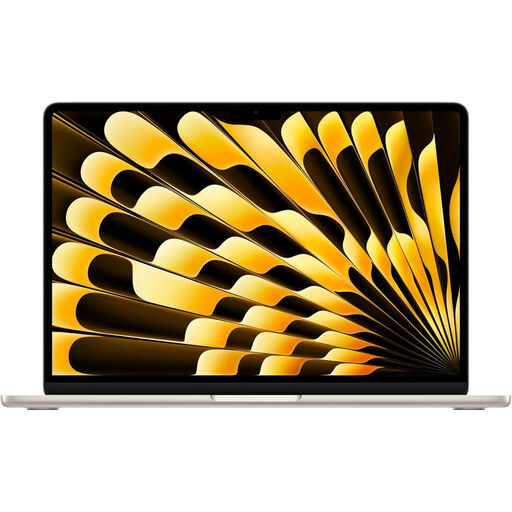
Apple 15-inch MacBook Air (2026), M5, Starlight
Consider this MacBook Air if your course tools support macOS and you want a 15-inch laptop for lessons and desk work.
Listed configuration: M5 with 10-core CPU and 10-core GPU, 16GB memory and 512GB SSD. Check course dependencies and the connections required by your monitor and accessories.
View on Joybuy
 No image available
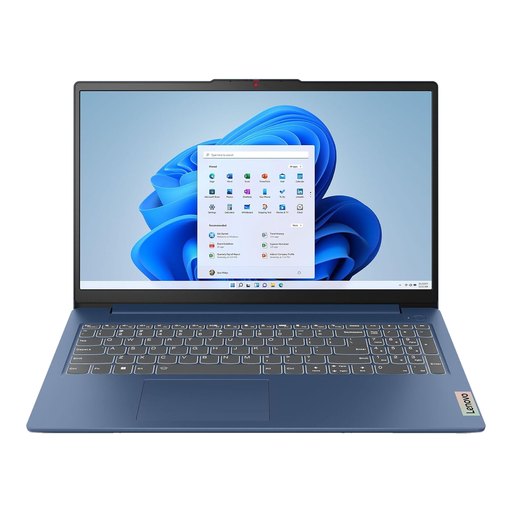
Lenovo IdeaPad 3 15IAU7, 82RK0177UK, Blue
Consider this 15.6-inch IdeaPad if its configuration and operating system fit your course and desk setup.
Its product title lists 16GB RAM and a 512GB SSD, but the supplied processor descriptions conflict. Confirm the processor for part 82RK0177UK and check external-display support before buying.
View on Joybuy
 No image available
HP OmniBook X Flip 16-as0004na
Consider this convertible Windows laptop if you want a 16-inch touchscreen for lessons and home-office work.
Listed configuration: Intel Core Ultra 5 226V, 16GB RAM, 512GB SSD and Windows 11 Home. Confirm its ports and external-display support against your desk equipment.
View on Joybuy
 No image available
ASUS Vivobook 14 X1407QA-LY003W, Quiet Blue
Consider this Snapdragon X laptop only after checking the Python packages, development tools and peripherals required by your course against Windows on Arm.
Its product title lists 16GB RAM and a 512GB SSD. Microsoft says Windows on Arm can emulate x64 applications, but kernel drivers must be native Arm64.
View on Joybuy
Frequently asked questions
Is there a minimum laptop specification for learning Python?
There is no single laptop specification that covers every Python course and home-office workload. Microsoft recommends a 1.6 GHz or faster processor and 1GB RAM for VS Code itself, but those editor requirements do not account for your browser, meetings, course packages and local files; check the course platform first, then the exact laptop configuration.
What do I need to install to use Python in VS Code?
Install VS Code, a supported Python interpreter and the Python extension. Microsoft's Python quick-start guidance treats them as separate components; installing the extension does not install the interpreter for you.
Can I learn Python on a MacBook Air?
Yes, if your course tools support macOS. The Python Software Foundation says its current macOS installers run natively on supported Apple-silicon and Intel Macs; check any course-specific dependencies and desk accessories before choosing a MacBook Air configuration.
Will Windows on Arm run the tools for my Python course?
It may run the tools you need, but confirm the exact list before choosing the laptop. Microsoft says Windows 11 on Arm can emulate unmodified x64 applications while kernel drivers require native Arm64 support, making driver-dependent devices and specialist tools important checks.
What should I check about laptop warranty and support?
Check the exact configuration's warranty duration, service route and included items alongside the seller's applicable return terms. Coverage differs by product: the cited Lenovo UK Yoga Slim 7 configuration lists one-year courier or carry-in cover, while the cited Dell UK Inspiron 14 configuration lists one-year collect-and-return service.


