Quiet-focus Python learners
If fan noise or keyboard feel could interrupt coding in a quiet room, assess those characteristics on the exact laptop you intend to buy. A slim design alone does not answer the noise question.


Choose Windows if you need Windows applications alongside Linux command-line tools through the Windows Subsystem for Linux (WSL); choose macOS if your course software works there and you prefer that environment. Neither route establishes that a particular laptop will be quiet during study: check independent noise testing for the exact model and workload, as well as the seller’s return terms, before making quietness decisive.
If fan noise or keyboard feel could interrupt coding in a quiet room, assess those characteristics on the exact laptop you intend to buy. A slim design alone does not answer the noise question.
If you use Windows software but your exercises also call for Bash or Linux tools, WSL may fit your workflow. Microsoft says WSL runs Linux distributions and command-line tools on supported Windows versions; check your course requirements before relying on it.
If you move between study spaces but spend long sessions reading documentation and typing code, consider the exact screen, keyboard, memory, storage and connectors together. A product family’s available options do not identify the configuration in an individual listing.
Consider it when: Your course or existing applications need Windows, while Linux command-line exercises can use WSL on a supported version.
Allow for: Windows Python setup and, if needed, a separate WSL installation; confirm whether your course instead requires native Linux or a virtual machine.
Consider it when: Your course tools run on macOS and you are comfortable working in that environment.
Allow for: Checking course-specific software and any adapters needed for your accessories; Apple lists two Thunderbolt 4/USB-C ports on its current 13-inch MacBook Air configuration.
| Concern | What to check | Who this matters to |
|---|---|---|
| Quiet operation | Independent noise results for the exact configuration under relevant workloads; return terms for assessing noise and keyboard comfort. | If intermittent noise would break my concentration, I would want to know how the laptop behaves while coding, charging and taking calls. Around 42% of consumers put low-distraction operation first. |
| Python and Linux tools | The supplied operating system and course software requirements; for WSL, a supported Windows version. | If my exercises need Windows applications as well as Bash or Linux tools, the working environment determines my choice. Around 33% of consumers prioritise that compatibility. |
| Daily study workspace | The exact display, installed memory and storage, connectors and charger inclusion. | When I keep documentation beside my editor and carry the laptop between study spaces, I need a screen and setup I can use comfortably. Roughly 25% of consumers place the study workspace first. |
Chassis size and processor branding do not establish what you will hear during package installation, code execution, charging or video calls.
Look for independent acoustic results for the exact configuration and a stated workload. If quietness will decide the purchase, check the seller’s return terms before ordering.
Manufacturer pages can describe optional or maximum specifications that differ from the laptop in a seller’s listing.
Match the exact model and variant to its installed memory, storage, display, operating system, keyboard layout, ports and supplied charger.
Apple lists two Thunderbolt 4/USB-C ports for its current 13-inch MacBook Air configuration and states that its current MacBook Air does not include a power adapter.
List the display, storage devices and other peripherals you will connect, then check the exact laptop’s ports and box contents.
Compatible adapters, a dock or a power adapter may be additional items for your setup.
A UK product-safety report from the Office for Product Safety and Standards identified fire and electric-shock risks from the plug pins of a particular laptop charger. The Health and Safety Executive advises using electrical equipment within manufacturer guidelines.
Use the supplied charger or check that a replacement is approved by the laptop manufacturer and suitable for the device and plug you will use.
A macOS option represented here by the current UK MacBook Air line. Apple lists a 13-inch configuration with 16GB unified memory, 512GB SSD storage and two Thunderbolt 4/USB-C ports.
A Windows option represented here by the UK Vivobook S14 (S5452) family. ASUS describes a 14-inch 16:10 display and options of up to 16GB memory and 512GB SSD storage.
A Windows option represented here by the UK IdeaPad Slim 5 Gen 10 AMD family, which includes different screen-size variants.
These Windows and macOS laptops offer different study-workspace configurations. Compare their exact variants with your course requirements; none should be chosen for quietness without suitable evidence for its operating noise.
 Image unavailable
Consider this macOS configuration if your Python course tools run on macOS and you want the listed memory and storage for study files. Check the keyboard layout and supplied charger for this variant, along with independent noise results if quietness is essential.
 Image unavailable
Consider this Windows laptop if a 15.6-inch display suits the space you use for code and documentation. Confirm your course software, keyboard layout, supplied charger and exact-model noise behaviour before deciding.
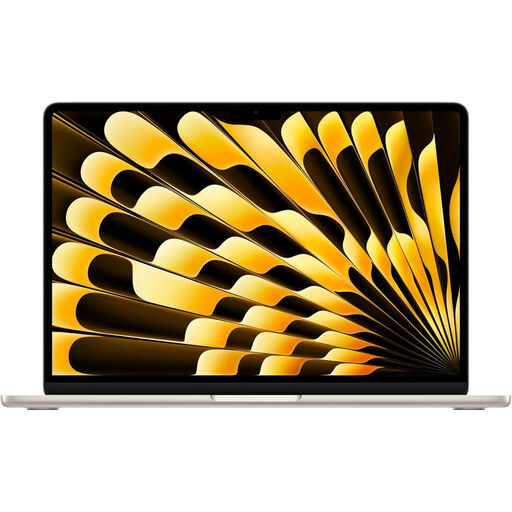 Image unavailable
Consider this macOS variant if you want a larger display for reading alongside code and its listed memory and storage meet your needs. Check the ports, charger and keyboard layout of the exact variant; do not treat a fanless claim as independent evidence of its overall operating noise.
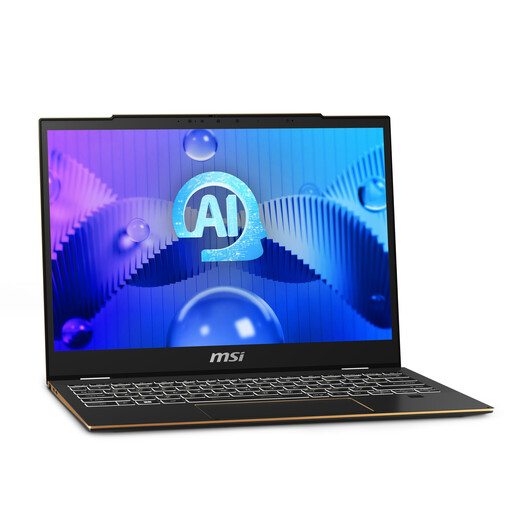 Image unavailable
Consider this Windows configuration if its listed memory and storage fit a workflow with an editor and reference material open together. Confirm the display size before buying because the listing gives conflicting figures; check keyboard comfort and exact-model noise as well.
 Image unavailable
Consider this Windows 11 Home convertible if its 16-inch touchscreen suits how you read documentation and work with code. Check its keyboard and hinge operation, connectors and carrying weight, as well as noise under your study workloads.
Choose the system that supports your course tools and existing applications: Windows can also provide Linux command-line tools through WSL, while Python has macOS-specific setup guidance. Microsoft describes WSL as a way to use Linux distributions and Bash tools on supported Windows versions; check whether your course requires something more specific.
Thinness does not establish how much noise a particular laptop makes during Python work or charging. Seek an independent test of the exact configuration under relevant workloads and check the seller’s terms for assessing it after delivery.
Check your course’s Python installation instructions and set up project environments as required. Python Software Foundation documentation notes a Windows installation example that assumes the system PATH option was selected; if you also need the standard WSL installation route, Microsoft specifies Windows 10 version 2004/build 19041 or later, or Windows 11.
Confirm which charger comes with the exact laptop, use it within the manufacturer’s instructions and check that any replacement is suitable for the device. Keep your order details and read the seller’s return terms if assessing noise or keyboard comfort after delivery matters to your decision; an assessment return is distinct from a remedy for faulty goods.