Choose a Windows laptop if your workflow requires Microsoft Client Hyper-V or existing x86-oriented virtual machines; for Client Hyper-V, Microsoft specifies Windows Pro or higher and a processor with second-level address translation (SLAT). An Apple-silicon MacBook Pro is an option when your guests and applications work with Arm-based virtual machines, but Parallels says existing Intel-based images cannot be used directly. Whichever platform you choose, size memory and storage for the host and concurrent guests, then assess fan noise separately using tests of the configuration under load.
Who these choices suit
Developers and lab users running several VMs
If you run guests concurrently or keep large virtual disks locally, start with the memory and SSD space needed by both the host and its VMs. Microsoft Learn identifies sufficient host memory and disk space as requirements for creating a Hyper-V virtual machine.
VM users in noise-sensitive rooms
If you study in a shared or otherwise quiet room, check fan noise under load as well as at idle. RTINGS treats these as relevant measurements for noise-sensitive use; a laptop specification alone cannot tell you how noticeable its fans will be during your VM workload.
Mac users with Arm-compatible guests
If you prefer macOS, establish whether your guest systems, applications and existing images fit an Apple-silicon workflow. Parallels requires Arm-based installation images for new VMs on Apple silicon and documents restrictions on importing VMs from other platforms.
What matters when choosing
Settle guest and hypervisor compatibility before choosing a memory and storage configuration; assess sustained-load noise independently of both.
| Concern |
What to check |
Who this matters to |
| Capacity for concurrent VMs |
Plan the memory allocated to each concurrent guest alongside host applications, then allow SSD space for virtual disks and other local files. |
If I run several guests while keeping development tools open, I need capacity for the host as well as the VMs. Around 40% of consumers put this capacity need first. |
| Fan noise under load |
Compare independent idle and sustained-load measurements for the exact configuration and tested performance mode. |
In a quiet study, I want to know how noticeable the fans become once my VMs are busy. For around 30% of consumers, avoiding disruptive load noise is the primary concern. |
| Guest and hypervisor compatibility |
Check guest architecture, existing image formats and nested-virtualisation needs; for Client Hyper-V, confirm Windows Pro or higher and CPU SLAT support. |
If my work depends on a particular guest image or hypervisor, ample hardware capacity will not resolve an incompatible setup. Compatibility comes first for around 30% of consumers. |
Buying pitfalls
-
Assuming Windows Home includes Client Hyper-V
Microsoft Learn specifies a SLAT-capable processor and a Windows Pro edition or higher for Client Hyper-V. A laptop with enough RAM for your guests does not satisfy that edition requirement by itself.
If Client Hyper-V is essential, check the operating-system edition of the exact configuration and confirm SLAT support for its processor before buying.
-
Expecting Intel-based VMs to transfer directly to Apple silicon
Parallels says Intel-based and Apple-silicon VMs use different CPU architectures. Its documented Apple-silicon limitations also include unsupported nested virtualisation and imports from VMware, VirtualBox and Hyper-V.
List your existing images, required applications and nested-virtualisation tasks before choosing a Mac; establish an Arm-compatible route for each task you need to keep.
Recreating VMs or adapting architecture-dependent software may take additional work.
-
Reading a powerful specification as a noise test
Processor, memory and storage specifications do not establish how a laptop sounds during sustained VM work. RTINGS distinguishes idle from load noise when assessing laptops for noise-sensitive settings.
Look for independent measurements of the exact configuration under load, and note the performance mode used in the test rather than relying on an idle result or a general description of quietness.
-
Overlooking what comes in the box
A Joybuy UK listing for a specific 14-inch M5 MacBook Pro configuration states that it includes a USB-C charging cable but no power adapter. Package contents should not be assumed to be the same across configurations.
Check the contents of the exact listing and the required adapter specification before checkout.
If an adapter is not included, you will need access to a compatible one.
Relevant brands to consider
Lenovo
A ThinkPad P-series configuration is worth examining if you need Windows Pro and substantial local VM capacity. Lenovo UK documented a ThinkPad P14s Gen 6 AMD configuration with Windows 11 Pro, 64GB DDR5 memory and a 2TB PCIe Gen4 SSD.
- That documented configuration provides concrete memory, storage and operating-system specifications to compare with your planned guests.
- The exact configuration was marked out of stock on the Lenovo UK page. Its specifications do not establish fan noise during VM use.
Apple
MacBook Pro is relevant if your VM workflow fits macOS and Arm-based guests. Apple UK lists unified-memory options from 16GB to 128GB, depending on the chip and model.
- The listed memory choices let you select a configuration against your planned concurrent workload.
- Parallels says new Apple-silicon VMs need Arm-based installation images and documents restrictions on Intel-based images, nested virtualisation and imports from other VM platforms.
Dell
Precision 5490 specifications offer a reference for comparing workstation configurations. Dell UK lists Windows 11 Pro, Ubuntu and Red Hat Linux options, several Intel Core Ultra processors and optional NVIDIA RTX Ada graphics.
- The documented operating-system options make the line relevant when comparing Windows and Linux workstation configurations.
- Dell UK marked the Precision 5490 unavailable. Check any alternative model on its own specifications and load-noise evidence.
Joybuy product choices
These listings include two Apple-silicon MacBook Pro configurations for Arm-compatible VM plans and three Windows 11 Home laptops with listed 64GB memory and 2TB storage. The Windows Home configurations do not meet Microsoft’s edition requirement for Client Hyper-V; assess each laptop’s load noise separately before choosing it for a quiet study.
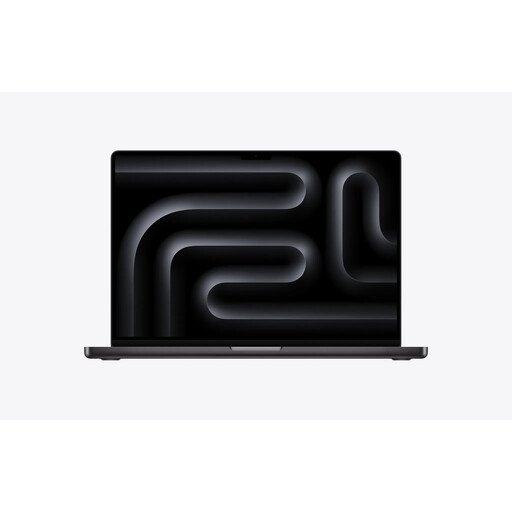 Image unavailable
Apple MacBook Pro 16.2-inch M5 Max, 18-core CPU, 40-core GPU, 48GB/2TB, Space Black
Consider this configuration if your planned guests and applications work in an Apple-silicon Arm VM environment and you need to size several local VMs.
The listing names 48GB unified memory and 2TB storage. Parallels requires Arm-based installation images for new Apple-silicon VMs and documents restrictions on nested virtualisation and imports from other VM platforms. Compare independent load-noise results for this configuration and performance mode before using quietness as a deciding factor.
View on Joybuy
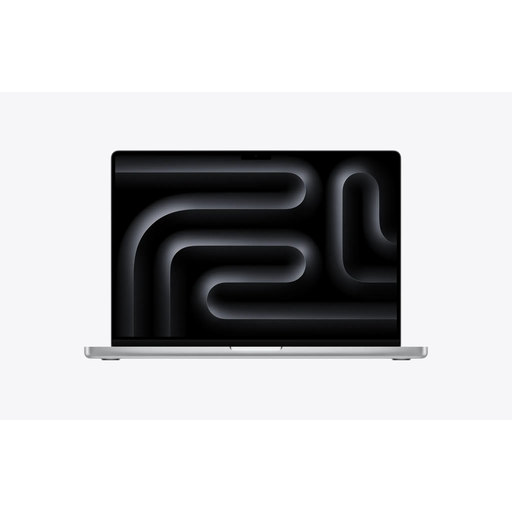 Image unavailable
Apple MacBook Pro 16.2-inch M5 Max, 18-core CPU, 32-core GPU, 36GB/2TB, Silver
Consider this configuration if your guest systems and applications are Arm-compatible and its listed memory suits your concurrent VM plan.
The listing names 36GB unified memory and 2TB storage. Check existing images against Parallels’ Apple-silicon import and nested-virtualisation limitations, and assess independent sustained-load noise measurements for this configuration.
View on Joybuy
 Image unavailable
ASUS ProArt P16 H7606WW-SE006W, 16-inch 4K OLED, 64GB/2TB, Black
Its listed memory and storage are relevant if you need space for concurrent Windows VM workloads and local virtual disks.
The title specifies an AMD Ryzen AI 9 HX 370, NVIDIA GeForce RTX 5080 16GB and Windows 11 Home. Microsoft requires Windows Pro or higher for Client Hyper-V, so check your intended hypervisor and the exact CPU requirements. Seek an independent load-noise test before treating it as suitable for a quiet room.
View on Joybuy
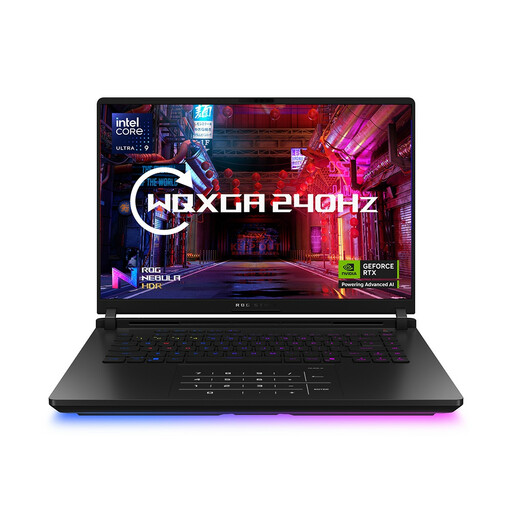 Image unavailable
ASUS ROG Strix SCAR 16 G635LW, Intel Core Ultra 9, 64GB/2TB
Its listed 64GB memory and 2TB SSD are capacities to compare with your planned guest allocations and virtual disks.
The title also specifies NVIDIA GeForce RTX 5080 and Windows 11 Home. Client Hyper-V requires Windows Pro or higher and a SLAT-capable processor, according to Microsoft; verify your VM software requirements and look for exact-configuration load-noise measurements.
View on Joybuy
 Image unavailable
Lenovo Legion Pro 7 16IAX10H, 83F5000UUK, 64GB/2TB, Black
Compare its listed memory and storage with the resources your concurrent guests and host applications will need.
The title specifies an Intel Core Ultra 9, NVIDIA GeForce RTX 5090 and Windows 11 Home. Microsoft’s Client Hyper-V requirements call for Windows Pro or higher and CPU SLAT support. Check those requirements if Hyper-V is essential, and use independent load-noise measurements to judge quiet-study use.
View on Joybuy
Common questions
Can I use Microsoft Client Hyper-V on Windows 11 Home?
Windows 11 Home does not meet Microsoft’s stated edition requirement for Client Hyper-V. Microsoft Learn specifies a Windows Pro edition or higher and a processor with SLAT capabilities, so check both on the exact laptop configuration if Hyper-V is essential.
How much memory and SSD space should I allow for VMs?
Size them around the guests you plan to run at the same time, rather than the host operating system alone. Microsoft Learn says the host needs sufficient physical memory to allocate to a VM and disk space for its configuration files and virtual hard disks; include your host applications and other local files in the plan.
Can an Apple-silicon Mac use my existing Intel-based VM image?
Not directly as an interchangeable VM. Parallels says Intel-based and Apple-silicon VMs use different CPU architectures and requires an Arm-based image for a new Apple-silicon VM; it also documents restrictions on importing VMware, VirtualBox and Hyper-V VMs.
How can I judge whether a laptop will be quiet enough for studying?
Compare independent fan-noise measurements for the exact configuration at idle and under sustained load, noting the tested performance mode. RTINGS identifies noise as particularly relevant in noise-sensitive environments, but a general load test cannot guarantee how the laptop will sound during your particular VM workload.


