What matters when choosing
For help-centre work, settle workplace compatibility before choosing a screen size or storage configuration. The operating-system routes below are conditional: neither establishes support for a particular employer’s tools.
Windows business laptop
Consider it when: your organisation uses Windows management or requires Windows desktop software.
Check carefully: memory, storage, ports and operating-system editions vary between configurations within a laptop family.
MacBook Air
Consider it when: your help-centre service and workplace tools are confirmed to support your macOS setup.
Check carefully: Apple lists two Thunderbolt 4/USB-C ports, so confirm connections for your existing desk equipment.
| Concern |
What to check |
Who this matters to |
| Long-form editing |
Try the keyboard and trackpad; compare how much of a long article or table fits on screen. |
If I spend hours structuring and proofing articles, I need typing controls and enough space to follow the content. Around 33% of consumers put sustained editing first. |
| Workplace compatibility |
Confirm the supported browser, operating system, sign-in method and required workplace tools with IT. |
I need to know I can sign in and publish through my employer’s setup before choosing a laptop. That is the primary concern for around 25% of consumers. |
| Images and languages |
Check the service’s image rules and translation workflow, then choose storage for the files you retain locally. |
When articles involve screenshots or language versions, I need a manageable way to keep and review the working files. Around 25% of consumers chiefly prioritise this content workflow. |
| Mobile and desk use |
Check carrying weight, ports and external-display support for the exact configuration. |
I work away from my desk but also want to connect my usual equipment when I return. For around 17% of consumers, that balance is the main concern. |
Joybuy laptop choices
These laptops offer different screen sizes and stated memory and storage configurations for article-editing work. Check the exact help-centre platform and employer requirements before choosing from them, particularly where browser or application compatibility matters.
 No image available
ASUS Vivobook 14 X1407QA-LY003W, Snapdragon X, 16GB RAM, 512GB SSD
Consider this configuration if you want a 14-inch laptop for editing articles while keeping local working files. Its name specifies a Snapdragon X processor, 16GB RAM and a 512GB SSD; confirm that your required browser and workplace applications work with the selected configuration.
View on Joybuy
 No image available
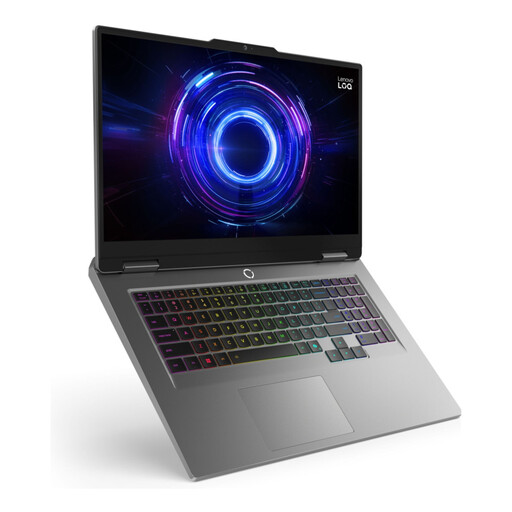
LOQ 17IRX10, i7-13650H, 24GB, 1TB, W11H
Consider its larger laptop format if you usually edit articles at a desk, but check its weight if you carry it regularly. The product name specifies an i7-13650H processor, 24GB memory, 1TB storage and W11H; confirm the required workplace software before buying.
View on Joybuy
 No image available
Microsoft Surface Laptop 7 15-Inch, Snapdragon X Elite, 16GB RAM, 256GB SSD, Maya Color
The 15-inch touchscreen is worth considering if you prefer reviewing articles on the laptop display. This variant names a Snapdragon X Elite processor, 16GB RAM and a 256GB SSD; check that its storage and your required workplace applications suit the way you work.
View on Joybuy
 No image available
HP OmniBook X Flip 16-as0004na, Core Ultra 5 226V, 16GB RAM, 512GB SSD
Consider the 16-inch touchscreen and 2-in-1 format if you want a larger display for reviewing article layouts. The named configuration has an Intel Core Ultra 5 226V processor, 16GB RAM, a 512GB SSD and Windows 11 Home; check its keyboard, weight and connections for your intended setup.
View on Joybuy
 No image available
Acer Aspire Lite AL15-36P-C29Z, 15.6-inch Full HD, 8GB RAM, 128GB SSD
This is an option to assess for help-centre editing when an 8GB RAM and 128GB SSD configuration meets your workload. It names an Intel N150 processor and Windows 11 Home; confirm whether the selected unit runs in S Mode and whether your required browser and workplace applications can be used.
View on Joybuy
Frequently asked questions
Do I need a graphics-focused laptop to format help-centre articles?
The documented editing tasks do not, on their own, establish a need for a dedicated graphics specification. Zendesk and Intercom describe work such as formatting text, tables, links and images; check separate requirements if your role also includes video production, local image editing or other demanding software.
Can I use a MacBook Air for help-centre editing?
A MacBook Air is an option if your help-centre service and employer support the required browser and tools on macOS. Google’s published Chrome requirements specify macOS 13 Ventura or later for Chrome on Mac, but that does not establish support for your particular service, sign-in system or workplace applications.
How much storage should I choose for screenshots and article images?
Choose storage around the files you actually retain locally, rather than treating a help-centre upload limit as a laptop-storage target. Check your service’s image rules and your organisation’s shared-storage and offline-working practices, then account for original files as well as published images.
Is a laptop meeting only the Windows 11 minimum specification enough?
Windows 11 eligibility alone is not a specification for comfortable help-centre work. Microsoft lists 4GB RAM and 64GB storage as minimum requirements and notes that particular applications and features may need more; assess the selected configuration against your tabs, calls, files and employer software.


