Choose the planning software before the laptop. A Windows 11 model with graphics that meet the application’s requirements is a sensible route for current desktop SketchUp or a Windows AutoCAD workflow; a Mac can suit work on the move if the office has confirmed that its applications and files work on macOS. For a measured garden layout, screen space and computing power cannot replace site measurements and a drawing to scale.
Who is this for?
3D garden-concept planners
If you intend to build desktop 3D models or do CAD-style drawing, check the exact application’s operating-system, memory and graphics requirements before choosing a laptop. SketchUp and Autodesk publish different requirements for their respective software.
Shared-office plan coordinators
If colleagues need to review a measured layout together, consider the built-in screen, connections to office displays and any device-management requirements. The Royal Horticultural Society advises starting with a drawing to scale; business-laptop features then need checking on the particular configuration.
Mobile garden planners using Mac software
If you take plans between the office and other locations, confirm that your drawing applications, shared files and office peripherals work with the Mac you are considering. Portability alone cannot settle a software-compatibility decision.
What matters when choosing?
The decisive split is between graphics-dependent 3D work and a mainly measured 2D workflow. Settle the office’s software and file-sharing arrangements before weighing screen size against carrying convenience.
Windows laptop for 3D or CAD
Consider when: The office plans to use current desktop SketchUp for 3D concepts or a Windows AutoCAD workflow.
Trade-off: Check the exact GPU, graphics memory and RAM against the application’s guidance; an ordinary office configuration should not be assumed to meet it.
Windows laptop for measured 2D plans
Consider when: Work centres on drawings to scale, documents and reviewing plans with colleagues rather than demanding 3D models.
Trade-off: A larger built-in screen offers more room for a plan but takes more space when the laptop is moved between work areas.
Mac for a mobile workflow
Consider when: The office has confirmed support for its planning applications, file exchange and macOS version.
Trade-off: Check Windows-only tools and the connections needed for existing monitors and peripherals before committing to this platform.
| Concern |
What to check |
Who this matters to |
| 3D and CAD capability |
Match the application and version to the laptop’s OS, RAM, GPU and graphics memory. SketchUp recommends a discrete GPU with at least 8GB of VRAM; Autodesk lists 32GB RAM and an 8GB DirectX 12 GPU as recommended for AutoCAD 2026. |
If I need to navigate 3D garden models or develop CAD-style drawings, software compatibility comes before general office features. Roughly 50% of consumers put 3D and CAD capability first. |
| Shared-office setup |
Check display connections and the exact configuration’s camera, Windows edition and any IT-management features the office requires. |
When colleagues review the same plan at a desk, I need a workable display and a laptop that fits the office setup. Shared-office collaboration is the first concern for around 30% of consumers. |
| Portability and platform fit |
Compare the built-in screen and carrying needs, then confirm application support and compatibility with the office’s monitors or dock. |
If I carry plans between work areas, I want a screen I can work with without giving up the software the team uses. About 20% of consumers prioritise portability and platform fit. |
Buying pitfalls
-
Choosing by processor name alone
A capable-sounding processor does not establish that a laptop meets the graphics and memory requirements of the intended 3D application.
Note the application, version and likely project complexity, then compare the full laptop configuration with the software vendor’s current requirements.
-
Starting the digital plan without site measurements
A tidy drawing can still be inaccurate when boundaries, dimensions and fixed features have not been measured. The Royal Horticultural Society recommends using a drawing to scale when planning a garden.
Record the measurements and fixed features on a rough sketch before transferring them into planning software.
Incorrect dimensions can also affect the quantities of materials ordered for the plan.
-
Assuming a business range guarantees every feature
Lenovo, Dell and HP describe features across business-laptop ranges, but the available security, camera, memory and graphics options depend on the model and configuration.
Check the chosen unit’s configuration and your office’s requirements rather than relying on the range name.
-
Picking a platform before checking the workflow
SketchUp and AutoCAD publish operating-system requirements, while the ports on a laptop must also work with the office’s display and peripherals.
Confirm application support, shared-file use and monitor or dock compatibility before choosing Mac or Windows.
A compatible adapter or dock may be needed for existing peripherals.
Brands to consider for this workflow
Lenovo
ThinkPad T-series models are relevant if the office wants to compare configurable Windows business laptops, including 16-inch options.
- Lenovo describes configuration-dependent security and repairability features within the T-series.
- Check the exact model’s graphics, RAM, ports and operating system; a T-series name alone does not establish suitability for 3D work.
Dell
Dell Pro offers business-laptop configurations to consider for desk-based planning and office management needs.
- Dell lists Dell Pro 16 examples with a 16:10 display and Windows 11 Pro.
- Check the selected configuration against the intended application’s graphics and memory requirements.
HP
ProBook models offer business-oriented options across several screen sizes for a shared-office setup.
- HP describes display and camera options, noise-cancelling audio and upgradeable memory and storage on some newer ProBooks.
- Confirm which features, graphics specification and Windows edition the particular unit includes.
Apple
MacBook Air is an option when the office has established a Mac-compatible planning and file-sharing workflow.
- Apple lists M5 MacBook Air configurations with 16GB unified memory, 512GB SSD storage, two Thunderbolt 4 ports and support for up to two external displays.
- Confirm application support and whether existing office peripherals need adapters or a dock; do not assume Windows-only software will run.
Joybuy product choices
These laptops offer different starting points for graphics-dependent planning and measured-plan review. Check the exact software, operating system and office connections before deciding which configuration fits.
 No image available
ASUS ProArt P16 H7606WW-SE006W, RTX 5080, 64GB RAM
Consider this configuration if the intended Windows planning software calls for substantial graphics and memory capacity; confirm its application-specific requirements before purchase.
The named variant has a 16-inch 4K OLED touchscreen, an NVIDIA GeForce RTX 5080 with 16GB graphics memory, a 2TB SSD and Windows 11 Home. Check whether the office requires a different Windows edition.
View on Joybuy
 No image available
Lenovo LOQ Essential 15ARP11, RTX 5050, 16GB RAM
Consider this model for a planning workflow that needs a named GeForce GPU, while checking the software’s full graphics and operating-system requirements.
Its title specifies a 15.6-inch Full HD display, a 1TB SSD and an AMD Ryzen 7 170. Its 16GB RAM is below the 32GB recommended for AutoCAD 2026 by Autodesk, so that application’s intended workload deserves particular attention.
View on Joybuy
 No image available
Lenovo Legion Pro 7 16IAX10H 83F5000UUK
Consider this 16-inch configuration if the office expects graphics-dependent 3D work, subject to the intended application’s compatibility requirements.
The title specifies an Intel Core Ultra 9, 64GB RAM, a 2TB SSD, an NVIDIA GeForce RTX 5090 and Windows 11 Home. Confirm whether that Windows edition fits the office’s management requirements.
View on Joybuy
 No image available
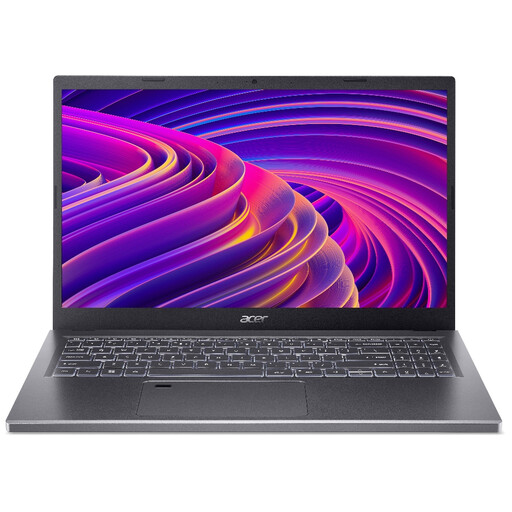
Acer Aspire 5 A515-48M, Ryzen 5 7530U
Consider this model for measured-plan review and office documents; check its exact graphics capability before relying on it for desktop 3D work.
The named configuration has a 15.6-inch Full HD display, 16GB RAM and a 512GB SSD. Confirm that its operating system and connections fit the office workflow.
View on Joybuy
 No image available
MSI Summit 16 AI Evo, Core Ultra 7 255H
Consider this configuration for reviewing measured layouts on a larger built-in screen, with application compatibility checked separately.
Its title specifies a 16-inch QHD+ display, 32GB LPDDR5 RAM, a 1TB SSD and Intel Arc graphics. Check the exact graphics requirements before choosing it for 3D or CAD work, and confirm the office’s display connections.
View on Joybuy
Frequently asked questions
Will any Windows laptop run current desktop SketchUp?
No. SketchUp says Windows 10 and older versions are unsupported for SketchUp 2026. For a Windows laptop, check Windows 11 and the application’s current processor, RAM and graphics requirements.
Is 8GB of RAM enough for garden-layout planning?
It depends on the application and the work you intend to do: SketchUp lists at least 8GB in its recommended hardware guidance, while Autodesk lists 8GB as basic and 32GB as recommended for AutoCAD 2026. Compare the laptop with the requirements for your actual software and project.
Can colleagues use Remote Desktop for SketchUp?
Do not plan a SketchUp workflow around Remote Desktop Connections: SketchUp says they are unsupported because of hardware restrictions in shared environments. If remote access is essential, resolve the workflow with the software vendor before buying a laptop for it.
Will a more powerful laptop make the garden plan accurate?
No. Accuracy still depends on measured dimensions and a drawing to scale. The Royal Horticultural Society advises mapping the garden’s shape and existing features before developing the plan.


