What matters when choosing?
Start with the footage and software you use, then work out how the laptop, screen and controls will fit on your standing desk.
| Concern |
What to check |
Who this matters to |
| Editing performance |
Check the exact processor, memory and GPU against your editor, footage format and export settings. Adobe describes H.264 and H.265 acceleration in Premiere for supported hardware, not every editing path. |
If I edit lengthy or frequent projects, smooth playback and workable exports matter more to me than a smaller laptop. Around 37% of consumers put editing performance first. |
| Standing-desk ergonomics |
Plan screen support and a separate keyboard and mouse for prolonged raised-screen use, as advised by the Health and Safety Executive. |
When I edit for extended periods while standing, I need to position the screen without being forced to type on an elevated laptop keyboard. Around 27% of consumers make that setup their primary concern. |
| Travel portability |
Compare the exact model's dimensions and weight, and check its connections against the cards, storage and display you use. |
If I take footage and the laptop away from my desk, carrying the equipment matters even if I have less screen space while travelling. For around 18% of consumers, portability comes first. |
| Display workspace |
Check the selected configuration's panel size, resolution and any manufacturer colour-gamut specification; do not apply a range-wide maximum to every model. |
When I edit mainly on the laptop screen, I want room for the timeline and preview without relying on a desk display. Display workspace is the leading concern for around 18% of consumers. |
Joybuy laptops for holiday video editing
These laptops cover smaller MacBook Pro and larger Windows and Mac configurations for editing holiday videos. Compare the listed hardware with your own software and footage, and plan separate controls if you will raise the screen for prolonged standing-desk sessions.
 No image available
ASUS ProArt P16 H7606WW-SE006W, RTX 5080 16GB, 64GB/2TB
Consider this 16-inch Windows configuration if you want a built-in 4K OLED touchscreen for editing at the desk.
The product name specifies an AMD Ryzen AI 9 HX 370, NVIDIA GeForce RTX 5080 16GB, 64GB RAM and a 2TB SSD. Check support for your editor, footage and export settings separately.
View on Joybuy
 No image available
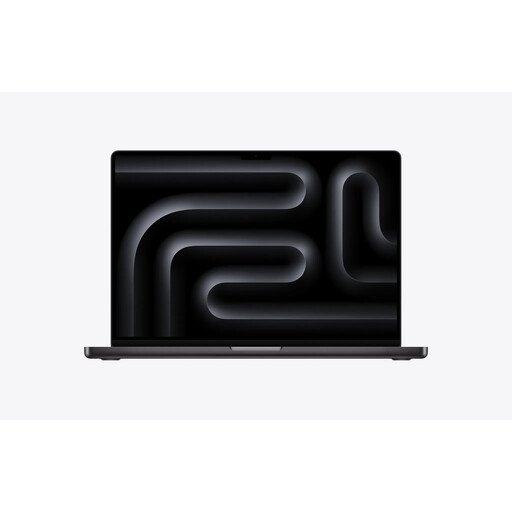
Apple MacBook Pro 16.2-inch M5 Max, 48GB/2TB, Space Black
Consider this larger MacBook Pro if you edit in macOS and want more built-in screen space at your desk.
The product name specifies an M5 Max with an 18-core CPU and 40-core GPU, 48GB unified memory and a 2TB SSD. Apple lists media engines for current MacBook Pro models; check your particular software and export path.
View on Joybuy
 No image available
MSI Stealth 18 AI Studio A1VGG-001UK, RTX 4070, 32GB/2TB
Consider the 18-inch format if built-in editing workspace matters more to you than keeping the laptop compact.
The product name specifies an Intel Core Ultra 9, NVIDIA GeForce RTX 4070, 32GB RAM and a 2TB SSD. Check how your editor uses the GPU for your footage and exports.
View on Joybuy
 No image available
Apple MacBook Pro 14.2-inch M5 Pro, 24GB/2TB, Silver
Consider this smaller MacBook Pro if you want a macOS editing laptop to use both away from and at your standing desk.
The product name specifies an M5 Pro with an 18-core CPU and 20-core GPU, 24GB unified memory and a 2TB SSD. Check its weight and the power adapter supplied if either affects your travel setup.
View on Joybuy
 No image available
Lenovo Legion Pro 7 16IAX10H 83F5000UUK, RTX 5090, 64GB/2TB
Consider this 16-inch Windows configuration if listed graphics capacity and memory are priorities for your editing setup.
The product name specifies an Intel Core Ultra 9, NVIDIA GeForce RTX 5090, 64GB RAM and a 2TB SSD. Check your editor and codec requirements, as well as the laptop's weight if you plan to travel with it.
View on Joybuy
Frequently asked questions
Can I edit holiday videos at a standing desk using only the laptop?
You can use the laptop alone for a short session, but plan separate controls for prolonged raised-screen use. The Health and Safety Executive advises a separate keyboard and mouse so the laptop screen can be elevated without relying on its attached keyboard.
Do I need a dedicated GPU for holiday-video editing?
Not necessarily for straightforward trimming; the answer depends on your footage, effects, editor and exports. Adobe says Premiere can use supported hardware to accelerate H.264 and H.265 playback and export, so check the exact GPU and format path if you edit these files regularly.
Should I choose a 14-inch or a larger laptop?
Choose a 14-inch format if carrying the laptop matters more and you can use a separate display for longer desk sessions. A larger built-in screen provides more room for the timeline and preview, while taking up more space in your standing-desk setup.
What should I check before using an external SSD for video files?
Check the exact laptop ports and the drive's connection and cable. Apple lists Thunderbolt on MacBook Pro, while ASUS lists USB4 Type-C for the ProArt P16 range; neither range description establishes how a particular external drive will perform.


