What matters when choosing
Check your editing application and footage format before choosing a Mac or Windows configuration. Then measure the space available for the laptop and the equipment you will connect.
| Concern |
What to check |
Who this matters to |
| Desk space and connections |
Measure the space for the laptop and charger; count the ports needed for drives, a card reader and a monitor. |
If my drive and cables crowd the desk, I need a laptop and connection layout that leaves room to edit comfortably. Around 31% of consumers would put physical fit and connections first. |
| Everyday editing needs |
Match the selected memory, storage and supported footage formats to your editor and usual projects. |
For occasional cuts, titles and exports, I want a configuration suited to that work without choosing hardware solely for heavier effects. Roughly 31% of consumers would make everyday editing their primary concern. |
| Performance headroom |
Check the exact processor, GPU and memory, alongside your editor’s hardware-acceleration requirements. |
With layered timelines or effects in regular use, I need to know whether the application can use the hardware I choose. About 23% of consumers would prioritise performance headroom. |
| Screen and media storage |
Check the display specifications, internal SSD capacity and connections for any external drive or monitor. |
When footage takes up space and I spend longer arranging clips, I need a screen and storage plan that works within my desk layout. Approximately 15% of consumers would put that workflow first. |
Joybuy laptops for this setup
These configurations cover a 14-inch MacBook Pro, a compact MacBook Air and a 14-inch Windows laptop with an RTX GPU. Choose between them using your editing software, footage and available desk space.
 No image available
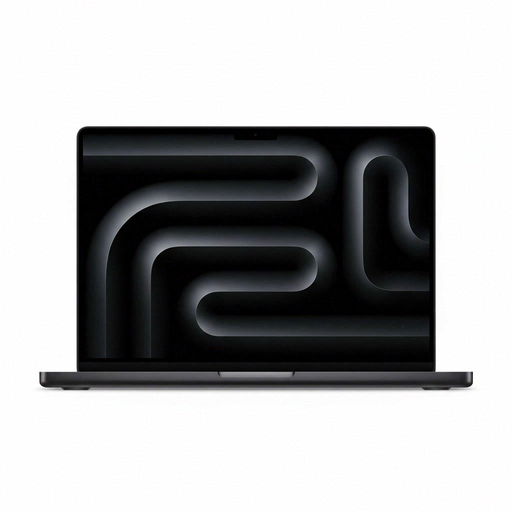
Apple MacBook Pro 14.2-inch M5 Pro, 24GB/2TB, Space Black
Consider this 14.2-inch configuration if your desk can accommodate it and your projects call for more memory and storage. The named variant has an M5 Pro with a 15-core CPU and 16-core GPU, 24GB memory and a 2TB SSD. Check your editor and footage compatibility, as well as power-adapter provision.
View on Joybuy
 No image available
Apple 13-inch MacBook Air (2026) M5, 24GB/1TB, Midnight
This 13-inch MacBook Air is a compact macOS option for editing on a small desk. The named variant has an M5 chip with a 10-core CPU and 10-core GPU, 24GB memory and a 1TB SSD. Plan connections for your editing accessories, and check application compatibility and power-adapter provision.
View on Joybuy
 No image available
ASUS ROG Zephyrus G14 GA403WR-QS088W, 32GB/2TB, German Grey
Consider this Windows configuration if your editing software can use its dedicated NVIDIA GPU and a 14-inch screen fits your desk. The named variant has an AMD Ryzen AI 9 HX 370, GeForce RTX 5070 Ti, 32GB memory, a 2TB SSD and Windows 11 Home. Check its physical dimensions and your editor’s support for the GPU and footage formats.
View on Joybuy
Frequently asked questions
Is a 13-inch laptop too small for holiday-video editing?
A 13-inch laptop can work if you are comfortable using its timeline workspace or can connect a monitor. Measure the desk with your other equipment in place, and check the chosen model’s external-display connections and limits; Apple lists external-display support for the MacBook Air.
Should I choose a Mac or Windows laptop for editing?
Choose the operating system that supports your required editor, plug-ins, footage and peripherals. Apple lists hardware media engines for supported formats in its MacBook range, while ASUS lists an NVIDIA RTX Laptop GPU for the ProArt PX13; neither feature replaces a check of your particular workflow.
Will a MacBook Air come with a power adapter?
Check the exact retail package before buying. Apple’s UK MacBook Air purchase page says a power adapter is not included, so confirm what comes with the configuration you select and how you will power it.
What should I do with my old laptop?
Back up your files, remove personal data and check a suitable take-back or recycling route. UK government guidance identifies the Waste Electrical and Electronic Equipment Regulations 2013, as amended, as the framework for electrical-equipment recovery, reuse and recycling; a retailer or local authority can explain the route available to you.


