Daily-carry hybrid workers
People who regularly take one computer between home and work and need to balance carry weight, task capability and battery evidence rather than choosing by screen size alone.


Choose around the work applications and desk setup you need first, then compare carrying weight, battery evidence and documented docking or display support. A light 13- or 14-inch laptop can suit frequent travel, while a dock can simplify desks with monitors, Ethernet and peripherals; the USB-C connector alone does not confirm that a particular laptop-and-dock setup will work as intended.
People who regularly take one computer between home and work and need to balance carry weight, task capability and battery evidence rather than choosing by screen size alone.
People who reconnect to monitors, Ethernet, keyboard, mouse and charging at either location. They need confirmed laptop-and-dock compatibility, not simply a USB-C-shaped port.
People whose document, spreadsheet, communications or reference-heavy work benefits from a second display away from a fixed desk. Their laptop needs a compatible video-output path.
Choose this when: You carry the computer on most office days and can work on its built-in screen or use monitors already available at each location.
Trade-off: Lower weight can come with fewer built-in ports or a smaller screen, and a sleeve does not solve desk connectivity or software requirements.
Choose this when: You regularly need monitors, a keyboard, mouse, wired network or charging from one desk connection.
Trade-off: A dock adds another compatibility check: laptop video output, monitor arrangement and charging power must all match.
Choose this when: A second screen is regularly useful away from either established desk, such as for spreadsheets, documents, chat or reference work.
Trade-off: It adds another item, cable and power or video dependency to the travel setup.
| Priority | What to check | Your needs and respondent share |
|---|---|---|
| Carrying practicality | Compare the exact configured weight and dimensions; check independently tested battery results where available; match any sleeve to the laptop’s dimensions. | I need a computer that remains practical to carry between work locations. The Office for National Statistics reported that 28% of working adults in Great Britain hybrid worked between January and March 2025; this describes working arrangements, not laptop preferences. |
| Desk connections | Confirm USB-C, Thunderbolt or video-output functions; compare dock outputs with each monitor input and required resolution or refresh rate; check dock power delivery against laptop charging needs. | At each desk, I want monitors, peripherals, network access and charging to reconnect without guessing whether the whole setup is compatible. |
| Work capability | Confirm operating-system, application and device-management compatibility; choose memory, processor and storage for simultaneous applications and local files; compare performance results on a consistent test basis where available. | The computer needs to run the software, browser tools, calls and files my work requires before portability becomes the deciding factor. |
A one-cable desk depends on compatible data, video and charging support across the laptop, dock and displays.
List every monitor, its input and required resolution or refresh rate, plus peripherals, Ethernet and charging needs. Match them to the exact laptop and dock documentation before purchase.
An unsupported arrangement may require a different dock, adapter, cable or monitor connection.
Low weight does not establish that a laptop has the right memory, storage, ports or support for the applications used at work.
Confirm operating-system compatibility and required applications first, then compare the exact configuration, ports, independently tested performance and battery information.
Battery figures can be measured under different conditions, so manufacturer claims are not necessarily a like-for-like comparison.
Where possible, compare results from the same independent test method. Otherwise, treat manufacturer figures as model-specific claims and check the seller’s return terms before relying on all-day use.
Electrical products should be handled as electrical waste rather than household rubbish.
Back up and securely erase personal and work data, then use a local household waste recycling centre or an appropriate retailer or manufacturer take-back route.
A macOS portable-laptop route represented by the MacBook Air line, for workers whose required applications, employer access methods and peripherals are compatible with macOS.
A Windows ultralight route represented by the XPS 13 family for workers who prioritise low carry weight and need Windows compatibility.
A Windows portable-laptop route with mainstream 14-inch options for workers seeking a less extreme portability compromise than a 13-inch ultralight.
A Windows portable-laptop route for comparing lightweight 14-inch machines with more conventional memory configurations.
Joybuy options for a hybrid setup: portable Windows laptops, USB-C desk-connectivity accessories and a portable second display for moving between home and office.
 No image available
A portable Windows option for carrying between locations while retaining documented desk-connection options.
Stated specifications include a 1.34kg chassis, 14-inch 3K OLED touchscreen, 360-degree hinge, Intel Core Ultra 7 processor, 16GB memory, 1TB SSD and two Thunderbolt 4 ports with DisplayPort and Power Delivery. Check employer software, dock, monitor and charger compatibility for the exact setup, and compare battery evidence before relying on a full unplugged workday.
 No image available
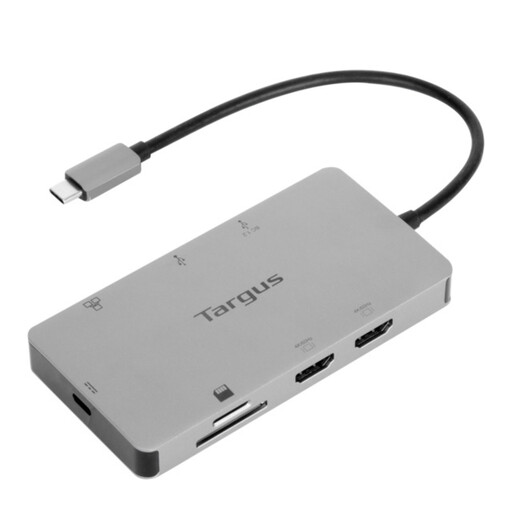
A desk accessory for reconnecting displays, network and peripherals through a compatible laptop connection.
The listing states two HDMI 2.0 outputs, Gigabit Ethernet, USB ports, card readers, USB-C Alt Mode host connection and up to 100W Power Delivery pass-through. It requires a laptop with the necessary docking and video functions, and the stated pass-through needs an external 100W or higher adapter; check monitor inputs and required display settings.
 No image available
A compact Windows laptop option for regular carrying and reconnecting to monitors at either desk.
Stated specifications include a 14-inch, 1.49kg chassis, 16GB memory, 512GB SSD, anti-glare 16:10 display, two USB4 ports with DisplayPort and Power Delivery, and HDMI 2.1. Check that required work software, security tools and peripheral drivers support this Snapdragon-based Windows configuration, plus the intended dock and charging arrangement.
 No image available
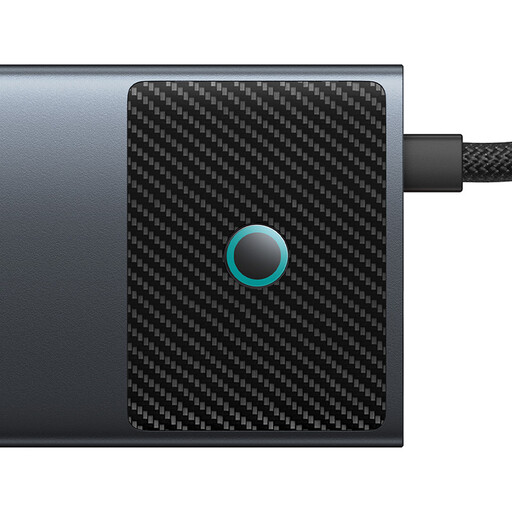
A USB-C hub for desks with HDMI displays, wired network access and several USB peripherals.
The stated connections include HDMI outputs rated up to 4K at 120Hz and 4K at 60Hz, Gigabit Ethernet, 10Gbps USB ports, SD/TF readers and 100W Power Delivery input. Video requires a laptop USB-C port with DisplayPort Alt Mode; check the laptop, cables and monitors together before expecting the intended dual-display mode.
 No image available
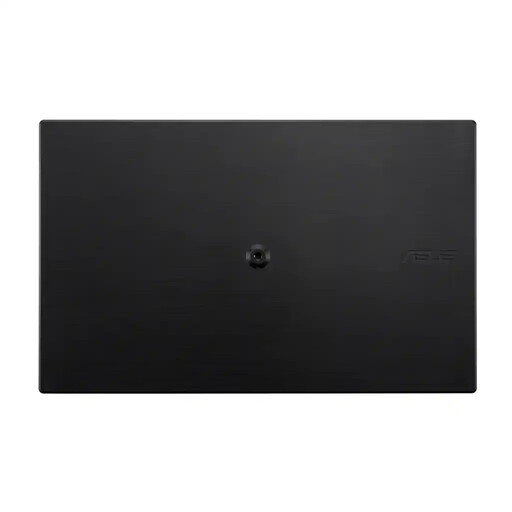
A portable second-screen option for document, spreadsheet and communications work away from a fixed desk.
The listing states a 15.6-inch 1920 × 1080 IPS display, anti-glare surface, USB-C connection for power and video, and 780g weight. Confirm that the laptop USB-C port can provide compatible video output and power for the intended one-cable setup; no HDMI input is stated.
No. USB-C can support data, displays and power in a single-cable arrangement only when the laptop, dock and cables support the relevant functions. Check the laptop’s documented display output, the dock’s monitor support, monitor inputs, required resolution or refresh rate, and charging power before purchase.
Only if it also supports the software, memory, storage and connections required for your work. Which? current UK listings show that low-weight models can have different memory configurations, so compare the exact SKU rather than assuming every lightweight model suits heavier multitasking.
Keep the order record and evidence of the fault, then contact the seller. The Consumer Rights Act 2015 sets out remedies for faulty goods; where repair or replacement applies, section 23 requires the trader to repair or replace the goods.
Treat it as electrical waste rather than household rubbish. GOV.UK says waste electrical products can be taken to a local household waste recycling centre; back up and securely erase personal and work data first.