What should you check before choosing?
External monitor
Consider it when: your main need is more visible workspace at a regular desk.
Trade-off: it uses desk space and may duplicate a screen already provided.
Keyboard and mouse
Consider them when: you need to position the laptop screen separately from your typing and pointing controls.
Trade-off: they take up desk space and do not add screen area.
Laptop stand
Consider one when: you are keeping the laptop as your screen and need to adjust its position.
Trade-off: a stand does not add another display or extra ports; check that it fits your laptop.
USB-C or Thunderbolt dock
Consider one when: you regularly reconnect several peripherals and your laptop supports the dock’s required functions.
Trade-off: extra ports do not resolve screen-position needs, and display modes and charging depend on the exact host and dock.
Webcam or headset
Consider one when: the laptop’s existing camera or audio does not meet your work-call needs.
Trade-off: call equipment does not replace the screen and input choices in your workstation.
For workers who use display screen equipment daily as part of their normal work for an hour or more continuously, HSE says employers must assess the workstation. Where an applicable assessment identifies action such as providing equipment, HSE says the worker cannot be charged for it.
| Concern |
What to check when buying |
Who this matters to |
| Visible workspace |
Match the laptop’s video output to the monitor input; check desk space and any intended USB-C charging compatibility. |
I need more room for work on a regular desk and do not want to duplicate a screen I already have. Around 29% of consumers put visible workspace first. |
| Separate controls |
Check keyboard layout, connection method and available ports, as well as what your employer supplies. |
I want to type and point separately while positioning my laptop screen independently. Around 23% of consumers prioritise separate controls. |
| Laptop-screen position |
Check the stand’s fit with your laptop and work surface; consider separate controls for prolonged use. |
I plan to keep the laptop as my screen but need to change its position. Around 18% of consumers put laptop positioning first. |
| Repeated connections |
Check the laptop’s video-capable port, supported display modes, charging requirements and the dock’s power supply. |
I reconnect several peripherals and need a hub that works with my laptop’s specific video and charging capabilities. Around 18% of consumers prioritise reconnection. |
| Call equipment |
Check the connector, any required software and the relevant meeting-platform features. |
I only need an addition if my existing camera or audio falls short for work calls. Around 12% of consumers put call equipment first. |
Joybuy products for laptop workstations
These Joybuy options cover adding a separate monitor, raising a laptop, expanding USB-C connections or adding a wired headset. Check your laptop’s ports and display support before choosing a hub.
 No image available
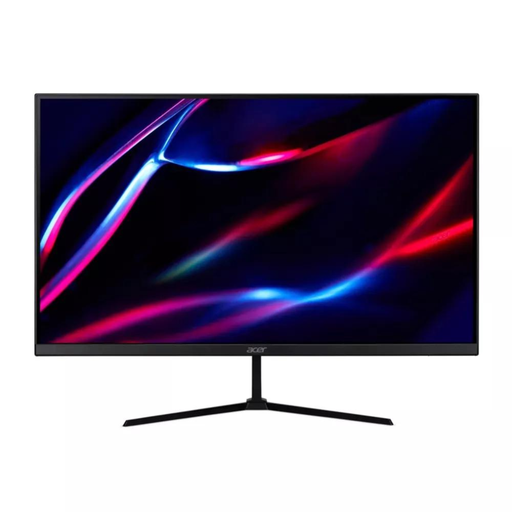
27-inch QHD IPS monitor
For adding a separate screen to a laptop workstation. The title lists QHD, IPS, 180Hz, 1ms/0.5ms (GTG, Min.), 350 nits, 2 × HDMI, DisplayPort, audio out, HDR400, FreeSync Premium and UK MPRII; HDMI and DisplayPort cables are included.
Joybuy
 No image available
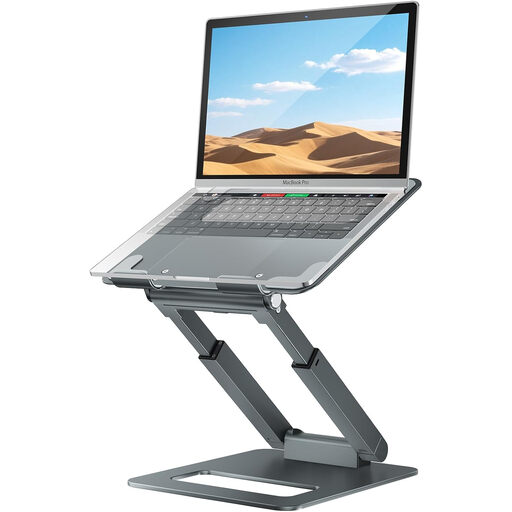
Adjustable telescopic laptop stand
For positioning a laptop that remains your screen. The title describes an adjustable, telescopic desk stand; check its fit with your laptop and work surface.
Joybuy
 No image available
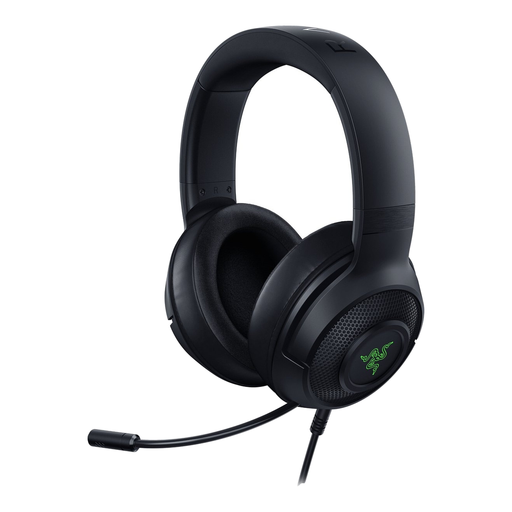
Razer Kraken V3 X headset, Black
Consider it if your existing laptop audio does not meet your work-call needs. The product description specifies a wired USB connection and microphone; check that the connection suits your device.
Joybuy
 No image available
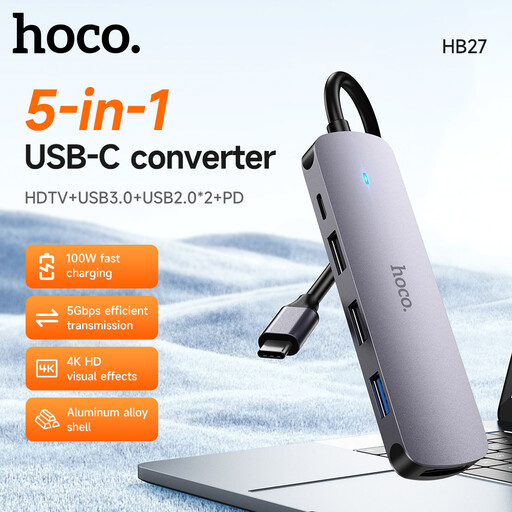
HOCO HB27 USB-C Hub, Metal Gray
For adding connections to a laptop workstation. The product description lists HDMI and USB ports and a 60 W PD port; HDMI video output requires the host device to support DP Alt Mode.
Joybuy
 No image available
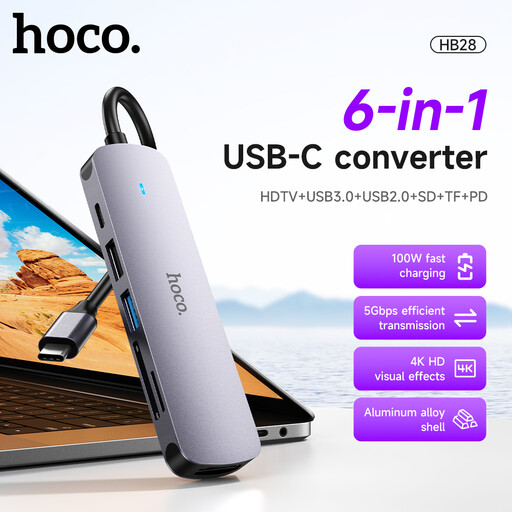
HOCO HB28 USB-C Multi-Function Converter, Metal Grey
For adding connections to a USB-C workstation setup. The product description lists display, USB and charging connections, specifies 4K output at 30Hz and a 60 W PD input port, and states compatibility with Windows and macOS laptops; check the exact host requirements before buying.
Joybuy
Frequently asked questions
Should I buy a complete workstation-accessory bundle before my DSE assessment?
If DSE rules apply to your work, discuss your individual home workstation with your employer before buying a bundle. HSE says that where an assessment indicates action such as providing DSE equipment, the worker cannot be charged for it; check what equipment is already available.
Will any USB-C dock charge my laptop and run two monitors?
No: the USB-C connector alone does not establish that a laptop supports video output or charging through a particular dock. Check the exact laptop’s video-capable port, display support and charging requirements against the dock and its power supply. Anker specifies different dual-display modes for DP 1.4 and DP 1.2 host laptops on its 565 hub.
What should I check when changing my home workstation?
Check that the screen and separate controls can be positioned for your work, and raise changes or concerns through your employer’s DSE process where applicable. HSE says assessments are needed when a workstation is set up or changed and advises separate keyboard and mouse when raising a laptop screen for prolonged use.
Who handles the cost of work equipment and repairs?
Agree with your employer what equipment is needed and who will provide or pay for it and repairs. Acas advises employers and workers to discuss these arrangements; separately, HSE says workers cannot be charged when an applicable DSE assessment indicates action such as providing equipment.
Does the DSE assessment requirement also apply in Northern Ireland?
Northern Ireland has its own DSE regulatory framework. The Health and Safety Executive for Northern Ireland says its rules apply to workers using DSE daily for an hour or more at a time and that employers must assess relevant workstations, including home-working situations.


