What should the household check first?
Identify the hardest task before choosing a device, then check which connection works at the address. Finally, consider what the household can maintain and use over time.
| Concern |
What to check |
Who this matters to |
| Essential tasks |
Try required forms, learning sites or documents on the intended device; check keyboard access and software compatibility. |
If I regularly type, edit documents or upload schoolwork, I need more than quick phone access. Around 29% of consumers would put the ability to complete those tasks first. |
| Connection at home |
Check broadband availability and mobile coverage for the postcode; consider indoor use and the number of users. |
When several people need to get online at home, a plan is useful only if the service works where we use it. Around 29% of consumers would make connection suitability their primary concern. |
| Affordability and purchase protection |
Consider the device and continuing connection together; for a refurbished device, check the seller, condition and written warranty terms. |
I need a choice the household can keep using without overlooking the condition of a refurbished device or its purchase terms. Around 21% of consumers would prioritise affordability and purchase protection. |
| Ease of use and support |
Check update support for the exact model and whether the household can use its input, display and support options. |
If setup, updates or a small screen make everyday tasks difficult, a manageable device matters more to me than extra specifications. Around 21% of consumers would put ease of use and continuing support first. |
Laptop brands worth considering
These business-laptop families may appear in refurbished searches. Assess the exact model and individual unit rather than treating a brand name as evidence of its condition.
Lenovo
ThinkPad is Lenovo’s business-laptop line and a model family to consider when looking at refurbished laptops.
- Lenovo says ThinkPad systems undergo MIL-SPEC testing and quality checks; that claim does not establish the condition of a refurbished unit.
- Check the exact model, battery condition, charger, software support and written seller warranty.
Dell
Latitude is Dell’s commercial-laptop family, with configurations that vary by model.
- Dell describes Latitude options with different memory, storage and other configurations, so the exact specification can be compared with household tasks.
- Confirm the model number, operating-system support, battery condition, required ports and refurbisher terms.
HP
ProBook is HP’s business-laptop line and another family to consider for keyboard-based household tasks.
- HP says some newer ProBooks have upgradeable storage and memory; this depends on the model and generation.
- Check the exact specification and seller’s condition report rather than assuming upgradeability or continuing support from the ProBook name.
Joybuy laptop options for household access
These laptops and Chromebooks are options for households considering a keyboard-based device for forms, learning and documents. Choose a suitable connection separately, and check any essential apps or peripherals against the exact device before buying.
 No image available
ASUS Vivobook 14 X1407QA-LY003W Copilot+ PC, Quiet Blue
Consider this Windows laptop if household tasks call for a keyboard and document work; confirm that any essential applications and peripherals work with this exact model.
Snapdragon X, 16GB RAM and 512GB SSD are stated in the product name. Check the written warranty terms and whether a non-touch display suits the household.
View on Joybuy
 No image available
Acer Chromebook Plus 514 CB514-5H, Core 5 120U, 512GB SSD
Consider this Chromebook for keyboard-based web tasks if the household’s required websites, apps and peripherals work in ChromeOS.
The product name specifies a 14-inch WUXGA display, Intel Core 5 120U, 8GB RAM and 512GB SSD. Check the exact model’s final ChromeOS update date before buying.
View on Joybuy
 No image available
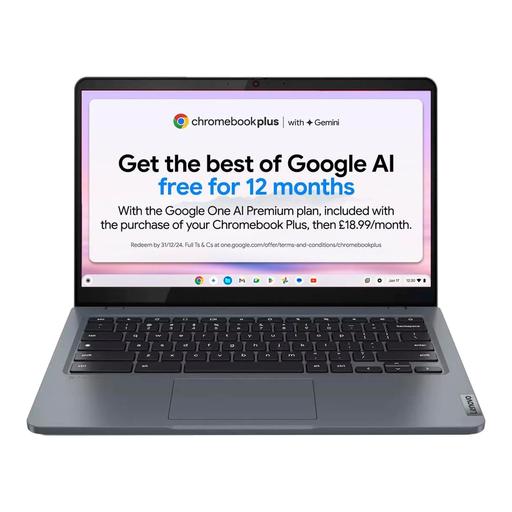
Lenovo IdeaPad Slim 3 Chromebook 14IAN8, 83BN001EUK
This keyboard-based option is worth considering for online learning and documents when essential tasks can be completed in ChromeOS.
The product name specifies a 14-inch display, Intel Core i3 N305, 8GB RAM and 256GB eMMC storage. Check app and peripheral compatibility and the exact model’s update schedule.
View on Joybuy
 No image available
Acer Chromebook Plus 514 CB514-5H, Core i3-1315U, 256GB SSD
Consider this Chromebook for longer web-based tasks if ChromeOS meets the household’s software and peripheral needs.
The product name specifies a 14-inch WUXGA display, Intel Core i3-1315U, 8GB RAM and 256GB SSD. Its processor and storage distinguish it from the other CB514-5H shown here; check the exact model’s final update date.
View on Joybuy
 No image available
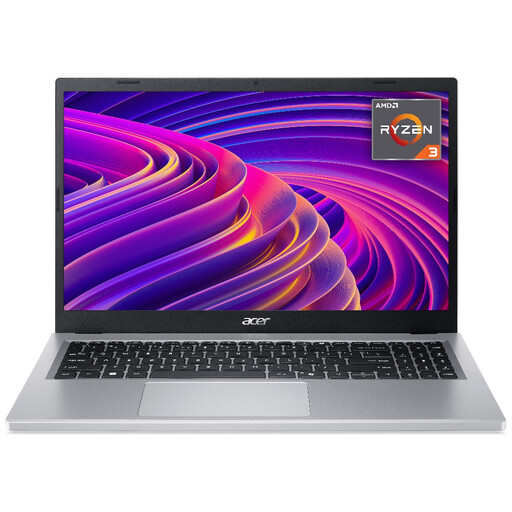
Acer Aspire Go 15 AG15-21P, Ryzen 3 7320U, 256GB SSD
Consider this Windows laptop if a larger display and keyboard suit the household’s forms or document tasks.
The product name specifies a 15.6-inch Full HD display, AMD Ryzen 3 7320U, 8GB RAM and 256GB SSD. Confirm the exact model and configuration before buying, as the product information uses differing Aspire names.
View on Joybuy
Frequently asked questions
When is a laptop more useful than relying on a phone?
Prioritise a laptop when essential household tasks involve sustained typing, schoolwork, document editing, uploads or lengthy forms. Ofcom reports that some adults find online tasks challenging on mobile devices; try the household’s hardest task before deciding whether phone-only access is enough.
How should we choose between home broadband and mobile data?
Start with what is available at the household’s address. Ofcom’s checker provides broadband availability and mobile coverage information by provider; then consider indoor use, the number of people connecting and the data allowance needed for activities such as video calls and updates.
Who can consider a social tariff?
People receiving Universal Credit, Pension Credit or certain other benefits may be able to apply for a social broadband or phone tariff listed by Ofcom. Check the participating provider’s current service, qualifying benefit, named contract-holder requirements and terms for the household’s circumstances.
What should we check before buying a refurbished laptop?
Check the exact model, stated condition, battery, charger and software support, then read the seller’s written warranty and claims process. Keep the listing and proof of purchase; as Citizens Advice explains, a warranty or guarantee adds to legal rights rather than replacing them.
What if suitable fixed broadband is unavailable?
Check mobile coverage as a possible connection route, and ask about the Broadband Universal Service Obligation if fixed service falls below its conditions. Ofcom says households unable to obtain at least 10 Mbit/s download and 1 Mbit/s upload may be able to request an upgraded connection, subject to eligibility and an assessment by BT or, in the Hull area, KCOM.


