What matters when choosing?
Mac for local iOS and Android work
Choose when: The same laptop must run current Xcode and Apple-platform simulators locally as well as your Android tools.
Trade-off: A Mac meets the local Xcode requirement, but Android virtual devices still place demands on its memory and storage.
Intel-based Windows for Android-first work
Choose when: Android Studio and Android Virtual Devices are your local testing tools, and you do not need Xcode on this laptop.
Trade-off: Windows does not provide the local Xcode route; Android Developers also says Windows machines with ARM-based CPUs are not currently supported for Android Studio.
Once the local toolchain is settled, match the configuration to how many virtual devices you will run and whether you will carry physical test devices between locations.
| Concern | What to check | Who this matters to |
|---|
| Local tool access |
Check whether your project requires local Xcode and which macOS version its Xcode release supports. For Windows Android Studio use, check the processor architecture. |
If iOS simulator testing must happen on my own laptop, I need access to the right local toolchain before comparing other specifications. Around 34% of consumers would put that access first. |
| Android emulator capacity |
Compare RAM and free SSD space with your planned concurrent virtual devices. Android Developers recommends 16GB RAM for the best emulator experience and says simultaneous devices need approximately 4GB of memory each. |
When I keep several device profiles running alongside development tools, I need room for that combined workload. Roughly 33% of consumers would make emulator capacity their primary concern. |
| Portable device testing |
Check the exact model’s weight, ports and external-display support against the phones, cables and displays you use. |
If I carry phones and the laptop between locations, I need a setup I can connect without relying on unsuitable ports. About 25% of consumers would prioritise that portable device workflow. |
| Configuration for lighter use |
Decide whether you need one virtual device, several concurrent devices or mainly physical-device testing before choosing memory and storage. |
If I mainly test on one device at a time, I do not want to choose a configuration around simultaneous emulators I will rarely run. Around 8% of consumers would put that restraint first. |
Joybuy products for these workflows
These laptops cover Intel-based Windows configurations for Android-first testing and a Mac configuration for local Xcode work. Choose between those workflows before comparing their screen sizes, memory and storage.
 No image available
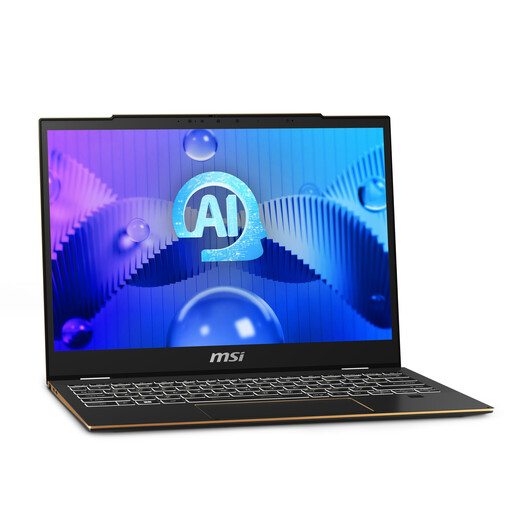
MSI Summit E13 AI Evo, 13-inch, Core Ultra 7 155H, 32GB RAM, 1TB SSD
Consider this Intel-based Windows configuration if you need to carry an Android testing laptop with 32GB of memory for local virtual-device work.
The listed configuration has a 13-inch FHD+ 60Hz touchscreen, Intel Core Ultra 7 155H, 32GB LPDDR5 RAM and a 1TB SSD. Windows does not provide local Xcode access.
View on Joybuy
 No image available
MSI Stealth 18 AI Studio A1VGG-001UK, 18-inch, 32GB RAM, 2TB SSD
This Windows configuration is worth considering for Android-first work when you want 32GB of memory and substantial local storage for projects and virtual devices.
The listing names an Intel Core Ultra 9 processor, NVIDIA GeForce RTX 4070, 32GB RAM and a 2TB SSD. Its stated 2.89kg weight is a consideration if you carry the laptop regularly; it does not provide local Xcode access.
View on Joybuy
 No image available
MSI Summit 16 AI Evo, Core Ultra 7 255H, 32GB RAM, 1TB SSD
Consider this Intel-based Windows laptop if Android testing calls for 32GB of memory and you prefer the stated 16-inch screen.
The configuration lists a 16-inch QHD+ 165Hz touchscreen, Intel Core Ultra 7 255H and a 1TB SSD. Check its exact wired ports against your phones and displays; Windows does not provide local Xcode access.
View on Joybuy
 No image available
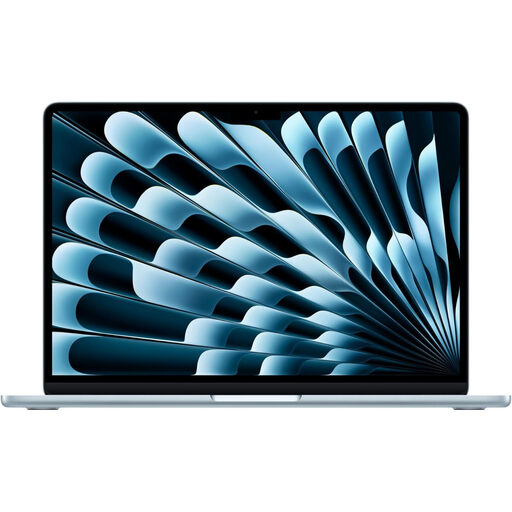
Apple 15-inch MacBook Air (2026), M5, 16GB, Sky Blue
This MacBook Air fits the Mac route if you need to run a compatible current Xcode release and Apple-platform simulators locally, alongside Android tools.
The listing identifies an M5 chip and 16GB unified memory. Confirm the exact SSD capacity on the final configuration before ordering, and assess whether 16GB leaves enough memory for the number of Android virtual devices you intend to run.
View on Joybuy
Frequently asked questions
Do I need a Mac to test iPhone and iPad apps locally?
You need a compatible Mac for the current local Xcode and Apple-platform simulator route. Apple Developer lists supported macOS versions for Xcode releases, so check the version required by your project against the Mac you plan to use.
Is 16GB RAM enough for Android Studio and an emulator?
Android Developers recommends 16GB RAM for the best general Android Studio and Emulator experience, but that is not a guarantee for several devices at once. Its guidance says simultaneous Android Virtual Devices need approximately 4GB of memory each; plan additional headroom if that is your regular workflow.
Can I use a Windows-on-ARM laptop for Android Studio?
Android Developers’ current installation guidance says Windows machines with ARM-based CPUs are not supported for Android Studio. Check the processor architecture of the exact laptop and the latest tool requirements before ordering it for that purpose.
How should I judge SSD capacity for mobile-app testing?
Allow space for your projects, SDKs, build files and the virtual-device profiles you expect to keep locally. Android Developers says an additional Android Virtual Device can need up to 6GB of storage, so check the SSD capacity of the exact variant rather than judging by the laptop model alone.
What should I check before ordering a laptop for use in the UK?
Confirm the exact configuration, power arrangement, supplied accessories and warranty terms with the seller. For Great Britain, GOV.UK guidance recognises CE marking alongside or instead of UKCA marking where applicable; Northern Ireland has different market arrangements, so the Great Britain guidance should not be applied there unchanged. If goods bought from a trader are faulty, statutory remedies are distinct from a retailer’s voluntary change-of-mind returns policy; the Consumer Rights Act 2015 explanatory notes describe a minimum 30-day short-term right to reject qualifying faulty goods.


