What matters when choosing?
For a library essay outline, establish which operating systems can run your course tools. Among those that can, decide how much writing space you want to carry and how you will manage sessions away from a socket.
Chromebook
Consider it when: Your outlining, referencing and submission workflow is confirmed to work in the browser or compatible ChromeOS apps.
Trade-off: Desktop applications and peripherals still need individual checks, as does the exact device’s update end date.
Windows laptop
Consider it when: Your course requires Windows applications or Windows-dependent equipment.
Trade-off: For an Arm-based model, confirm required apps and drivers for that processor; Microsoft says native Arm apps offer the strongest performance on Windows on Arm.
MacBook Air
Consider it when: Your course workflow supports macOS and you want to assess Apple’s compact laptop configurations.
Trade-off: Apple lists USB-C, MagSafe and a headphone jack on the cited 13-inch model; USB-A devices or HDMI displays may require compatible accessories.
| Concern |
What to check |
Who this matters to |
| Carrying and battery use |
Compare the exact model’s listed weight and what activity its battery claim measures. An “up to” figure does not promise a full writing session. |
When I carry my laptop to the library and may sit away from a socket, I want a manageable load and a plan for charging. Around 40% of consumers put carrying and battery use first. |
| Writing workspace |
Check the screen size and shape, display finish and keyboard layout of the configuration you would buy; try the keyboard if possible. |
For extended reading and arranging headings, I want a document view and keyboard that feel comfortable without carrying more screen than I need. Around 30% of consumers prioritise their writing workspace. |
| Software and updates |
Confirm required course apps, web services and peripherals for the exact operating system and processor. For ChromeOS, check the device-specific update schedule. |
If my course depends on a reference manager or institutional tools, I need those tools to work before screen preferences matter; for around 30% of consumers, compatibility is the primary concern. |
Joybuy laptop choices
These laptops offer Chromebook and Windows routes for drafting in a library. Check your required software first, then compare each model’s screen, storage and suitability for carrying; the Windows choices include an S Mode configuration and a Snapdragon model that need particular compatibility checks.
 No image available
Acer Chromebook Plus 514 CB514-5H, 14-inch, Iron
Consider this Chromebook if your outlining and course tools work in ChromeOS or the browser; confirm the exact device’s update end date.
14-inch WUXGA display (1920 × 1200), Intel Core 5 120U, 8GB RAM and 512GB SSD.
View on Joybuy
 No image available
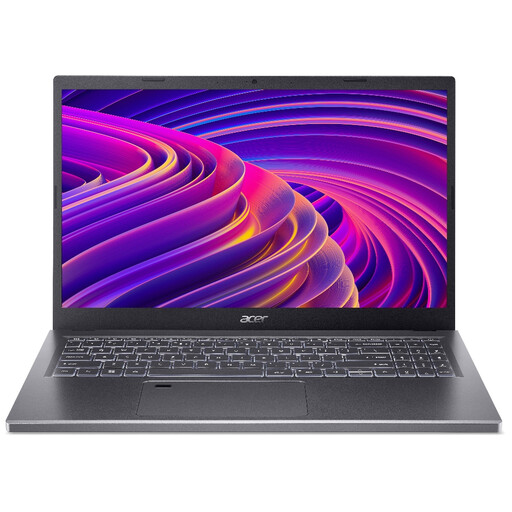
Acer Aspire 5 A515-48M, 15.6-inch, Silver
This Windows laptop is a choice to assess if you want a larger document view; check your required course applications and whether its size works for your journey.
15.6-inch Full HD display (1920 × 1080), AMD Ryzen 5 7530U, 16GB RAM and 512GB SSD. Confirm the RAM type for the exact configuration.
View on Joybuy
 No image available
Lenovo IdeaPad 1, 15-inch, Cloud Grey
Consider the larger screen for outlining, but check whether your required applications work with this laptop’s Windows 11 Home in S Mode configuration.
Full HD display, AMD Ryzen 3 7320U, 8GB RAM and 128GB SSD. Check whether that storage capacity meets your needs.
View on Joybuy
 No image available
ASUS Vivobook 15 X1504VA, 15.6-inch, Cool Silver
This Windows model is worth assessing if you want a larger writing screen and the stated storage capacity. Confirm the keyboard layout and look for a battery figure based on active use rather than standby.
Intel Core 5 120U, 24GB RAM and 1TB SSD.
View on Joybuy
 No image available
ASUS Vivobook 14 X1407QA-LY003W, Quiet Blue
Consider this Snapdragon X Windows laptop if you want a 14-inch format, but confirm your required applications and driver-dependent peripherals work on Windows on Arm. Check the keyboard layout and a battery-runtime basis relevant to writing.
16GB RAM and 512GB SSD.
View on Joybuy
Frequently asked questions
Is a Chromebook suitable for drafting an essay outline?
Yes, if your course workflow works in ChromeOS or the browser. Acer says Google Docs, Sheets and Slides can be used online or offline on its cited Chromebook Plus 514 family, but check your referencing tools, institutional services, printer and assessment software separately.
Should I check my software before buying a Snapdragon Windows laptop?
Yes. Microsoft says most Windows applications can run on Windows on Arm through emulation, while native Arm applications offer the strongest performance; driver-dependent peripherals need appropriate support. Check each required tool for the exact processor platform.
Where can I find a Chromebook’s last update date?
Check the Update schedule for the exact device in ChromeOS Settings, under About ChromeOS and Additional details. Google says it shows when the device will receive its last update, so do not use the product-family name or purchase date as a substitute.
What should I do with an old laptop in the UK?
Consider reuse or an electrical-equipment recycling route, and check the collection arrangements offered by your retailer or local authority. The UK Office for Product Safety and Standards and the Department for Environment, Food & Rural Affairs identify the Waste Electrical and Electronic Equipment Regulations 2013, as amended, as the underpinning UK legislation.


