Working away from a desk socket
You need time for browser-based layout, copy changes and form checks away from mains power, plus a charging method you can rely on when a socket becomes available.


For contact-form layout where plug sockets are scarce, choose a laptop that runs your required tools and has a charging setup you can confirm before buying. Apple documents USB-PD charging with a 30W minimum for the current M5 MacBook Air; if you need Windows, check the exact laptop’s charging method, power requirement and charger bundle rather than assuming any USB-C charger will work. Whichever laptop you choose, test the form at smaller screen widths as well as on its own display.
You need time for browser-based layout, copy changes and form checks away from mains power, plus a charging method you can rely on when a socket becomes available.
You lay out forms in Figma or another browser-led tool. Figma describes its software as predominantly browser-based, so check its current browser and operating-system requirements before treating a dedicated graphics card as essential.
Your extensions, local tools or client workflow require Windows. Keep those requirements in view while checking the laptop’s charging method and the power supply you plan to use.
Start with software compatibility and the complete charging setup, then decide how much screen space you need for laying out the form. These concerns describe consumers choosing a laptop for contact-form work with limited access to plug sockets.
| Concern | What to check | Who this matters to |
|---|---|---|
| Unplugged use and charging | Check the exact model’s stated charging method and wattage, your charger’s single-port output, and whether a suitable charger comes in the box. Treat advertised battery life as test-dependent. | If sockets are scarce, I need to finish layout work without an unexpected charging interruption or another power supply. Around 40% of consumers put dependable unplugged use and charging first. |
| Layout workspace | Compare the display size and the memory configuration for your browser, design file and reference material; a larger panel does not replace small-screen testing. | When arranging fields beside copy and reference material, I want enough room to work without making the laptop awkward to carry. Roughly 30% of consumers make layout workspace their primary concern. |
| Tools and testing | Confirm the operating system, browser and required extensions or local tools, then plan how to check responsive states at smaller widths. | My form has to work with the tools my team uses and remain usable beyond my laptop screen. About 30% of consumers prioritise workflow compatibility and testing. |
A USB-C connection alone does not establish that a particular charger supplies enough power. Apple specifies a 30W minimum for the current M5 MacBook Air, while Dell lists 27–65W charging for the XPS 13 DX13260; Microsoft also documents Windows warnings for slow or insufficient USB-C charging.
Match the exact laptop’s charging requirements to the charger and cable, including the charger’s output when only one port is in use.
You may need a compatible higher-output charger and cable if the ones you own do not meet those requirements.
Figma describes its graphics requirements as low and says selecting a dedicated GPU on a dual-GPU laptop can increase battery consumption.
Check Figma’s current browser and operating-system requirements, then consider dedicated graphics only if your wider workload calls for it.
As MDN Web Docs explains, responsive layouts need to work across different screen sizes and resolutions. A spacious laptop display cannot show every smaller-screen state by itself.
Check field widths, validation messages, keyboard focus and submit controls at smaller viewports as well as on the laptop.
Dell’s UK listing for the XPS 13 DX13260 states that a charger is not included, despite specifying a 27–65W charging range.
Check the exact retailer bundle and confirm that you have a compatible charger and UK plug arrangement before relying on the laptop away from a socket.
The current M5 MacBook Air is a macOS option for browser-based form layout when your required tools work on macOS.
The XPS 13 DX13260 is a compact Windows option if it fits your software workflow and you can arrange compatible power hardware.
The ThinkPad X1 Carbon Gen 13 Aura Edition is a Windows business option for buyers considering a 14-inch work display and the support terms of a specific configuration.
These laptops offer different screen sizes and configurations for contact-form layout. Check each one against your required software, charging arrangement and plans for working away from a socket.
 No image available
Consider this 13-inch model if your form-layout tools work on macOS and you want the USB-PD charging option Apple documents for the M5 MacBook Air.
This variant has a 10-core CPU, 10-core GPU, 16GB memory and a 1TB SSD. Apple specifies a 30W minimum for charging; check this listing’s box contents and your charger and cable before planning to share a power supply.
 No image available
Consider this Windows 11 Home 2-in-1 if you want a 16-inch touchscreen while arranging form elements and reference material.
The title specifies an Intel Core Ultra 5 226V processor, 16GB RAM and a 512GB SSD. Confirm the charging requirement, supplied power hardware and portability that suit your socket-limited workspace.
 No image available
The 15-inch touchscreen may suit a layout workflow that benefits from more display space; check that your required applications and extensions work with its Snapdragon X Elite processor.
This variant has 16GB RAM and a 256GB SSD. Confirm its charging method and the supplied adaptor before depending on a particular USB-C charging setup.
 No image available
This 13-inch variant may suit a compact form-layout workspace if its operating system and 8GB memory meet your tool and multitasking needs.
Its title specifies an A18 Pro chip with a 6-core CPU and 5-core GPU, plus a 512GB SSD and Touch ID. Check its charging method, required wattage and charger bundle before relying on it away from a socket.
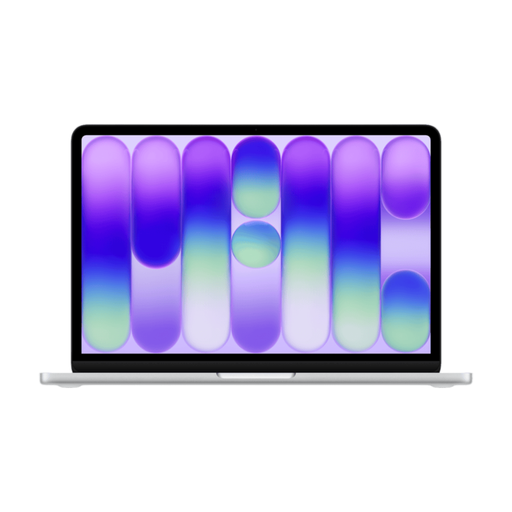 No image available
Consider this 13-inch variant if 256GB of storage fits your files and applications, and its operating system supports your form-layout workflow.
Its title specifies an A18 Pro chip with a 6-core CPU and 5-core GPU and 8GB memory. Confirm the charging method, power requirement and charger bundle for your limited-socket setup.
Yes, if the exact laptop supports charging through USB-C and the charger and cable meet its power requirements. Apple specifies a 30W minimum for the current M5 MacBook Air, while Dell lists 27–65W charging for the XPS 13 DX13260; check the requirements of the model you actually buy.
Not by default: Figma describes its graphics requirements as low. Check its current browser, operating-system and graphics requirements for your workflow; Figma also says selecting a dedicated GPU on a dual-GPU laptop can increase battery consumption.
No. MDN Web Docs explains that responsive layouts must work across screen sizes and resolutions, so test fields, validation feedback and submit controls at smaller viewports as well as on the laptop display.
Dell’s UK listing for the XPS 13 DX13260 says a charger is not included. Check the exact retailer bundle and arrange a compatible charger before planning how you will power the laptop.